What Is a Cloud VPS for a Small Business Website?
A cloud VPS is a provider-hosted virtual machine reached over the internet. A hypervisor divides one physical server into isolated environments, each with an allocated allowance such as 2 vCPUs, 4 GB RAM and 80 GB SSD storage. Other tenants cannot log into that VPS, although some plans share physical CPU time.
| Option | Resources and control | Example cost |
|---|---|---|
| Shared hosting | Hundreds of accounts may share one operating system; customers typically manage sites through a control panel and cannot install kernel modules. | Provider-specific entry tier |
| Cloud VPS | Allocated RAM and storage, root access, and virtual-machine isolation. CPU cores may be shared unless the plan specifies dedicated cores. | One large cloud provider listed 2 vCPUs, 4 GB RAM and 80 GB SSD at US$24/month in July 2026, unmanaged. |
| Dedicated server | One customer receives the physical machine and controls its operating system, CPU and disks. | One European provider listed selected dedicated servers at about US$117-992/month excluding IPv4 and setup fees in July 2026. |
A 2 vCPU, 4 GB VPS can reasonably run three to five cached WordPress brochure sites receiving roughly 1,000-5,000 visits each per month, or one small shop handling perhaps 5-10 concurrent checkouts. It should not be assumed to run that shop, business email, staging and several production sites simultaneously. Sizing also depends on uncached PHP requests, database size and background jobs; 20,000 cached page views can require less capacity than 2,000 visits that trigger imports or searches.
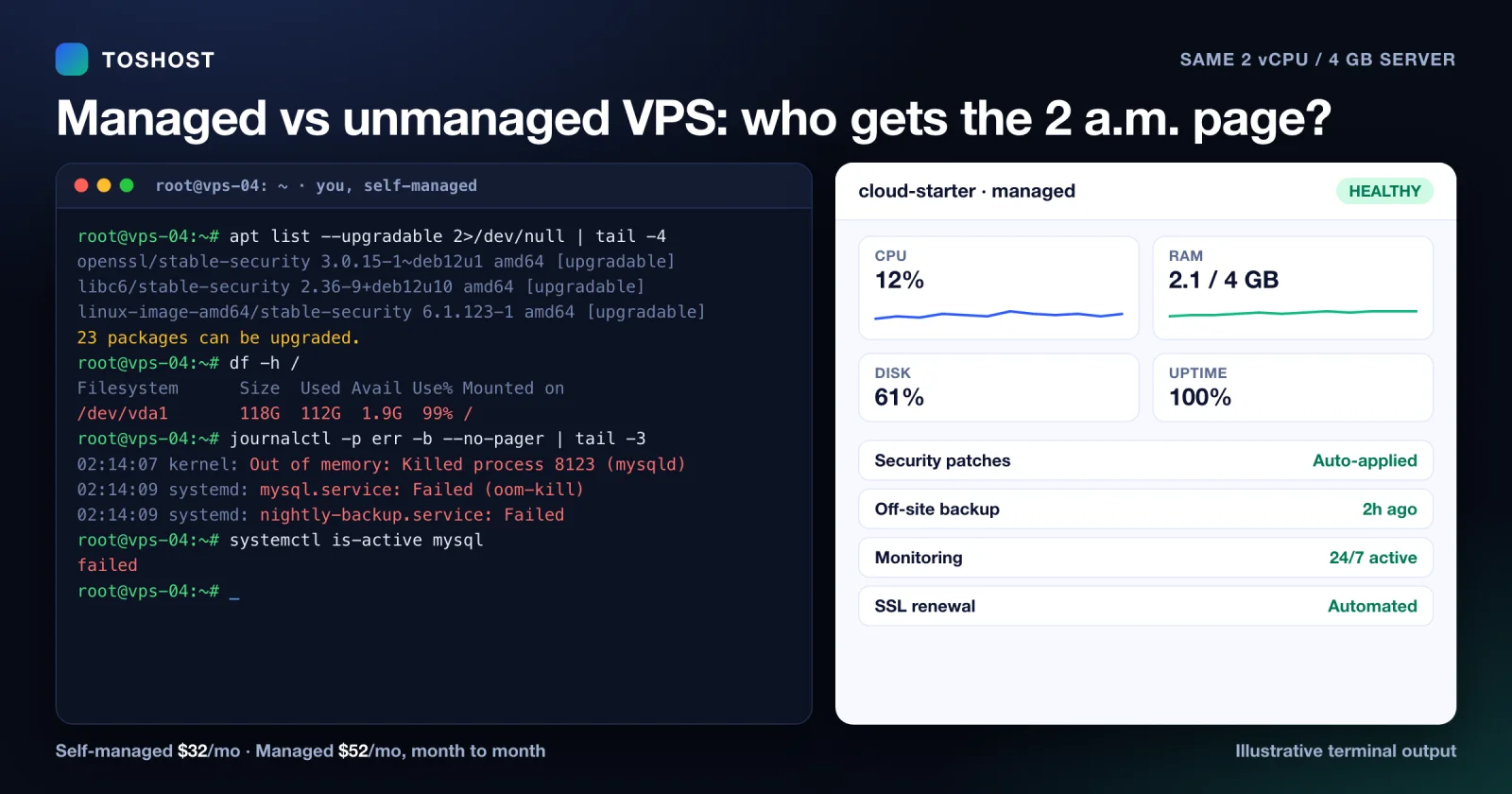
Other uses include a separate development environment or email service, but production email needs monitoring of queues, DNS records and blocklists. On a self-managed VPS, the customer handles operating-system updates, firewall rules, backups and fault diagnosis. A managed service assigns those tasks to the provider under the stated support scope. Scale up or investigate when CPU exceeds 70% or memory exceeds 80% for 15 minutes on at least three days in one week.
How to Choose the Best Cloud VPS for Your Small Business Website
Record the workload before comparing plans: platform and version, monthly visits, peak requests per minute, database size and writes, current disk use plus 30% growth, mailbox storage, and site count. A brochure WordPress site with 10,000 monthly visits may start at 2 vCPUs and 4 GB RAM; a WooCommerce shop processing 10 concurrent checkouts should test 4 vCPUs and 8 GB RAM.
| Area | Measurable acceptance test |
|---|---|
| CPU | Prefer AMD EPYC Milan or Intel Ice Lake generation or newer. Require a Geekbench 6 single-core score above 1,500, with a 10-minute stress test retaining at least 80% of its first-minute throughput on shared vCPUs. |
| Memory and storage | Keep peak RAM below 80%. Require NVMe storage and test at least 3,000 random-read IOPS; retain 30% free disk space after migration. |
| Network | Calculate monthly transfer from logs, then add 25%. Treat "unlimited traffic" as conditional until the acceptable-use policy confirms the port speed, throttling threshold and excess-use action. |
| Resilience | Seek a 99.9% or higher uptime SLA, off-server daily backups, a 24-hour recovery point and a documented restore target below four hours. Cap backup charges at 30% of the VPS price unless longer retention is required. |
Headline capacity can mislead. One provider's range advertises up to 8 vCores, 32 GB RAM, 640 GB NVMe and unlimited traffic, while another market offering starts at 8 GB RAM and 100 GB storage. Neither figure reveals CPU contention, backup retention or support response time.
Current entry points also differ materially. One large cloud provider advertises a $4 monthly entry VPS with 512 MiB RAM, 1 vCPU and 10 GiB SSD. A US hosting company lists an unmanaged $28 monthly configuration with 4 vCPUs, 4 GB RAM, 100 GB NVMe and 5 TB transfer. A managed-VPS provider's entry configuration has 2 CPU cores, 4 GB RAM and 50 GB NVMe, with management and off-site backups included on advertised managed plans. Providers that offer unmetered transfer are worth comparing where the anti-DDoS terms match the workload.
- Choose a US data centre for a mainly US audience, then confirm median application latency below 100 ms from the target states.
- Verify monitoring intervals of five minutes or less, stated DDoS coverage, migration scope, snapshot pricing and an upgrade path that permits adding RAM without rebuilding the server.
- Use unmanaged hosting only if an operator can patch critical vulnerabilities within 24 hours and complete a quarterly restore test within four hours. Otherwise, price a managed plan and obtain the provider's response-time commitment in writing.
Why Small Businesses Choose Cloud VPS Hosting
On entry-level shared hosting, one account can exhaust a shared CPU pool and make neighbouring requests queue. A 2 vCPU, 4 GB VPS removes that account-level contention and is a practical baseline for one cached WordPress or WooCommerce site receiving about 5,000-10,000 monthly visits, provided checkout traffic and plugins are tested separately.
| Decision point | Practical threshold | Action |
|---|---|---|
| Growth | RAM stays above 70-80% for 15 minutes, or CPU exceeds 70% during sales | Resize to 4 vCPU and 8 GB RAM, then retest checkout and database queries |
| Control | The site needs Redis, a specific PHP version, database tuning or IP-based firewall rules | Use VPS root access instead of a fixed shared-hosting stack |
| Management | No employee can patch Linux within 72 hours of a critical security update | Choose managed hosting covering OS updates, firewall changes, backups and monitoring alerts |
Scaling can support a larger catalogue or an added business application without rebuilding the platform. One provider has advertised VPS configurations up to 8 vCores, 32 GB RAM and 640 GB NVMe storage with unlimited traffic, although available ranges and transfer conditions should be checked before purchase.
Isolation limits one VPS workload from reading another tenant's memory or files. It does not secure an unpatched server. Set daily backups with at least 14 restore points, monitor CPU, RAM and disk every five minutes, and require provider DDoS protection that explicitly covers volumetric layer 3 and layer 4 attacks with a published mitigation capacity in Gbps. Application-layer HTTP floods still need rate limiting or a web application firewall.
A prebuilt Linux image can normally be provisioned within 5-15 minutes, versus one or more working days to order, install and configure physical hardware. Small teams still need time for DNS, migration and restore testing. If nobody can own those tasks, a managed VPS with named response times is the more practical choice.
Cloud VPS vs Shared Hosting, Traditional VPS and Dedicated Servers
| Option | Suitable workload | Starting resources and scaling | Management allowance |
|---|---|---|---|
| Shared hosting | Brochure sites below 10,000 visits per month and shops processing fewer than 2 concurrent checkouts | Provider-controlled CPU and RAM; changing platform commonly requires migration | 1-2 hours per month for updates, backups and tests |
| Cloud VPS | Stores handling 2-10 concurrent checkouts or peaks above 100 dynamic requests per minute | Start with 2-4 vCPUs and 4-8 GB RAM; require a documented resize window below 30 minutes and downtime below 10 minutes | 4-8 hours per month unmanaged, or 1-3 hours with managed patching and monitoring |
| Dedicated server | Workloads using more than 8 vCPUs or 32 GB RAM continuously, or applications requiring a named CPU model, local NVMe layout or single-tenant hardware | Hardware changes may require migration; budget a 1-4 hour maintenance window | 8-16 hours per month unmanaged, including patching, monitoring and recovery tests |
A VPS is an isolated virtual environment on a provider's physical server, giving root access and configuration freedom unavailable on most shared plans. "Cloud hosting" and "VPS hosting" are not mutually exclusive: a cloud VPS combines that isolation with provider-controlled provisioning, snapshots and resource resizing.
- Move a shop beyond shared hosting if checkout responses exceed 2 seconds at the 95th percentile, CPU remains above 80% for 15 minutes, memory exceeds 90%, or scheduled stock and order jobs fail during a named peak such as Black Friday.
- Choose managed service if nobody can commit 4-8 hours monthly to Linux updates, log review, backup verification and one quarterly restore test.
- Require dedicated hardware when a contract prohibits shared physical hosts, audit controls demand single tenancy, or measured demand exceeds 8 vCPUs or 32 GB RAM for 30 consecutive days.
Do not upgrade solely because one page is slow. First compress images above 300 KB, verify a cache-hit rate above 80% for cacheable pages, log database queries exceeding 500 ms, then disable plugins individually in staging. Upgrade only if those checks pass and CPU, memory or checkout thresholds still fail.
Cloud VPS Costs, Setup and Migration Planning
One large cloud provider advertises entry VPS plans from $4 per month, but that entry plan has 512 MiB RAM, 10 GB SSD storage and 500 GiB of outbound transfer; additional outbound transfer is $0.01 per GiB. That can suit a cached static brochure site receiving 5,000 monthly visits. It is a poor baseline for a WooCommerce shop handling 5,000-10,000 visits, where 2-4 vCPUs and 4-8 GB RAM provide more practical capacity for PHP workers, the database and traffic spikes.
| Monthly cost item | Example budget |
|---|---|
| VPS compute and storage | $24-$48 |
| Backups retained for 14 days | $5-$12 |
| Control-panel licence | $20-$35 |
| Security or DDoS service | $0-$25 |
| Administrator time | 2 hours at $75, or $150 |
Add bandwidth overages and applicable tax before comparing totals. A free or $4 VPS is unsuitable for a revenue-generating shop if support is community-only, backups are absent, or 512 MiB of RAM causes checkout processes to be killed.
- Audit disk use, software versions, DNS records and dependencies. Record peak CPU and RAM for 14 days, including one promotion or other busy period.
- Select capacity that keeps peak CPU below 70% and leaves 25% of RAM free. Configure the operating system, web server, database, TLS, firewall and restricted administrator access.
- Create a full backup, then transfer files and databases. Test through a private hosts-file entry; require valid TLS, no broken links, page responses below 2 seconds, and 20 successful test checkouts.
- Reduce DNS TTL to 300 seconds at least 24 hours beforehand. Update DNS, monitor errors and transactions, and retain the old server unchanged for seven days.
- Roll back if HTTP 5xx responses exceed 1% for five minutes or more than two of 20 checkout tests fail.
After launch, budget one to three administrator hours monthly for patching, access reviews, performance checks, capacity reviews and quarterly recovery tests. For example, an unmanaged $36 VPS plus two $75 administrator hours and $8 backups totals $194. A $120 managed plan with 24/7 ticket support, a 30-minute response target for critical incidents, daily backups retained for 14 days and quarterly restore testing gives the same shop a defined recurring cost.
Where Toshost fits
If the workload above matches your own site, Toshost's KVM Cloud VPS gives you root-access KVM VPS with NVMe storage, sized in the same vCPU/RAM tiers discussed above. See current KVM Cloud VPS plans and pricing.