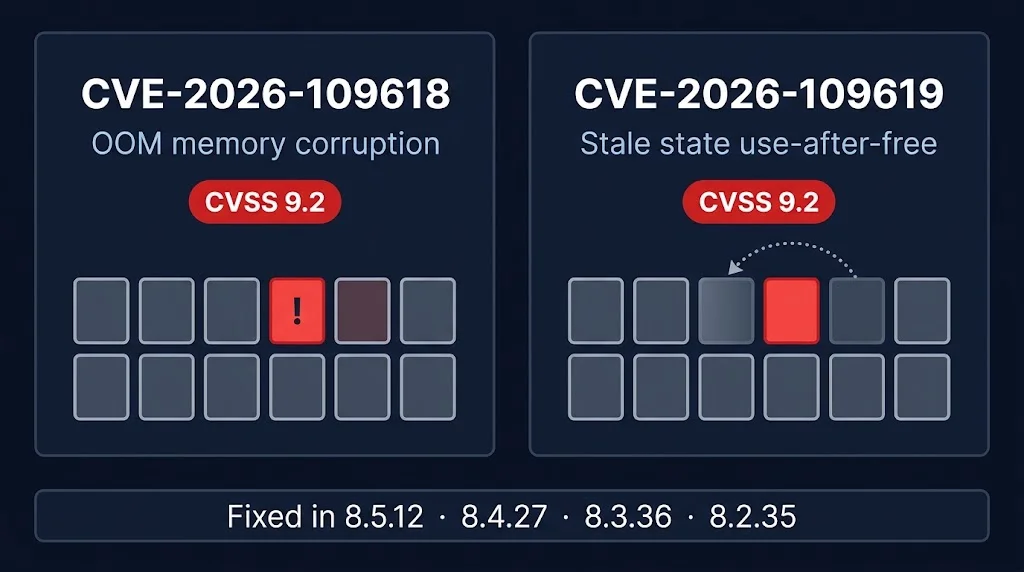
Short answer: PHP 8.5.12, 8.4.27, 8.3.36 and 8.2.35 fix two critical, unauthenticated remote code execution flaws, CVE-2026-109618 and CVE-2026-109619 (CVSS 9.2). Update the package, then reload PHP-FPM or restart the web server. PHP 8.1 and older receive no fix.
Last updated: October 22, 2026.
On October 21, 2026 the PHP project shipped a security release for two critical flaws, CVE-2026-109618 and CVE-2026-109619, nicknamed "php2shell". Both are rated CVSS 9.2 and both can lead to unauthenticated remote code execution. We run PHP on a lot of servers, so we started patching within a day and wrote down what actually happened. This is the field report, including the parts that did not go smoothly.
What are CVE-2026-109618 and CVE-2026-109619?
- CVE-2026-109618: if a request hits
memory_limitat the wrong moment, PHP can leave half-initialised internal data behind and later treat it as valid. That corrupts memory. On Apache with mod_php an unauthenticated request can trigger it before any application code runs. On PHP-FPM, code execution was demonstrated through application-level code paths. - CVE-2026-109619: a fatal error at the wrong point can leave internal state pointing at memory from a previous request. A later request on the same worker can then use freed memory.
Fixed versions: 8.5.12, 8.4.27, 8.3.36 and 8.2.35. PHP 8.1 and older get no fix from the PHP project. The PHP Foundation says it saw no working public exploit at release time, but proof-of-concept material leaked around the announcement, so treat the window as short. Sources: the PHP Foundation release post and the php-src advisories GHSA-w8hw-w9fx-j79w and GHSA-6wmf-4rv5-p3rp.
Is there a workaround if you cannot update yet?
Some summaries say disabling session.upload_progress blocks the attack. The PHP Foundation's own announcement does not mention it, so we did not rely on it. Update the package. That is the fix.
Step 1: find which PHP versions you really run
We audited our servers over SSH with a read-only script that prints every PHP binary and its version, including cPanel EasyApache (/opt/cpanel/ea-php*) and CloudLinux alt-php (/opt/alt/php*) builds, not just the one on $PATH. The first finding: no server we could reach had a fixed version yet, and many hosting servers carry five or six PHP versions side by side. The default php -v tells you very little. This loop lists every PHP binary on a cPanel, CloudLinux or standard server:
for p in $(command -v php) /opt/cpanel/ea-php*/root/usr/bin/php /opt/alt/php*/usr/bin/php; do
  [ -x "$p" ] && echo "$p: $($p -v | head -1)"
done
Step 2: check that the fixed version exists in your repository
Refreshing package metadata costs nothing and installs nothing. When we checked on October 22, the Debian/Ubuntu packages from the Sury repository and cPanel's EA4 repository both already carried the fixed versions:
| PHP branch | Fixed version |
|---|---|
| 8.5 | 8.5.12 |
| 8.4 | 8.4.27 |
| 8.3 | 8.3.36 |
| 8.2 | 8.2.35 |
| 8.1 and older | No fix from the PHP project |
Step 3: how to patch PHP in order of risk
We went test systems first, then internal tools, then production, then customer hosting. On Debian and Ubuntu the safe pattern is to upgrade only the installed PHP packages, keep your existing config files, then reload FPM:
apt-get install -y --only-upgrade \
  -o Dpkg::Options::=--force-confold \
  $(dpkg -l | awk '/^ii +(php[0-9.]*|libapache2-mod-php[0-9.]*)(-|[ ])/{print $2}')
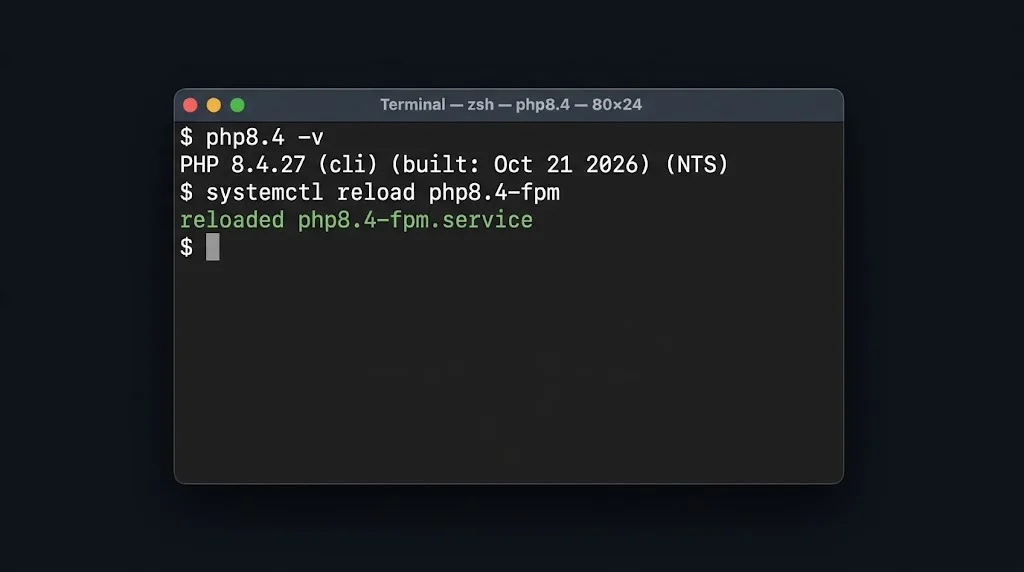
systemctl reload php8.4-fpm   # repeat per installed version
On cPanel EasyApache boxes:
yum -y update 'ea-php*'
systemctl restart ea-php84-php-fpm   # per installed version
# LiteSpeed: /usr/local/lsws/bin/lswsctrl restart   (graceful)
# Apache:    systemctl reload httpd
Our production site returned HTTP 200 before and after the upgrade. One trap to know about: if you run OPcache with validate_timestamps=0, PHP code is never re-read from disk. If you skip the FPM reload, the old code and the old binary keep running even though the package says it is upgraded.
What happened on our servers
- Standard stacks were easy. On Debian, Ubuntu and cPanel EasyApache servers, the fixed packages installed cleanly. Afterwards each supported PHP version reported 8.2.35, 8.3.36, 8.4.27 or 8.5.12.
- Vendor-modified stacks lagged. CloudLinux rebuilds EasyApache PHP in its own repository. At the time of writing its newest 8.2 build was still 8.2.34, and on some servers the update also stopped on a package conflict between CloudLinux-built and cPanel-built packages. We did not force that on live hosting. We are watching the vendor repository and will re-run the update when the fix lands.
- Old branches get nothing. If you still run PHP 8.1 or older for any customer or application, no fix is coming. The only real answer is to move to a supported version.
- Unreachable counts as unpatched. Some servers could not be reached from our admin machine during the run. Until we have confirmed each one, we treat it as unverified, not safe.
Lessons from doing this live
- Inventory beats speed. The version on
$PATHis rarely the version your customers run. - Package managers can hold you back. A fix being released is not the same as a fix being installable on your distribution.
- Vendor-modified stacks lag. If you run CloudLinux or similar, expect a gap after upstream. Plan for it.
- Reload is part of patching. An upgraded package with an unreloaded FPM pool is not patched.
- Verify with real content. A web server's default page can return 200 and look healthy. Our own first test did exactly that. We then confirmed real sites by response size and content from outside.
- Do not trust the first summary you read. One summary suggested a configuration workaround that the vendor announcement never mentions. Check the vendor announcement.
Your checklist
- List every PHP binary on every server, including EasyApache and alt-php.
- Check your repo for 8.2.35 / 8.3.36 / 8.4.27 / 8.5.12.
- Upgrade, then reload FPM or restart the web server.
- Confirm with
php -vfor each version, and check live sites from outside. - Plan to retire PHP 8.1 and older.
Frequently asked questions
Which PHP versions fix CVE-2026-109618 and CVE-2026-109619?
PHP 8.5.12, 8.4.27, 8.3.36 and 8.2.35, released October 21, 2026. PHP 8.1 and older receive no fix from the PHP project.
Do I need to restart PHP after updating?
Yes. Reload PHP-FPM or restart the web server so running workers load the new binary. With OPcache validate_timestamps disabled, an unreloaded pool keeps running old code.
Is there a workaround if I cannot update yet?
The PHP Foundation says updating is the fix and does not list a configuration workaround. Some third-party summaries mention disabling session.upload_progress, but that is unverified.
Does this affect PHP-FPM or only Apache mod_php?
Both. The PHP Foundation says the out-of-memory flaw can be triggered before application code runs on Apache with mod_php, and that code execution was also confirmed on PHP-FPM through application-level code paths.
Related guides: cPanel/WHM critical patch guide and nginx security updates 2026.
If you run PHP on shared or managed hosting and want help auditing your versions, talk to us.