Safe_mode.
PHP safe_mode is very important in terms of server security. It restricts and disables the dangerous functions in PHP from the scripts like PHP Shell that can otherwise cause damage to your server and client Sites. The additional security checks imposed by Safe Mode are, however, performed at the PHP level, since the underlying web server and operating system security architecture is usually not sufficient to impose the necessary security restrictions for a multi-user environment, in which many users may be able to upload and execute PHP code. It is not possible to use operating system level security to restrict which files can be accessed by the web server process (and hence PHP) needs access to all of them in order to serve user web pages. The only available solution is to address these issues at the PHP level. PHP safe mode is an attempt to solve the shared-server security problem. It is architecturally incorrect to try to solve this problem at the PHP level, but since the alternatives at the web server and OS levels aren’t very realistic, many people, especially ISP’s, use safe mode for now. When using PHP as an Apache module, you can also change the configuration settings using directives in the Apache Web Hosting configuration files (e.g. httpd.conf), php.ini file and .htaccess files. Enabling Safe Mode imposes several restrictions on PHP scripts. These restrictions are mostly concerned with file access, access to environment variables and controlling the execution of external processes.
Active Safe_mode:
It is really very simple to activate safe mode on the entire server. All you need to do is just edit the php.ini file. If you can’t find where php.ini is or have multiple copies on your server the best thing to do is run the following command on the shell:
#php -i | grep php.iniA few lines down you’ll see this:
Configuration File (php.ini) Path: /usr/local/Zend/etc/php.ini or /etc/php.ini1) Open up php.ini .
vi /path to php/php.ini (replace with the path to your php.ini file)
2) Find the following line: safe_mode
3) Turning safe mode on or off.
safe_mode = Off
You may active it by or turn it off by changing it to either On OR Off.
safe_mode = On
4) Restart the Apache web server by
/etc/init.d/httpd restart or Kill all exiting httpd connection and run
service httpd startssl
There are some applications or scripts that require safe_mode off like Modernbill and galleries etc, or any other script doesn’t work well with safe_mode. It is not a good idea to disable safe_mode on the entire server just for this application or scripts; in this situation, you can disable php safe mode locally i.e for that particular site or account only.
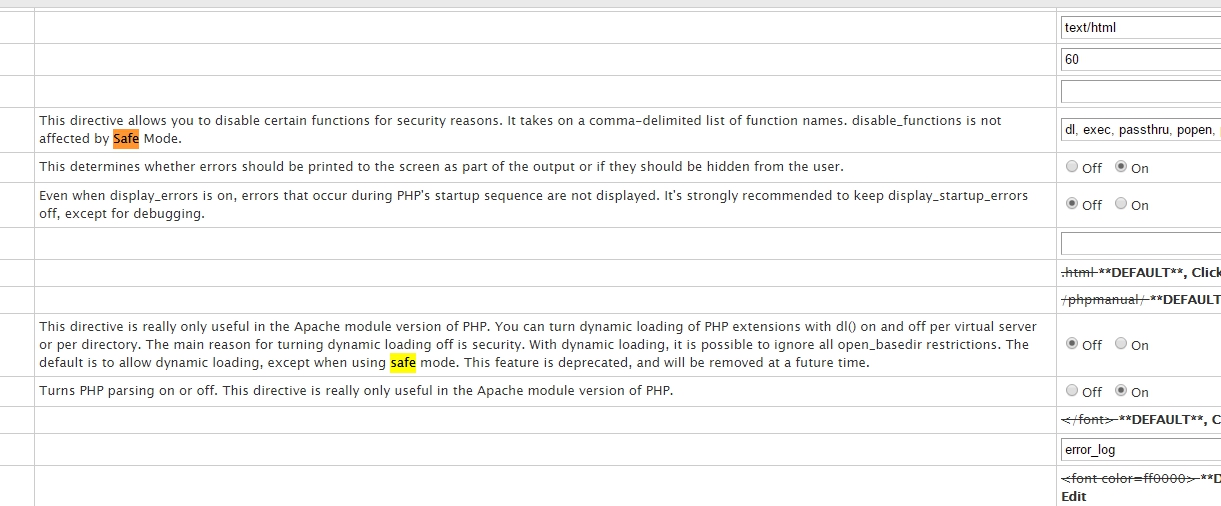
How to Disable Php Safe_mode in specific script or Directory
Method 1:
Find the .htaccess file under public_html folder or that particular application, scripts folder of that site if it is not present then create .htaccess file
# nano .htaccess
Insert this line into your .htaccess file:
php_admin_flag safe_mode Off
Or
php_admin_value safe_mode 0
Note::
There are several Apache directives that allow you to change the PHP configuration from within the Apache configuration file itself.
php_value name value
This sets the value of the specified variable.
php_flag name on|off
This is used to set a Boolean configuration option.
php_admin_value name value
This sets the value of the specified variable. “Admin” configuration settings can only be set from within the main Apache configuration files, and not from .htaccess files.
php_admin_flag name on|off
Or If you are using frontend based development and don't know about backend then follow the same thing using edit option your script or cPanel file manager option.
Method 2:
You can also try to create a file called php.ini in the root (public_html or other) folder, and be putting the following in it:
safe_mode = Off
Method 3:
You can turn it off by adding the following line to a .htaccess file in your root (public html) folder.
If the .htaccess file doesn't exist, you can create it using a simple text editing program.
php_flag safe_mode Off
Thank you for read this articale. This articale collect form internet with random site like stackoverflow,acunetix etc.