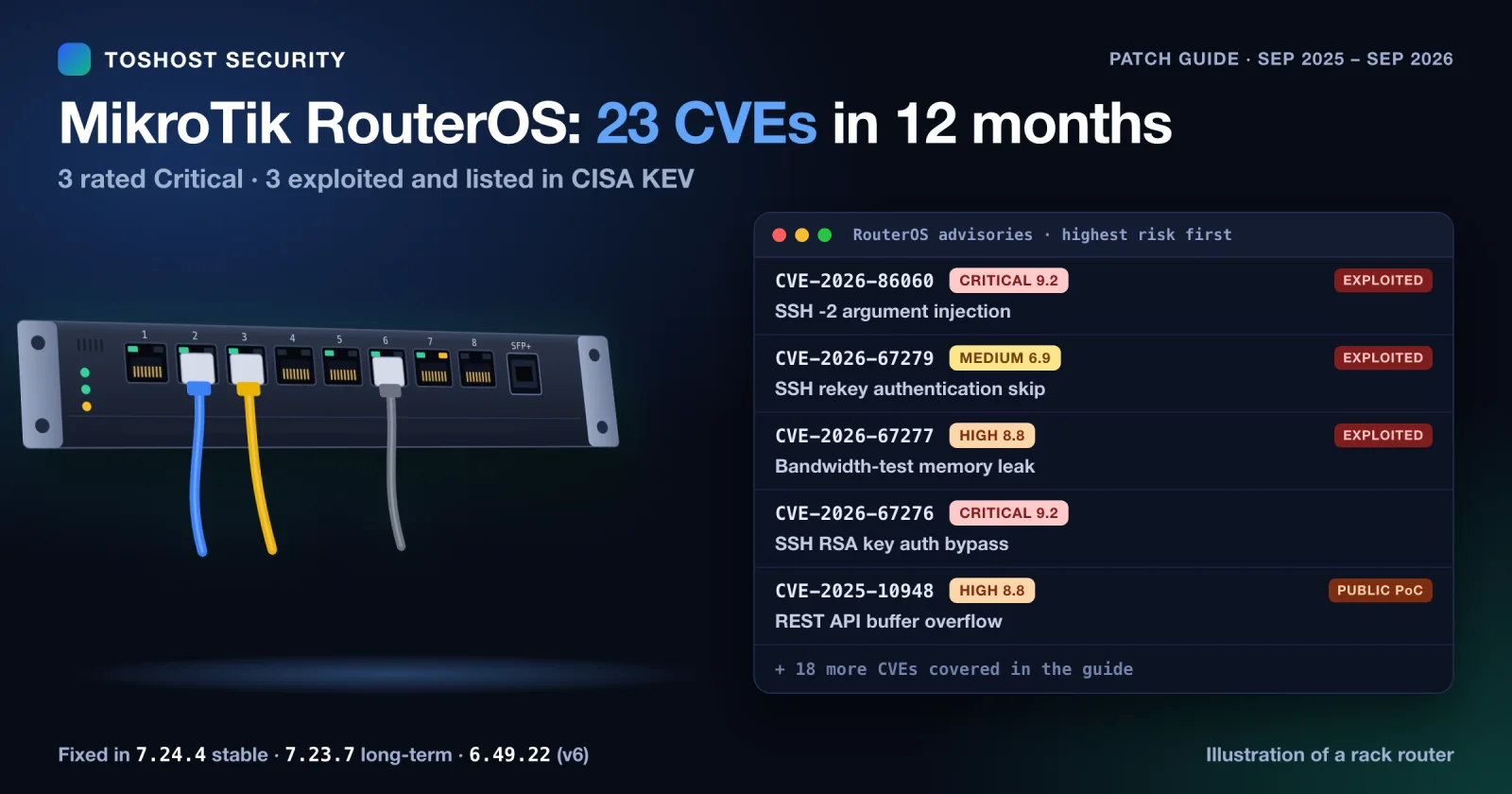
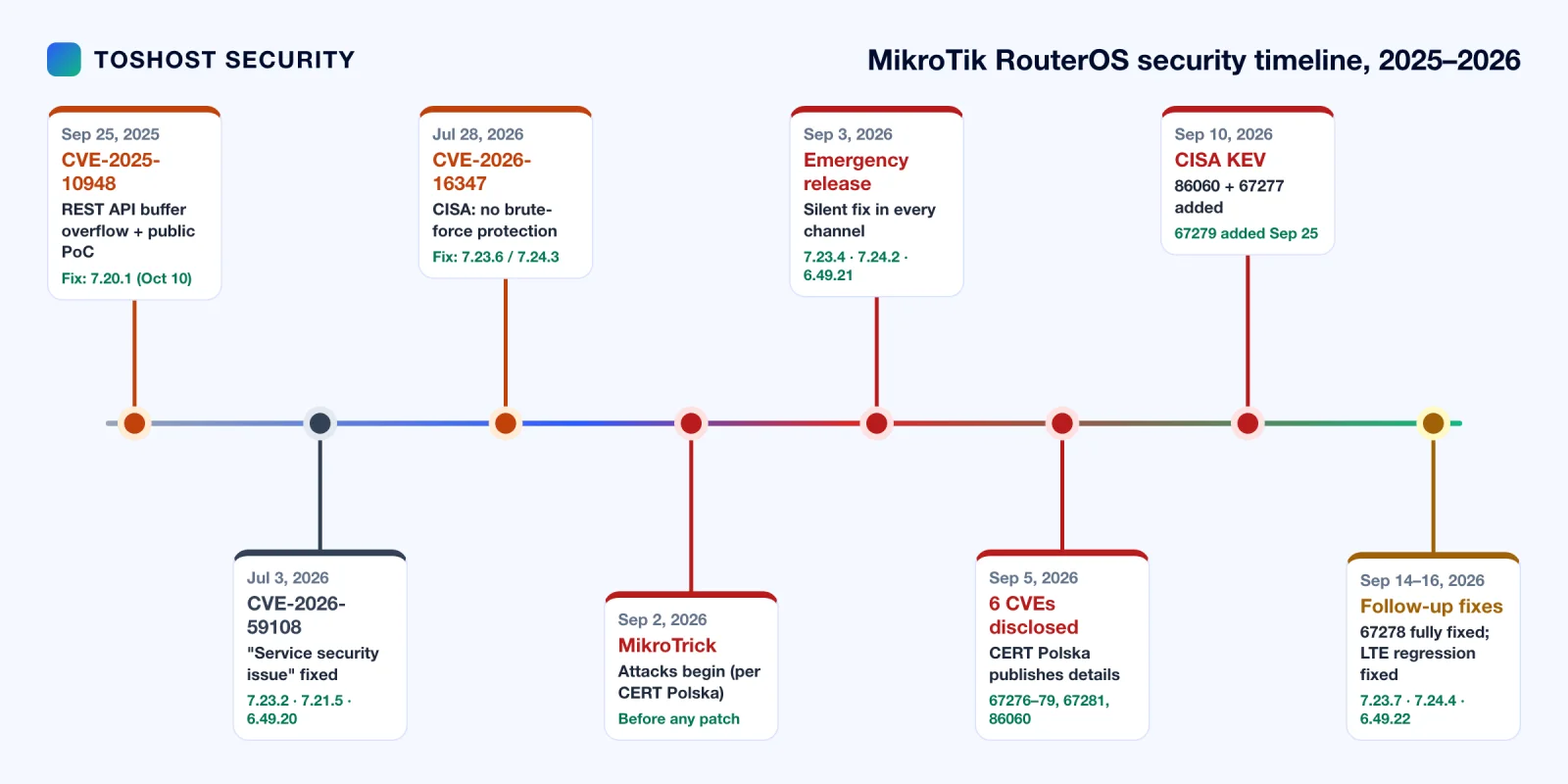
If you run MikroTik routers, the last twelve months have been busy. It started in September 2025 with CVE-2025-10948, a buffer overflow in the RouterOS 7 REST API that shipped with a public proof-of-concept. It continued through the summer of 2026 with a quietly patched "service security issue" and a CISA advisory on brute-force protection. It peaked in September 2026 with MikroTrick, an SSH bug chain that gives attackers full admin access without a password. Attackers were using it before MikroTik shipped a fix, and CISA has since added three of that month's CVEs to its Known Exploited Vulnerabilities (KEV) catalog.
This guide covers the 11 major advisories in depth, plus the 12 lower-profile RouterOS CVE records published in the same period, 23 in total. For each one you get what the bug does, who can exploit it, which RouterOS versions are affected and fixed, and what to do today. Every CVE has its own summary card, and there's a version-by-version patch matrix, a MikroTrick attack diagram, indicators of compromise, and copy-paste RouterOS commands to check, mitigate and patch a single router or a whole fleet.
How we verified this: every score, date, credit and fixed version below was checked on September 26, 2026 against the CVE record (CVE.org), MikroTik's own advisories and RouterOS changelogs, CERT Polska, and CISA's advisories and KEV catalog. Where a detail comes only from a third party, or the sources don't confirm something, we say so in the text rather than stating it as fact. The full source list is at the end.
Short version: upgrade to RouterOS 7.24.4 (stable), which has the most fixes. Use 7.23.7 (long-term) if you need the long-term channel, or 6.49.22 if you're still on v6. Both 7.x builds fix every actively exploited bug. No stable build fixes everything yet, though: CVE-2026-93345 (BGP) and CVE-2026-67280 are only confirmed fixed in the 7.25 beta, CVE-2026-14227 has no fix listed, and 7.23.7 lacks the container fix (CVE-2026-89021). Until you can upgrade, make sure SSH, WebFig/REST (www, www-ssl), the API, SMB and the bandwidth-test server can't be reached from the internet.
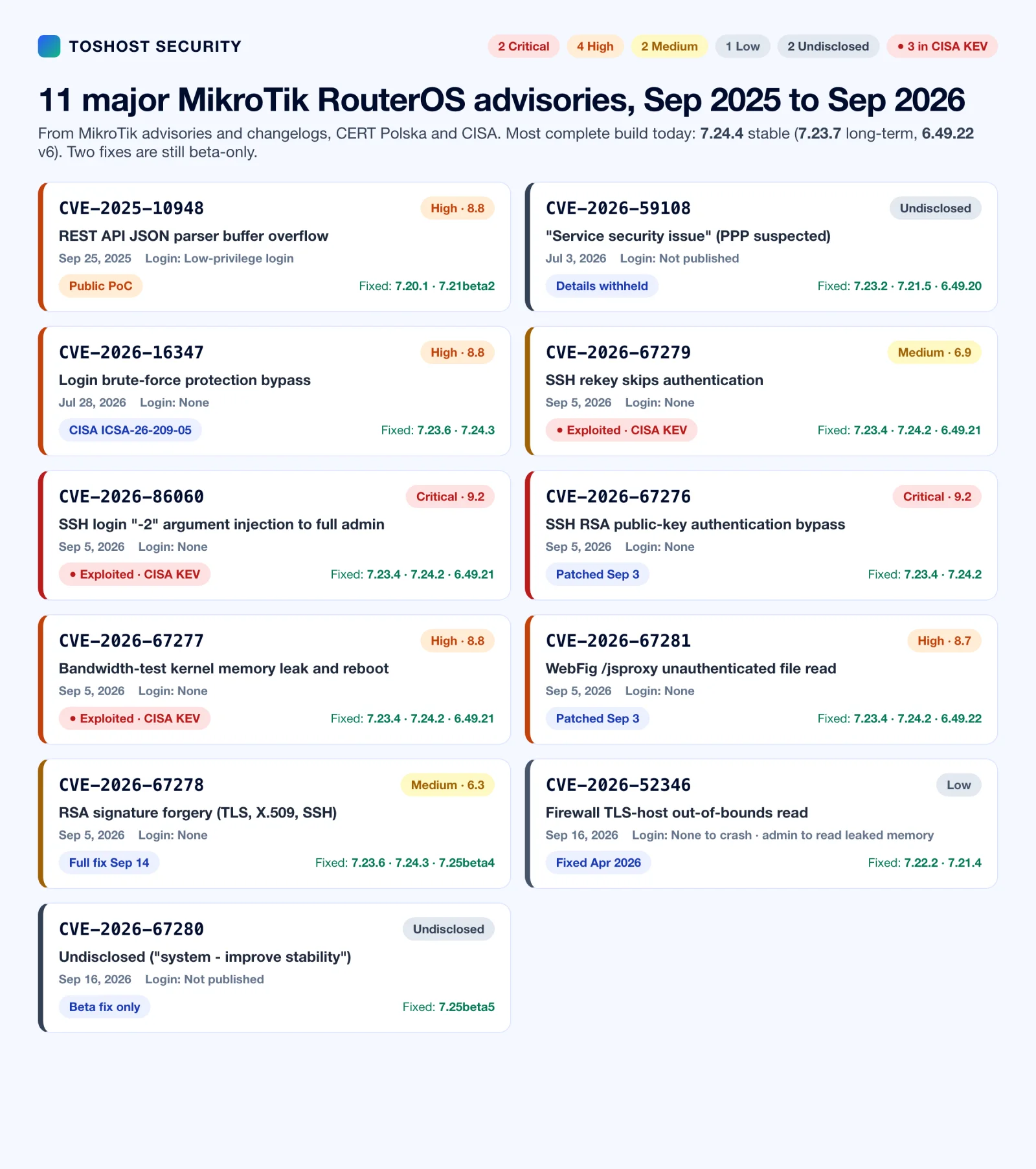
The 11 major MikroTik RouterOS advisories at a glance
| CVE | Published | What it is | Severity | Login needed | Status | Fixed in |
|---|---|---|---|---|---|---|
| CVE-2025-10948 | Sep 25, 2025 | REST API JSON parser buffer overflow | High, 8.8 (CVSS 3.1) | Low-privilege | Public PoC | 7.20.1, 7.21beta2 |
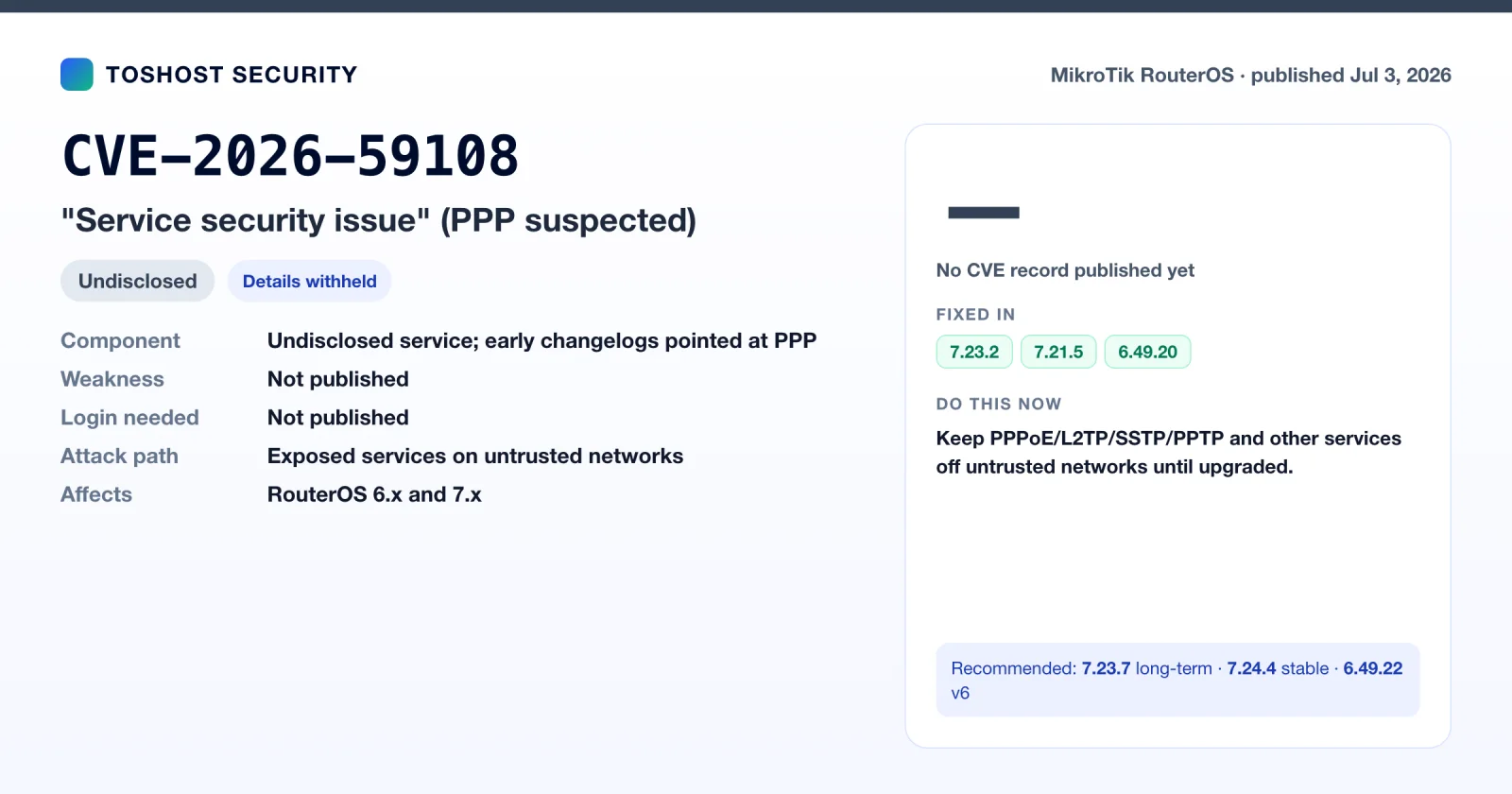
| CVE-2026-59108 | Jul 3, 2026 | "Service security issue" (PPP suspected) | Not published | Not published | Details withheld | 7.23.2, 7.21.5, 6.49.20 |
| CVE-2026-16347 | Jul 28, 2026 | Login brute-force protection bypass | High, 8.8 (CVSS 3.1) | None | CISA ICSA-26-209-05 | 7.23.6, 7.24.3 |
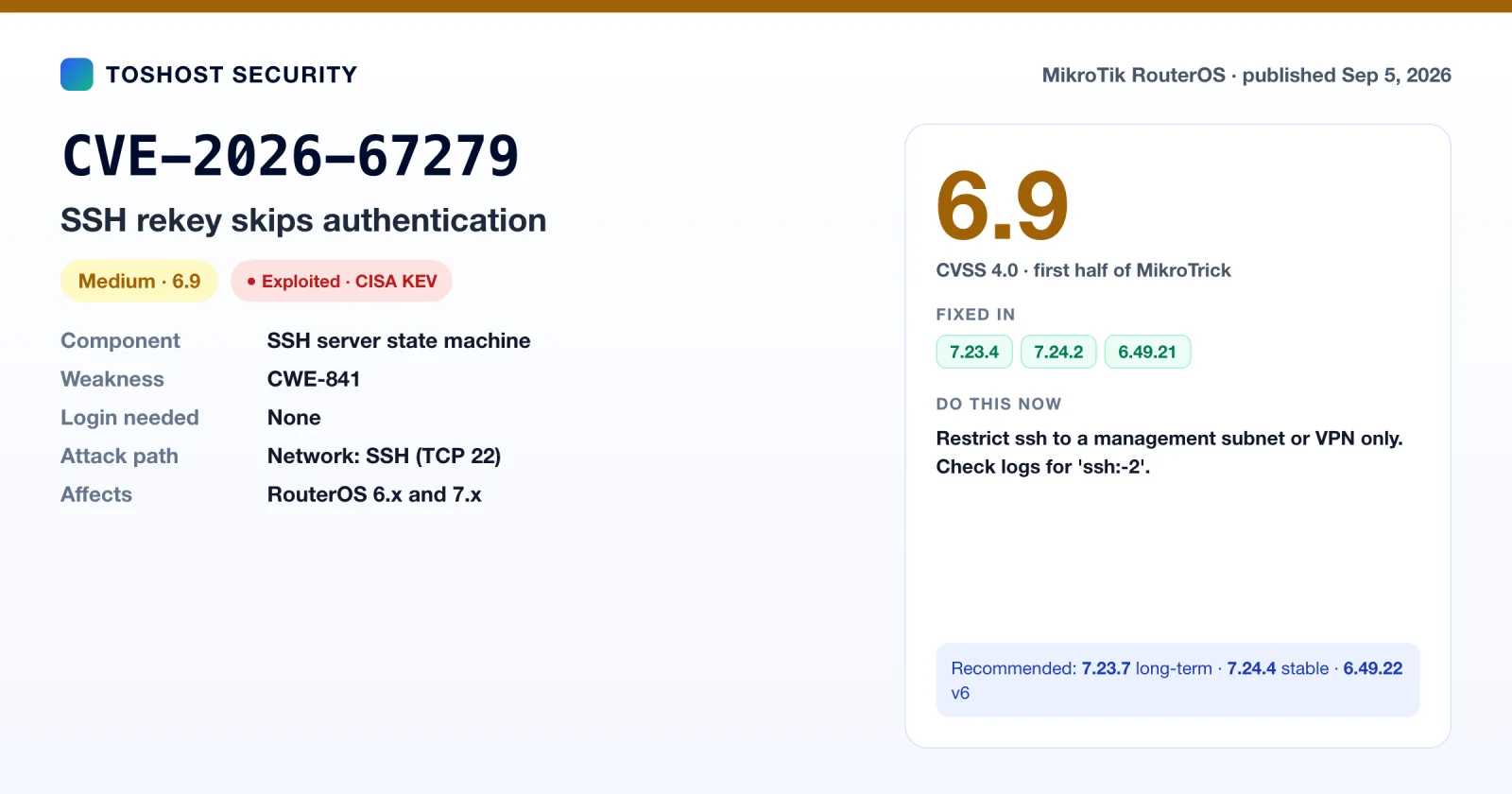
| CVE-2026-67279 | Sep 5, 2026 | SSH rekey skips authentication (MikroTrick, part 1) | Medium, 6.9 (CVSS 4.0) | None | Exploited, CISA KEV | 7.23.4, 7.24.2, 6.49.21 |
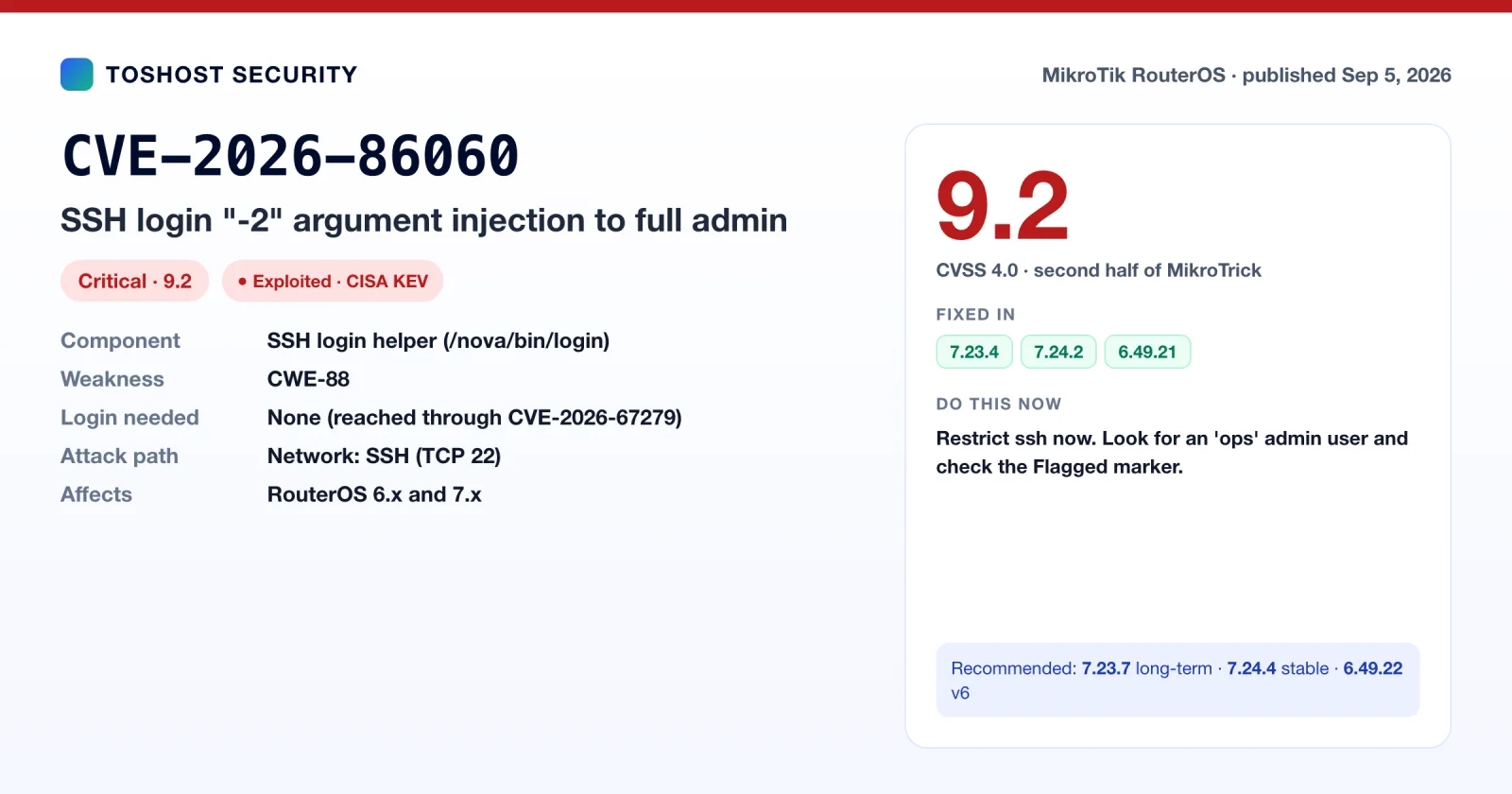
| CVE-2026-86060 | Sep 5, 2026 | SSH login "-2" argument injection (MikroTrick, part 2) | Critical, 9.2 (CVSS 4.0) | None | Exploited, CISA KEV | 7.23.4, 7.24.2, 6.49.21 |
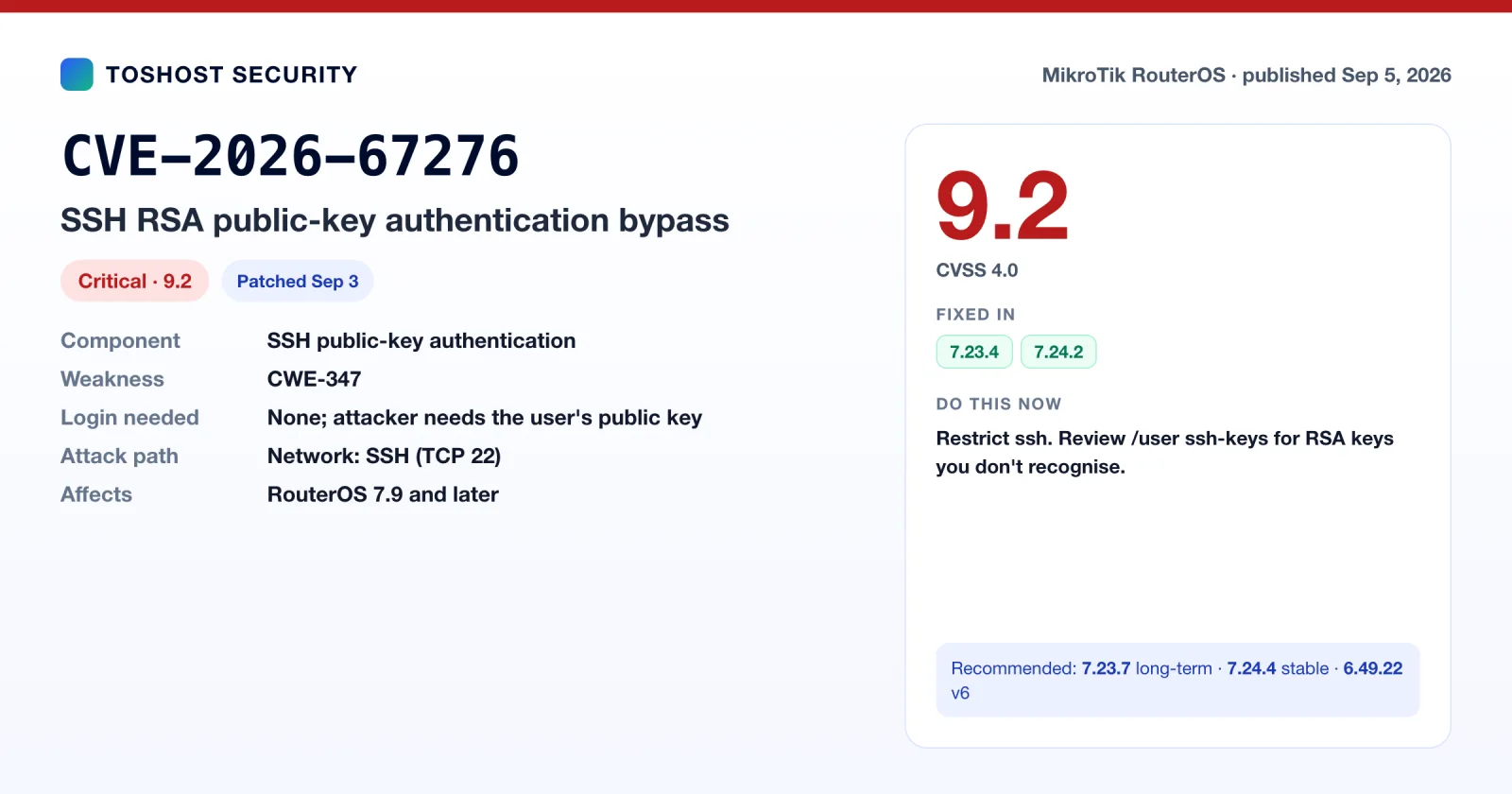
| CVE-2026-67276 | Sep 5, 2026 | SSH RSA public-key authentication bypass | Critical, 9.2 (CVSS 4.0) | None | Patched | 7.23.4, 7.24.2 |
| CVE-2026-67277 | Sep 5, 2026 | Bandwidth-test kernel memory leak and reboot | High, 8.8 (CVSS 4.0) | None | Exploited, CISA KEV | 7.23.4, 7.24.2, 6.49.21 |
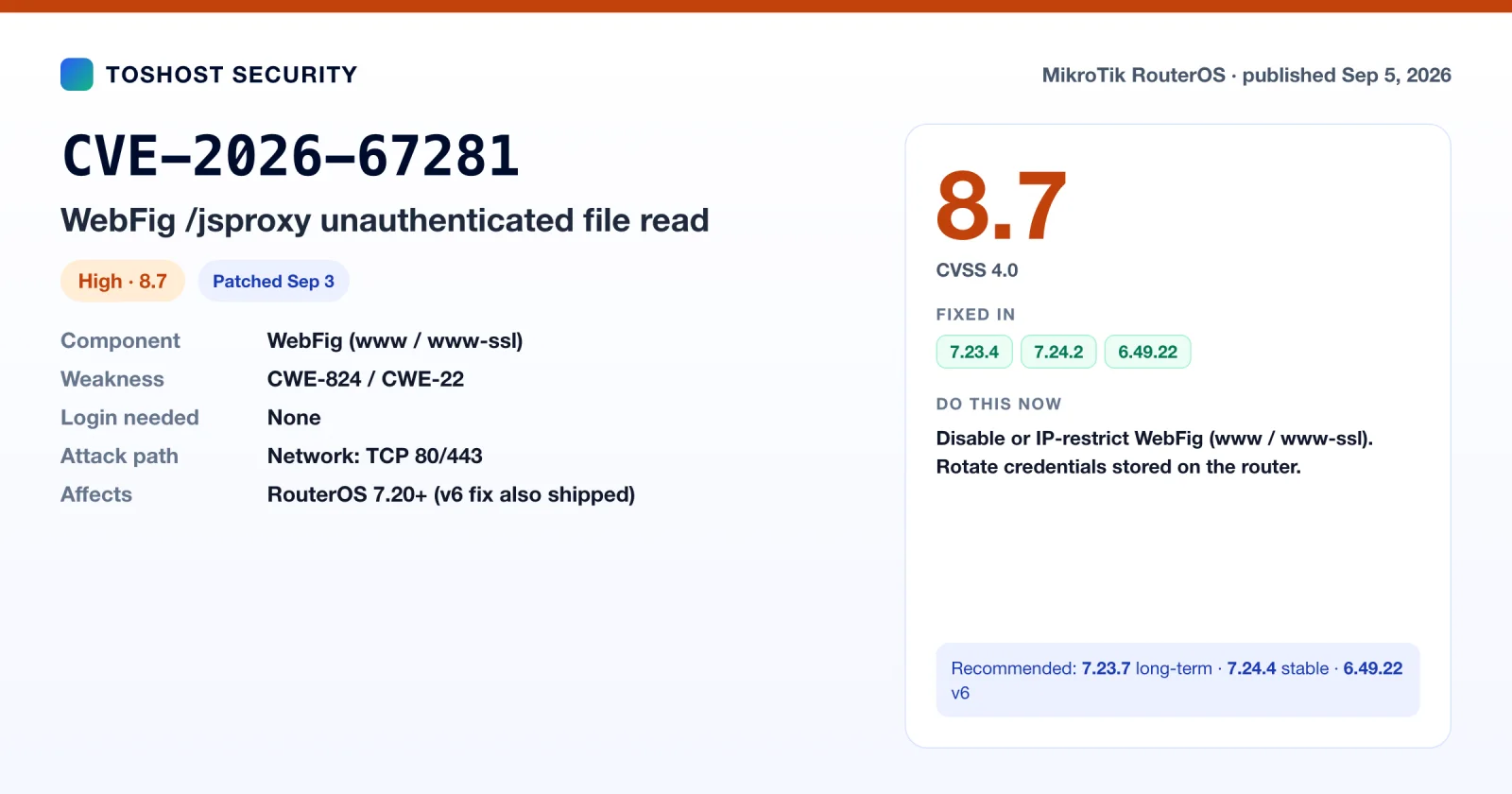
| CVE-2026-67281 | Sep 5, 2026 | WebFig /jsproxy unauthenticated file read | High, 8.7 (CVSS 4.0) | None | Patched | 7.23.4, 7.24.2, 6.49.22 |
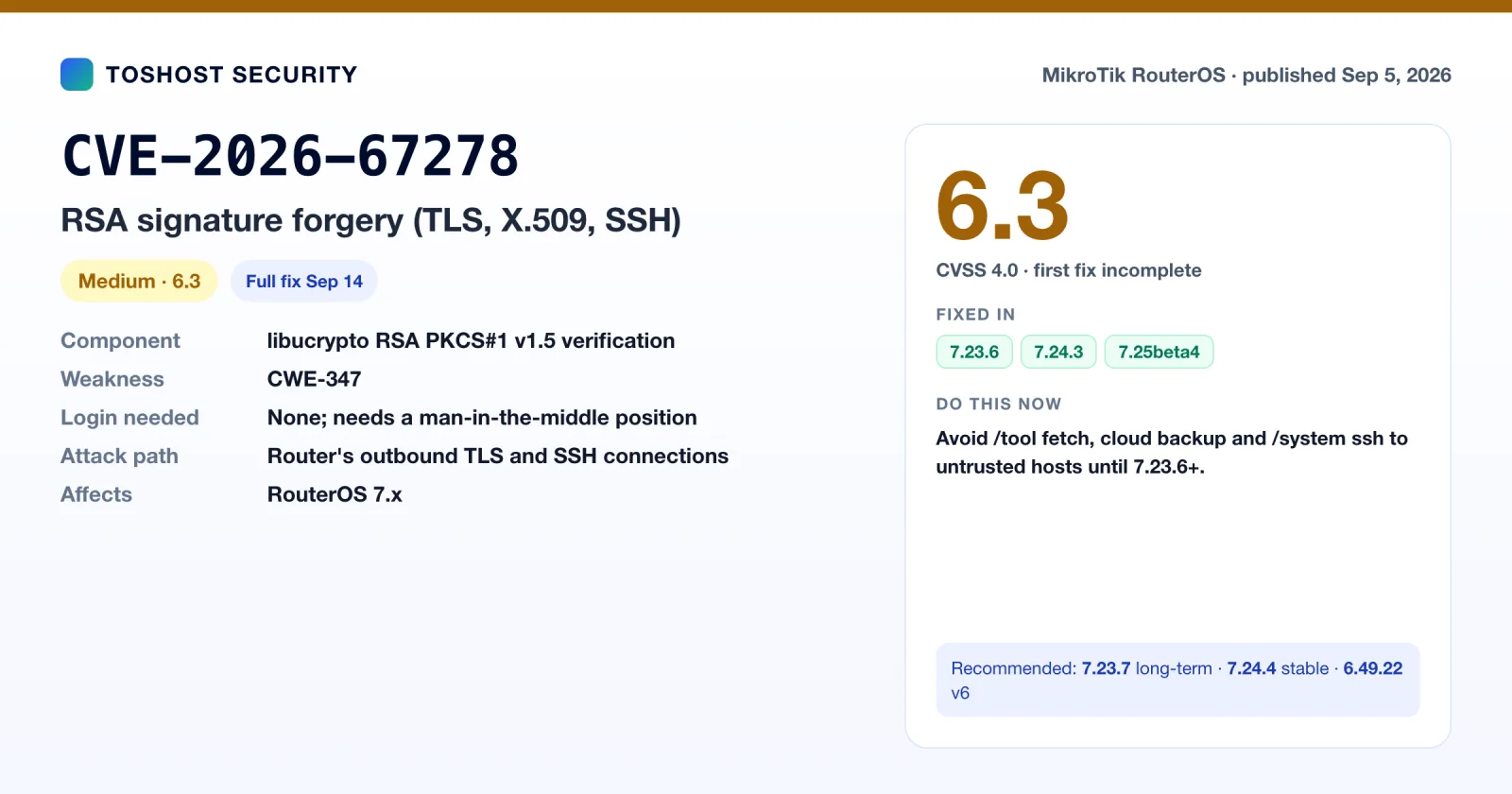
| CVE-2026-67278 | Sep 5, 2026 | RSA signature forgery (TLS, X.509, SSH) | Medium, 6.3 (CVSS 4.0) | None (needs MITM) | First fix incomplete | 7.23.6, 7.24.3, 7.25beta4 |
| CVE-2026-52346 | Sep 16, 2026 | Firewall tls-host out-of-bounds read | Low (vendor rating) | None to crash | Fixed Apr 2026 | 7.22.2, 7.21.4 |
| CVE-2026-67280 | Sep 16, 2026 | Undisclosed ("system - improve stability") | Not published | Not published | Beta fix only | 7.25beta5 |
Scores come from the official CVE.org records (the CNA's CVSS 4.0 score where available, CVSS 3.1 where that is what the advisory used). CVE-2026-59108, CVE-2026-52346 and CVE-2026-67280 had no published CVE record at the time of writing, so their details come from MikroTik's advisories and changelogs only. For the 12 other RouterOS CVE records from the same period, see Part 3.
A low CVSS score doesn't mean low priority. CVE-2026-67279 scores only 6.9 on its own because, alone, it lets an attacker open a session without the rights to do much. Paired with CVE-2026-86060, it is half of an unauthenticated takeover that is being exploited right now. Prioritise by exploitation status and exposure first, and by CVSS second.
Part 1: CVE-2025-10948, the REST API buffer overflow
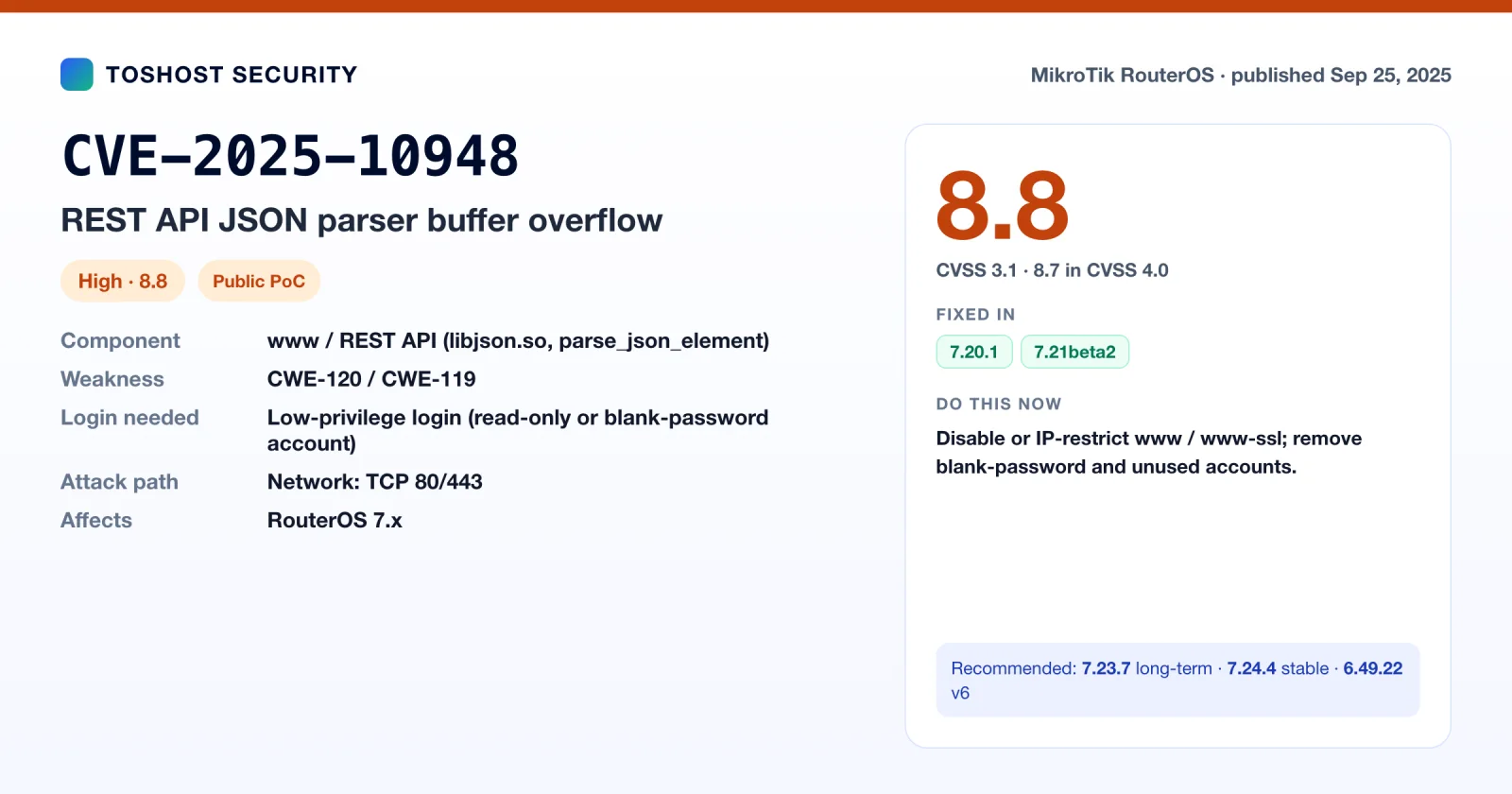
CVE-2025-10948 is a buffer overflow in the JSON parser that MikroTik RouterOS 7 uses for its REST API. An attacker who can reach the router's web service and has an account the REST API accepts can send one malformed JSON string and crash the parser. In the worst case they can corrupt memory. Proof-of-concept code was on GitHub from September 11, 2025, two weeks before the CVE was published, and MikroTik's own advisory says the exploit "may be actively used".
MikroTik fixed it in RouterOS 7.20.1 (stable) and 7.21beta2 (testing) in October 2025. A year later, we still find unpatched RouterOS 7 boxes with WebFig and the REST API open to the internet during onboarding audits.
| Field | Detail |
|---|---|
| CVE ID | CVE-2025-10948 (GHSA-xfr2-wmjg-pmwj) |
| Product | MikroTik RouterOS 7 (all 7.x builds before the fix) |
| Component | parse_json_element() in libjson.so, reached through the REST API (for example /rest/ip/address/print) |
| Weakness | CWE-119 / CWE-120: buffer operation without proper bounds checking |
| CVSS | 8.8 High in CVSS 3.1 (AV:N/AC:L/PR:L/UI:N/S:U/C:H/I:H/A:H), 8.7 in CVSS 4.0, per the CNA (VulDB) record. Some databases show 7.4 without the exploit-maturity metric. |
| Privileges needed | Low: any login the REST API accepts, including a read-only user or a blank-password admin |
| Impact | Confirmed: crash and denial of service of the web service. Possible: memory corruption that could lead to code execution |
| Exploit status | Public PoC on GitHub since September 11, 2025 (before the CVE was published) |
| Fixed in | RouterOS 7.20.1, 7.21beta2, and every later release (changelog entry: "www - improved stability (CVE-2025-10948)") |
| Published | September 25, 2025 |
What is actually broken: the \u escape bug
JSON lets a string contain Unicode escapes written as \u followed by exactly four hex digits, for example \u00e9 (the letter é). A correct parser checks that all four digits are there before it reads them, and rejects the string if they are not.
The parser in RouterOS's libjson.so gets this wrong. According to the public research, parse_json_element() checks only whether "more than a few bytes" remain in the buffer. It does not confirm that the next four characters form a valid escape. When it is fed a truncated escape such as \u0 followed by a NUL byte and a stray escaped quote, three things go wrong:
- The Unicode branch consumes the backslash and gives up partway through, which leaves the parser's position pointer in an inconsistent state.
- The embedded NUL byte confuses the C string handling that follows, so the parser loses track of where the string really ends.
- The parser keeps scanning for a closing quote that no longer exists and walks off the end of the buffer. That out-of-bounds read and write is the overflow.
This is a classic pattern. Hand-written C parsers often validate the easy case and miss the truncated one. Since the whole payload fits in one HTTP POST body, there is nothing for an attacker to brute-force or time. The request either crashes the service or it doesn't.
Who can exploit it
This is the part most write-ups get wrong. Some summaries call the bug "unauthenticated". The CVSS vector says PR:L, meaning low privileges are required, and the RouterOS REST API always demands HTTP Basic authentication. In practice the bar is still low:
- Any valid account works. The vulnerable path is a
printcall, which is read-only, so a monitoring user in thereadgroup is enough. You don't needfullrights. - Blank passwords count. The PoC author notes the bug triggers with Basic auth and an empty password. Routers that were set up before MikroTik started shipping random default passwords, or that were netinstalled and never secured, often still have
adminwith no password. - Leaked or reused credentials count. MikroTik credentials have leaked in bulk before, from the 2018 Winbox (CVE-2018-14847) dumps to botnet harvesting. If a password has been on a router since 2018, treat it as known.
- Network reach is the real gate. The REST API rides on the
www(HTTP, port 80) andwww-ssl(HTTPS, port 443) services. If those are reachable from the internet or from an untrusted customer VLAN, the router is in scope.
RouterOS 6 does not have the REST API, so v6 is not affected by this CVE. That does not make v6 safe. Several of the 2026 CVEs, including the actively exploited MikroTrick SSH chain, do affect 6.x (see Part 2). v6 routers need at least 6.49.22, and a plan to move to v7.
Real-world impact on an ISP or hosting network
Even if nobody ever turns this into reliable code execution, a remote crash of the management web service hurts:
- Loss of management. WebFig, the REST API and any automation built on it (Ansible
community.routeros, Terraform providers, monitoring scripts, NOC dashboards) stop answering while the service is down or crash-looping. - Repeated knock-over. One request, repeatable at will, is enough to keep a router's management plane unstable during an incident, which is exactly when you need it.
- A stepping stone. MikroTik routers are a favourite target for botnets (Mēris, TrickBot proxies, the long-running SOCKS and cryptojacking campaigns) because they sit at the network edge with good bandwidth. Memory corruption on a public-facing service is the kind of primitive those operators invest in.
We have not seen a public, reliable RCE chain for CVE-2025-10948. The CVSS scoring still rates confidentiality, integrity and availability all as High, and you should plan on that basis, not on the best case.
Part 2: The 2026 advisories (July to September 2026)
CVE-2025-10948 is a year old. In the four months before this article (late May to late September 2026), MikroTik shipped four rounds of security releases covering ten more CVE IDs. MikroTik's own security page lists only two of these (September 3 and September 16). The rest are known from RouterOS changelogs, CERT Polska and CISA. Everything below comes from MikroTik's security page and RouterOS changelogs, CERT Polska's disclosure, CISA's ICS advisory and KEV catalog, and the CVE.org records.
September 2026: MikroTrick, an actively exploited SSH takeover (CVE-2026-67279 + CVE-2026-86060)
On September 3, 2026, MikroTik pushed an "important security update" to every release channel at once: 7.25beta3, 7.24.2, 7.23.4 and 6.49.21. The changelogs held back the details "to give time to update your systems". For the first time, MikroTik also sent a push notification to users of its mobile app. Two days later CERT Polska published the full story. Researcher Sławomir Rozbicki, working in an AI-assisted lab environment, had found six RouterOS vulnerabilities, and attackers were already chaining two of them to take over routers with SSH open to the internet. CERT Polska traced the first successful attacks to September 2, 2026, one day before the patch.
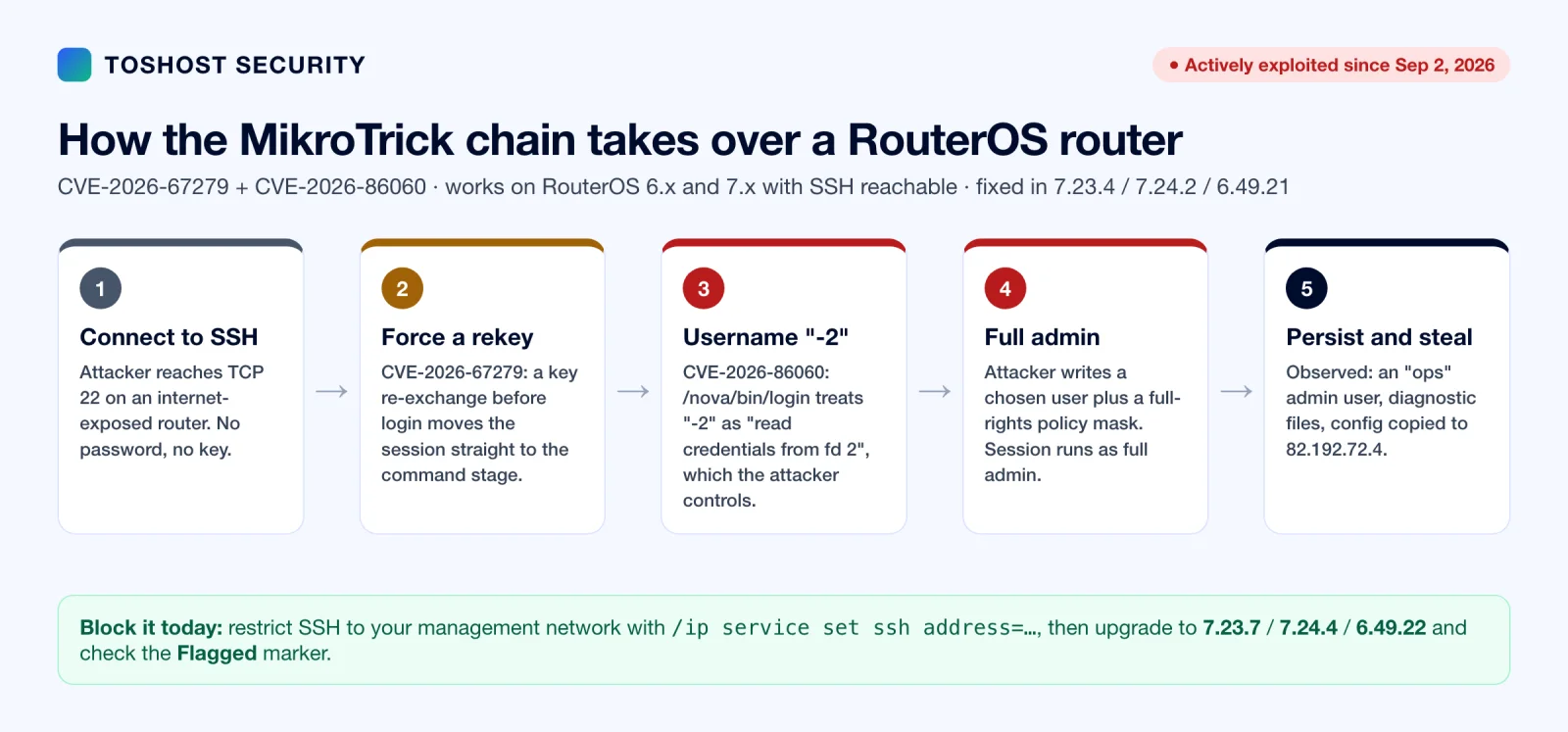
The chain has two steps:
- CVE-2026-67279: SSH rekey skips authentication. SSH lets either side ask for a new key exchange ("rekey") at any time. If a client asks for a rekey before logging in, vulnerable RouterOS versions move the connection straight into the channel stage once the rekey completes, as if authentication had succeeded. The attacker can then open a session channel and send an
execrequest without ever proving who they are. On its own, CERT Polska showed this lets an unauthenticated client create and overwrite files in RouterOS's managed file area, including support files that contain configuration data. - CVE-2026-86060: the "-2" username. RouterOS starts its internal login helper,
/nova/bin/login, with the username and privilege level as command-line arguments, and it didn't reject usernames starting with a dash. A legacy feature makes the helper treat-2as "read the trusted login parameters from file descriptor 2", which is the attacker's own SSH terminal. The attacker has already written a chosen username and a full-rights policy mask to that terminal, so the session starts with full administrative privileges.
Public reverse engineering of the 7.23.4 patch confirms the fix. libumsg.so gained a validLoginParamInput check that rejects usernames starting with "-", containing control characters, or with leading or trailing spaces, before any login process is started.
Who is affected: RouterOS 6.x before 6.49.21, and 7.x before 7.23.4 (long-term) or 7.24.2 (stable), with the SSH service reachable by the attacker. MikroTik's default home configuration blocks SSH from the WAN side, so the routers at risk are mainly ones where someone opened SSH for remote management. That describes a lot of ISP, hosting and branch-office equipment.
What the attackers did: according to CERT Polska and follow-up reporting, compromised routers got a highly privileged user named ops. The attackers also generated diagnostic (support) files and transferred data to 82.192.72.4, which strongly suggests the router configuration, with its password hashes, VPN keys, PPPoE secrets and RADIUS secrets, was copied off the device. 103.102.31.18 was seen making exploitation attempts. CISA added CVE-2026-86060 to the KEV catalog on September 10, 2026 and CVE-2026-67279 on September 25, 2026. US federal agencies had three days to patch each.
MikroTrick indicators of compromise
Check every router that had SSH reachable from an untrusted network before it was patched:
# 1. RouterOS's own compromise check (Flagged marker)
/system device-mode print
/log print where topics~"critical"

# 2. The log pattern CERT Polska saw during successful attacks
/log print where message~"ssh:-2"
#    login failure for user -2 from <ip> via ssh
#    user <name> added by ssh:-2@<ip>

# 3. The attacker's admin account and any other unknown users or keys
/user print
/user ssh-keys print

# 4. Other persistence: scripts, scheduler, proxies, tunnels, files
/system script print
/system scheduler print
/ip proxy print
/ip socks print
/interface print where type~"gre|eoip|l2tp|ipip"
/file print
Also search your firewall, NetFlow and SIEM logs for traffic to or from 82.192.72.4 and 103.102.31.18. It does no harm to block both at your edge:
/ip firewall address-list add list=mikrotrick-ioc address=82.192.72.4 comment="CERT.PL MikroTrick"
/ip firewall address-list add list=mikrotrick-ioc address=103.102.31.18 comment="CERT.PL MikroTrick"
/ip firewall raw add chain=prerouting src-address-list=mikrotrick-ioc action=drop comment="MikroTrick IOC"
If flagged: yes appears, you find an ops user, or you find ssh:-2 in the logs, assume the router was fully taken over. Take it off the network, save the logs and an export before you change anything, report it to your national CSIRT, then Netinstall it and rebuild the configuration by hand from a reviewed export. Rotate every secret it held: admin passwords, PPPoE and hotspot users, IPsec and WireGuard keys, RADIUS shared secrets, SNMP communities and any API tokens. Don't restore a binary backup taken from a compromised router, and don't clear the Flagged marker until the evidence is saved. Not being flagged doesn't prove the router is clean. The check only recognises the traces MikroTik knows about.
The other four CERT Polska CVEs (September 5, 2026)
The same disclosure included four more bugs. They aren't part of the exploited chain, but two of them are just as serious.
CVE-2026-67276, SSH RSA public-key bypass (CVSS 9.2, 7.9 and later). When matching a login attempt to a user's authorised RSA key, RouterOS compared only the key type and modulus and ignored the exponent. Signature verification then used the key the client supplied. An attacker who knows a user's public key (and public keys are, by definition, not secret; they often sit in Git repos, Ansible inventories and old tickets) can build a key with exponent 1, forge a signature that verifies, and log in as that user without the private key. Some early reports wrongly listed this as part of MikroTrick; it is a separate bug. Fixed in 7.23.4 and 7.24.2. RouterOS 6 isn't affected.
CVE-2026-67277, bandwidth-test memory leak and reboot (CVSS 8.8, CISA KEV). The btest server accepted a secondary ("related") test connection before the main session had logged in. With random-data=false, the router then sent the uninitialised tail of kernel packet buffers back to the client, which is a kernel memory leak. A separate unchecked, inverted packet-size range caused an integer underflow that could send the RouterOS kernel into a restart. CISA added it to KEV on September 10, 2026, so it is being exploited too. Affects 6.x and 7.x. The fix: turn the bandwidth-test server off unless you actively use it.
/tool bandwidth-server print
/tool bandwidth-server set enabled=no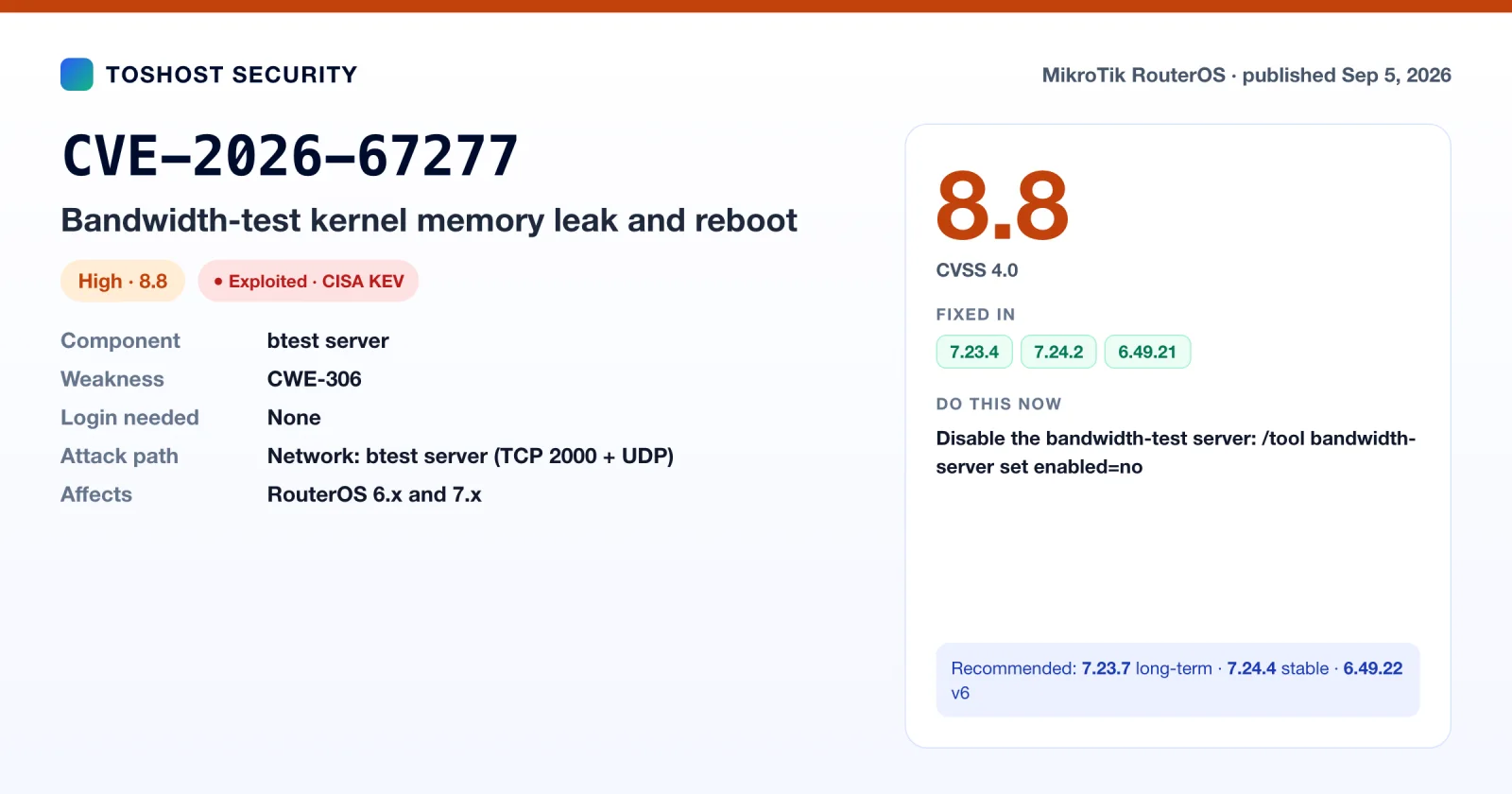
CVE-2026-67281, WebFig /jsproxy file read (CVSS 8.7). A newly created WebFig session under /jsproxy could inherit a stale, uninitialised pointer to a previous user's rights. By shaping memory allocation first, an unauthenticated attacker could make the file-serving code use that pointer with enough privilege, then use ../ sequences inside the encrypted URI to escape the WebFig directory and read root-owned files. Those include the configuration store that holds credentials. CERT Polska lists 7.20 and later as affected, fixed in 7.23.4 and 7.24.2. MikroTik also shipped a v6 fix in 6.49.22 ("includes CVE-2026-67281"), so patch v6 too. This is the same service as CVE-2025-10948 (www/www-ssl), which is one more reason to keep WebFig off the internet.
CVE-2026-67278, RSA signature forgery in TLS and SSH (CVSS 6.3, 7.x only). RouterOS's RSA PKCS#1 v1.5 verifier (in libucrypto.so) accepted signatures with extra data after the digest. Its built-in trust store includes a root CA with public exponent 3, so an attacker can forge a signature from that root's public certificate alone. With that, anyone who can intercept or redirect an outbound TLS connection from the router can present a trusted certificate for any hostname: /tool fetch, cloud backup, update downloads, and scripts that call HTTPS APIs. It also weakens RSA-based SSH host-key checking. The first fix in 7.23.4 / 7.24.2 was incomplete. The full fix ("crypto - improve stability (CVE-2026-67278)") landed in 7.23.6, 7.24.3 and 7.25beta4 on September 14. Credit to Robert Żegleń. Until you're on a fixed build, avoid running /tool fetch, /system ssh and /system ssh-exec against hosts across untrusted networks.
One more fix in the same release: 7.23.4 and 7.24.2 also fixed a stack buffer overflow in mtget, the TFTP client behind /tool fetch. It later received its own record, CVE-2026-89020, which describes an authenticated user crashing the fetch worker (CVSS 5.3). Details are in Part 3.
July 2026: CVE-2026-16347, no real brute-force protection
CISA published advisory ICSA-26-209-05 on July 28, 2026 for MikroTik RouterOS and Cloud Hosted Router (CHR), crediting Andre Santos (União Geek). RouterOS had no meaningful rate limiting, account lockout or per-source restriction on failed logins to its API and management services. The small per-connection delay that did exist could be bypassed by opening many connections in parallel, so an attacker could keep guessing passwords at high speed. It is rated CVSS 3.1 8.8 / CVSS 4.0 8.7 (CWE-307). CISA scored the attack vector as "adjacent network", but any service you expose to the internet is exposed to the same guessing.
When CISA published, MikroTik had no fix. On September 14, 7.23.6 and 7.24.3 shipped with "user - improve failed login delay logic (CVE-2026-16347)". There's no matching entry in any v6 changelog. Mitigation doesn't depend on the patch: keep management services off the internet, use long random passwords, and disable the API if nothing uses it.
/ip service disable api,api-ssl
/ip service set winbox address=10.10.0.0/24
/ip service set ssh address=10.10.0.0/24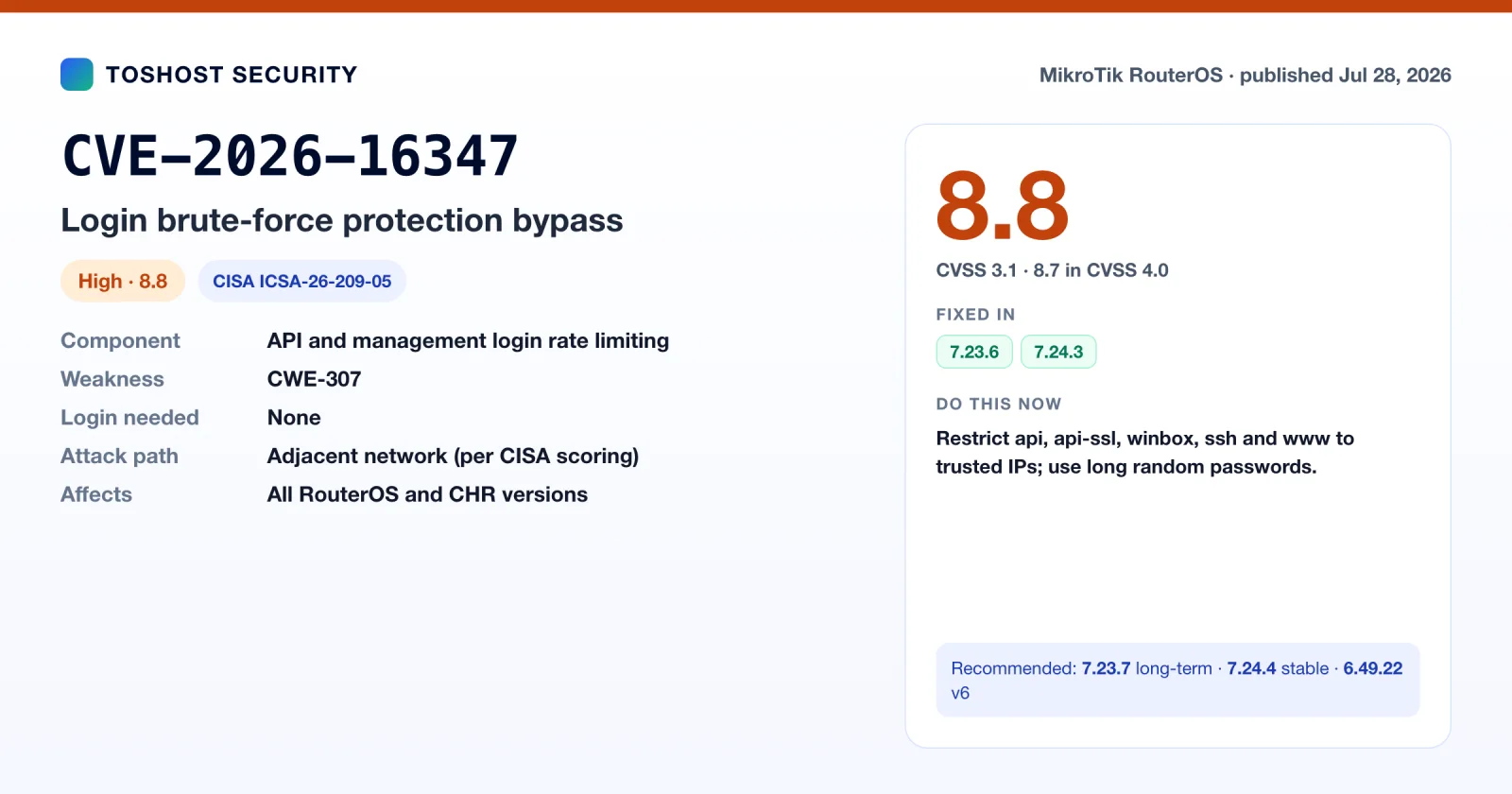
July 2026: CVE-2026-59108, the "service security issue"
On July 3, 2026, MikroTik released 7.23.2 (stable), 7.21.5 (long-term) and 6.49.20. Each changelog opened with the same line: "fixed a service security issue, home user with default config not affected, but we recommend the upgrade for all users regardless". Third-party write-ups tie this fix to CVE-2026-59108, but MikroTik's changelog doesn't name a CVE, so treat that ID as unconfirmed. The only other clue in 7.23.2 is "ppp - improved system stability", and third-party reports say early changelog wording named PPP directly, but MikroTik has not confirmed the component, the type of bug, whether a login is needed, or a severity score, and no CVE record has been published. Treat it seriously if you terminate PPPoE subscribers or run L2TP, SSTP or PPTP servers facing the internet. That is the standard setup for ISPs running MikroTik as a BRAS or VPN concentrator.
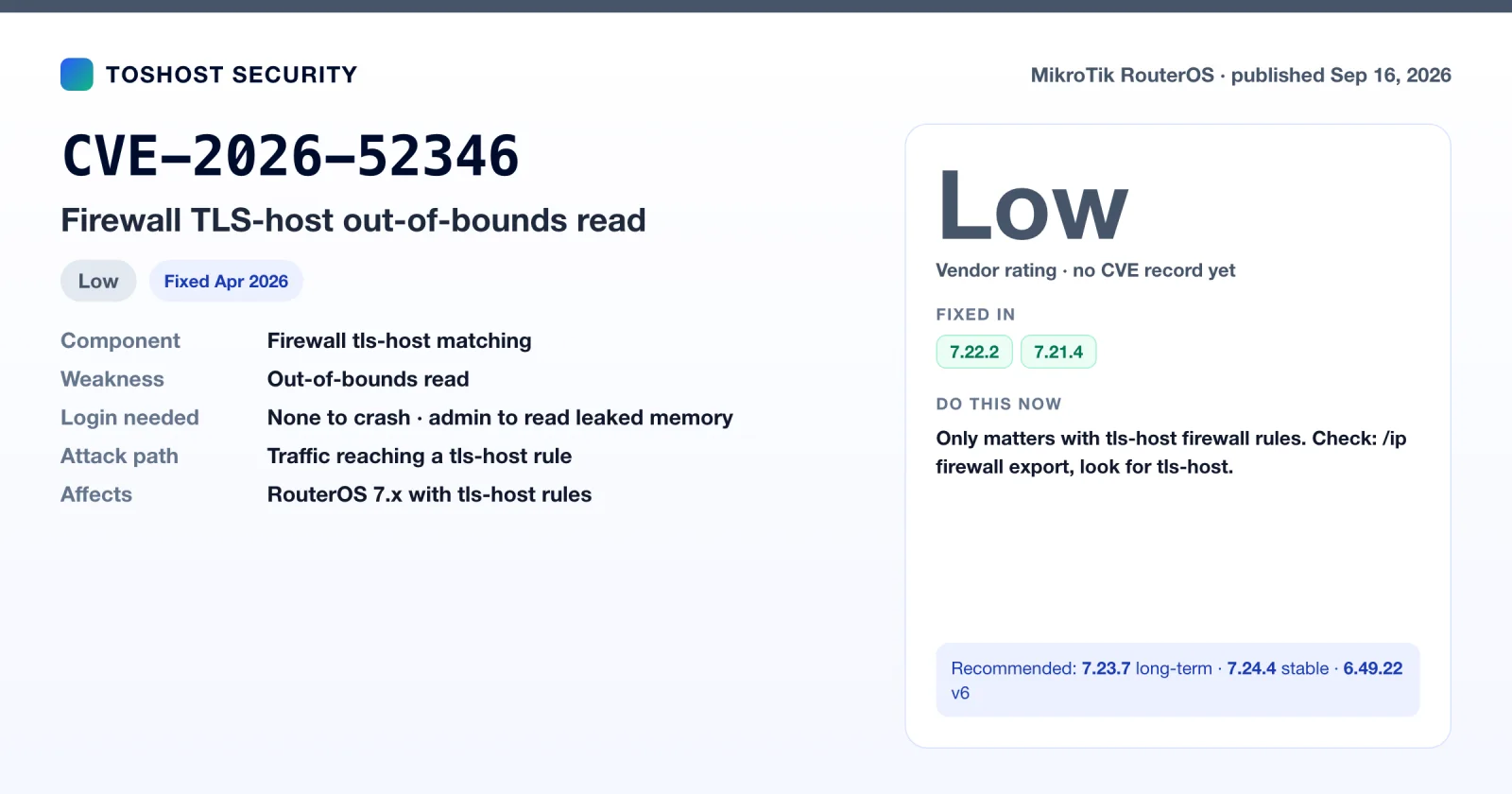
September 16, 2026: CVE-2026-52346, firewall tls-host out-of-bounds read
This bug is in the code that inspects TLS ClientHello messages for firewall rules using tls-host matching (often used to block or route traffic by HTTPS hostname). A crafted packet can crash the router or leak a small amount of memory. It only applies if you have at least one rule with tls-host. Check with /ip firewall export and look for tls-host=, or across a fleet: ssh admin@router '/ip firewall export' | grep -c tls-host.
MikroTik rates the risk as low. The crash can be triggered remotely only when unsolicited traffic reaches that code (port forwards, permissive firewalls), and reading the leaked memory requires admin rights to create rules. It was reported by Rasmus Moorats. The fix shipped quietly in April 2026 in 7.22.2 and 7.21.4, and the advisory was published on September 16, so any router on current releases already has it.
Still open: CVE-2026-67280
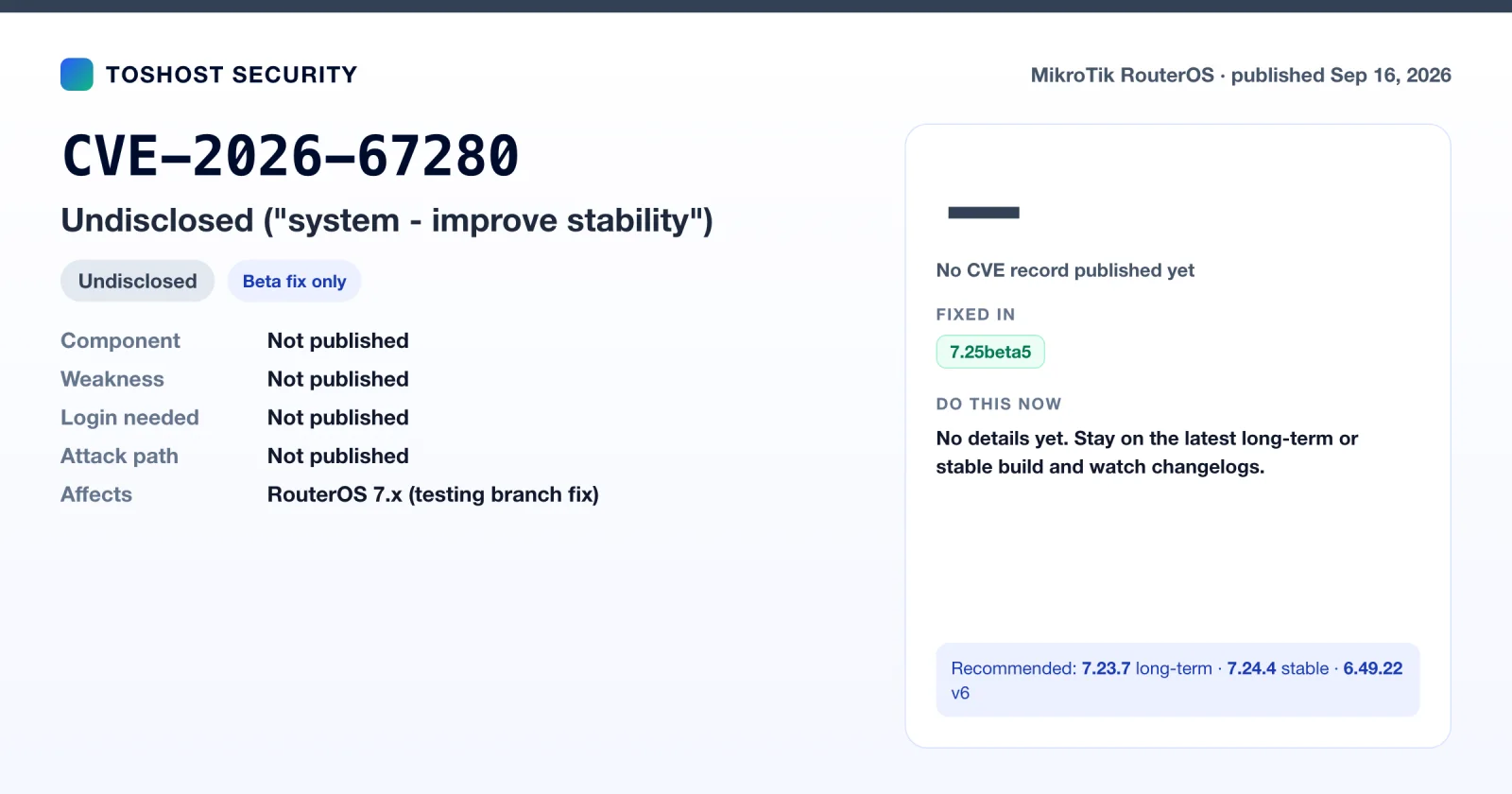
The 7.25beta5 changelog (September 16, 2026) says "system - improve stability (includes CVE-2026-67280)". The number sits inside CERT Polska's block of IDs but is missing from its published list. No details, CVE record, or long-term or stable fix exist yet. Watch the next 7.23.x and 7.24.x releases. We'll update this article when MikroTik publishes more.
Part 3: 12 more RouterOS CVEs published in the same period
Besides the headline advisories, twelve more RouterOS CVE records were published between September 2025 and September 26, 2026. They got little attention because none were announced on MikroTik's security page. Most came from CNAs such as VulnCheck, VulDB, SI-CERT and CISA's ICS team. None of them is on CISA's KEV list, but three matter for patch planning: CVE-2026-93345 (BGP) and CVE-2026-89021 (containers) have no confirmed fix on the long-term branch, and the SMB pair is fixed only from 7.24.
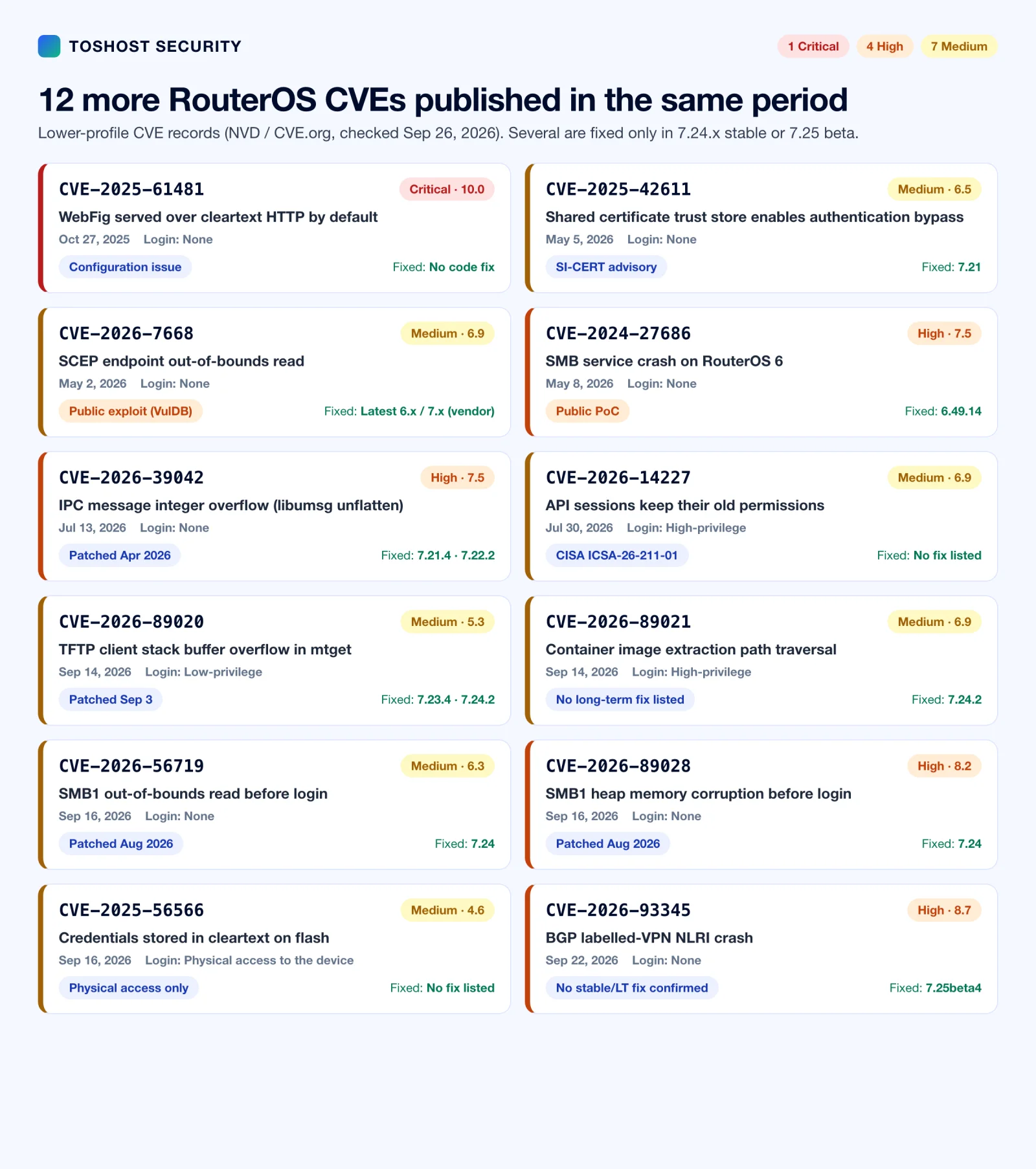
| CVE | Published | What it is | Severity (record) | Fixed in |
|---|---|---|---|---|
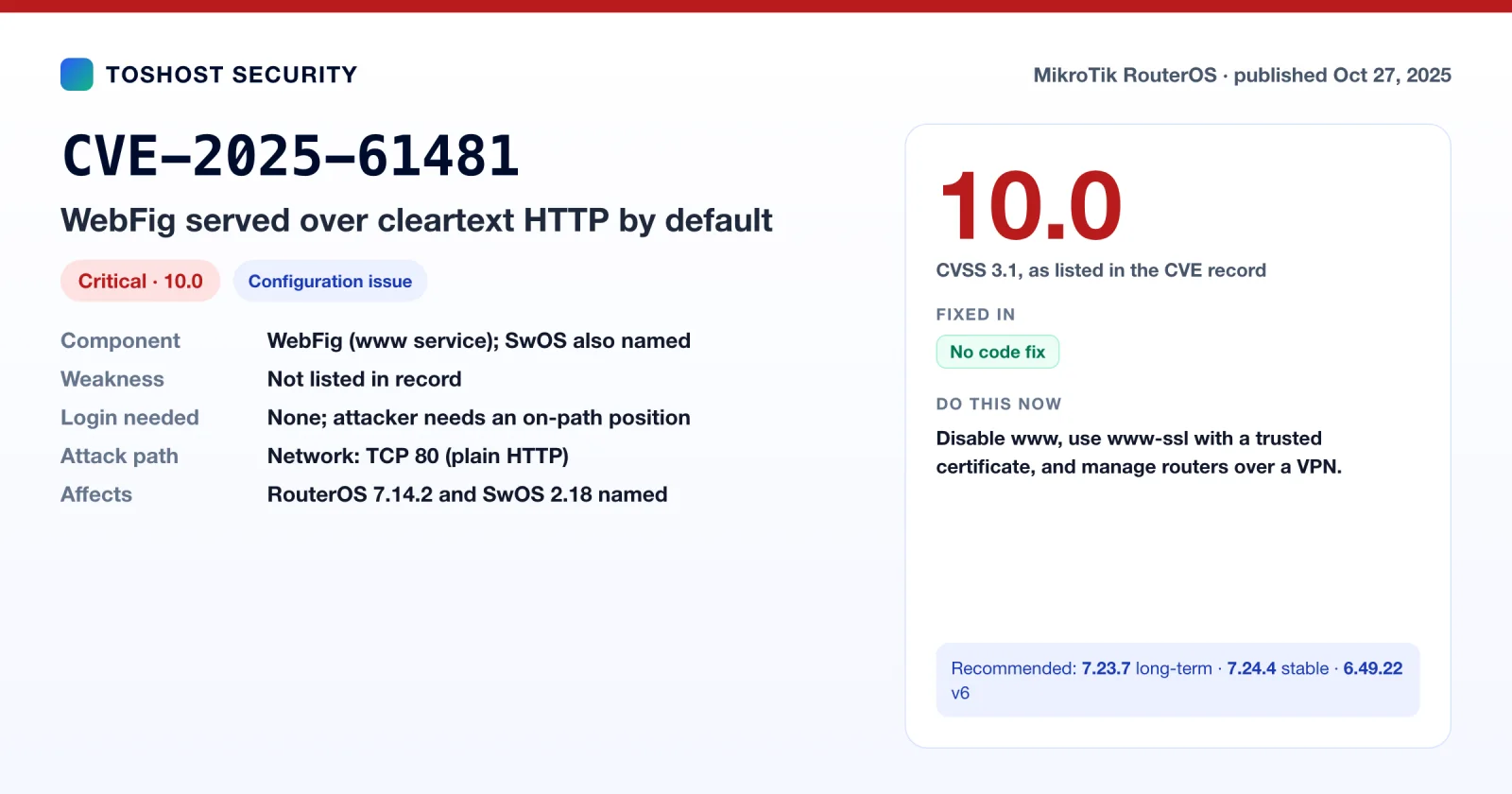
| CVE-2025-61481 | Oct 27, 2025 | WebFig served over cleartext HTTP by default | 10.0 (CVSS 3.1) | No code fix (configuration) |
| CVE-2026-7668 | May 2, 2026 | SCEP endpoint out-of-bounds read (6.49.8 named) | 6.9 (CVSS 4.0) | "Latest 6.x / 7.x" per vendor |
| CVE-2025-42611 | May 5, 2026 | Shared certificate trust store, auth bypass | 6.5 (CVSS 3.1) | 7.21 |
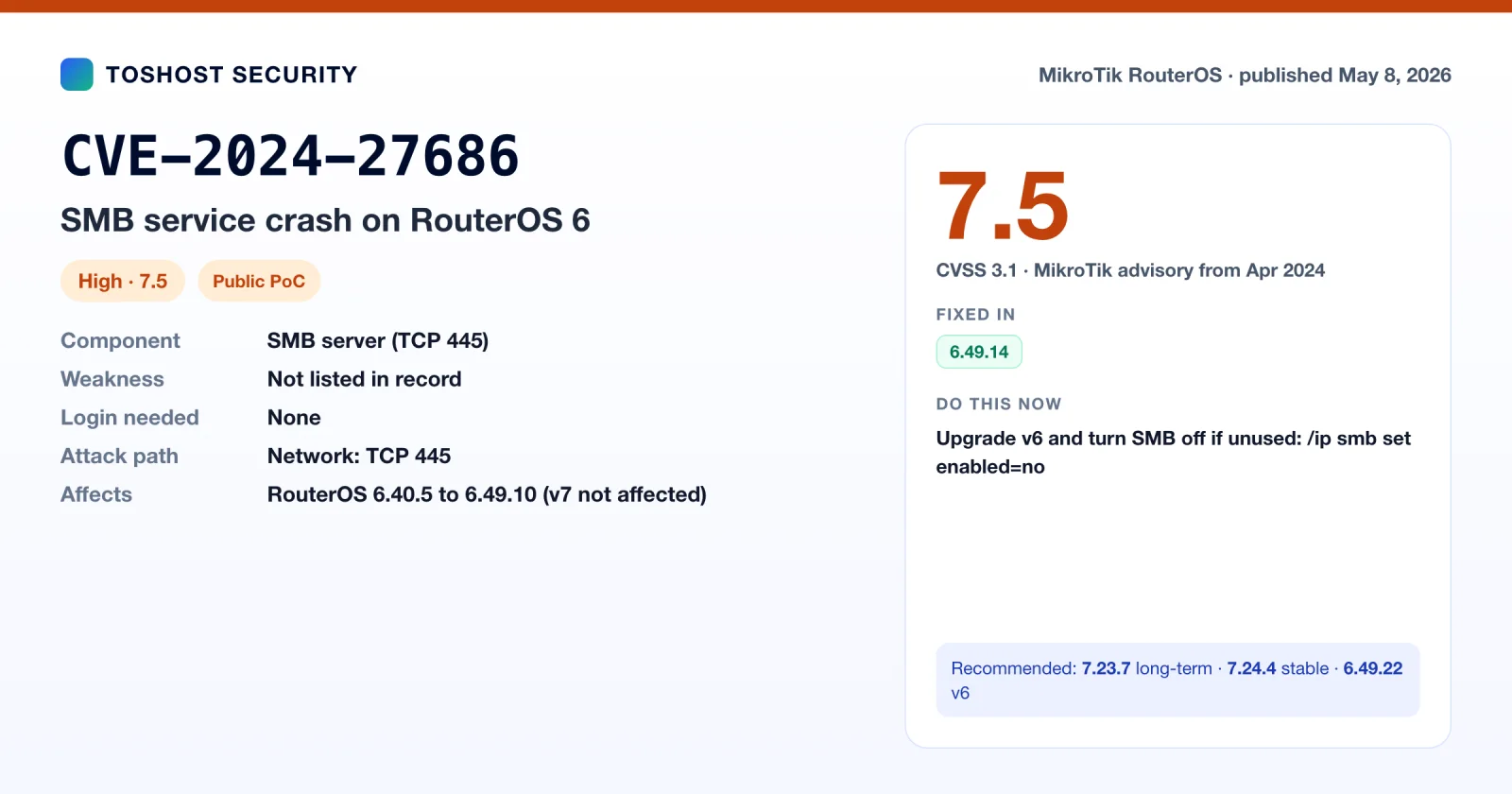
| CVE-2024-27686 | May 8, 2026 | SMB crash on RouterOS 6 | 7.5 (CVSS 3.1) | 6.49.14 (v7 not affected) |
| CVE-2026-39042 | Jul 13, 2026 | IPC message integer overflow in libumsg | 7.5 (CVSS 3.1) | 7.21.4, 7.22.2 |
| CVE-2026-14227 | Jul 30, 2026 | API sessions keep old permissions | 6.9 (CVSS 4.0) | No fix listed |
| CVE-2026-89020 | Sep 14, 2026 | TFTP client stack overflow in mtget | 5.3 (CVSS 4.0) | 7.23.4, 7.24.2 |
| CVE-2026-89021 | Sep 14, 2026 | Container image path traversal | 6.9 (CVSS 4.0) | 7.24.2 (no long-term fix listed) |
| CVE-2026-56719 | Sep 16, 2026 | SMB1 out-of-bounds read before login | 6.3 (CVSS 4.0) | 7.24 |
| CVE-2026-89028 | Sep 16, 2026 | SMB1 heap memory corruption before login | 8.2 (CVSS 4.0) | 7.24 |
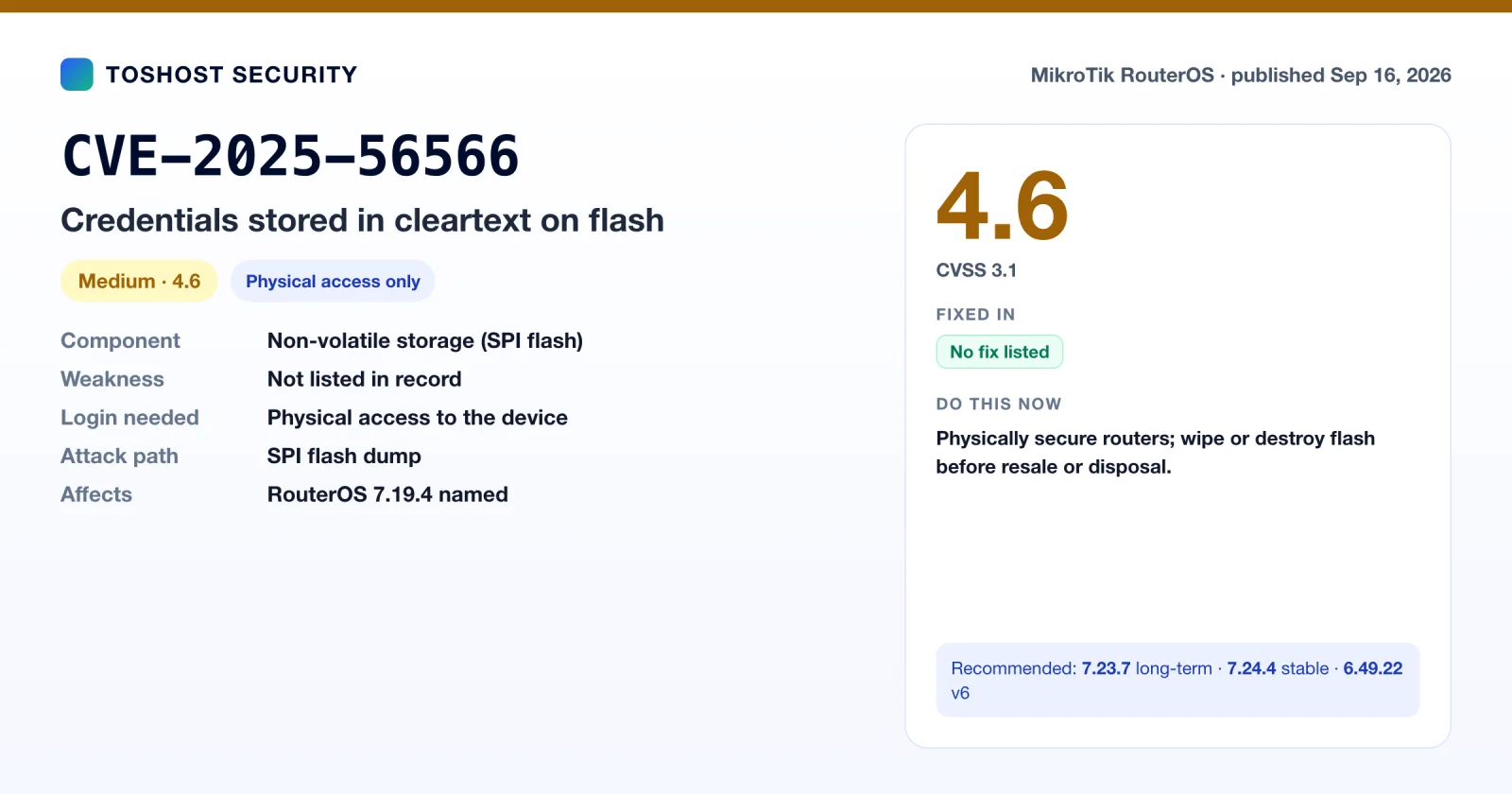
| CVE-2025-56566 | Sep 16, 2026 | Credentials stored in cleartext on flash | 4.6 (CVSS 3.1) | No fix listed |
| CVE-2026-93345 | Sep 22, 2026 | BGP labelled-VPN NLRI crash | 8.7 (CVSS 4.0) | 7.25beta4 (no stable/LT fix confirmed) |
"Published" is the date the CVE record went public, which isn't always when the bug was found or fixed. CVE-2024-27686, for example, was fixed and announced by MikroTik in April 2024, but its CVE record wasn't published until May 2026.
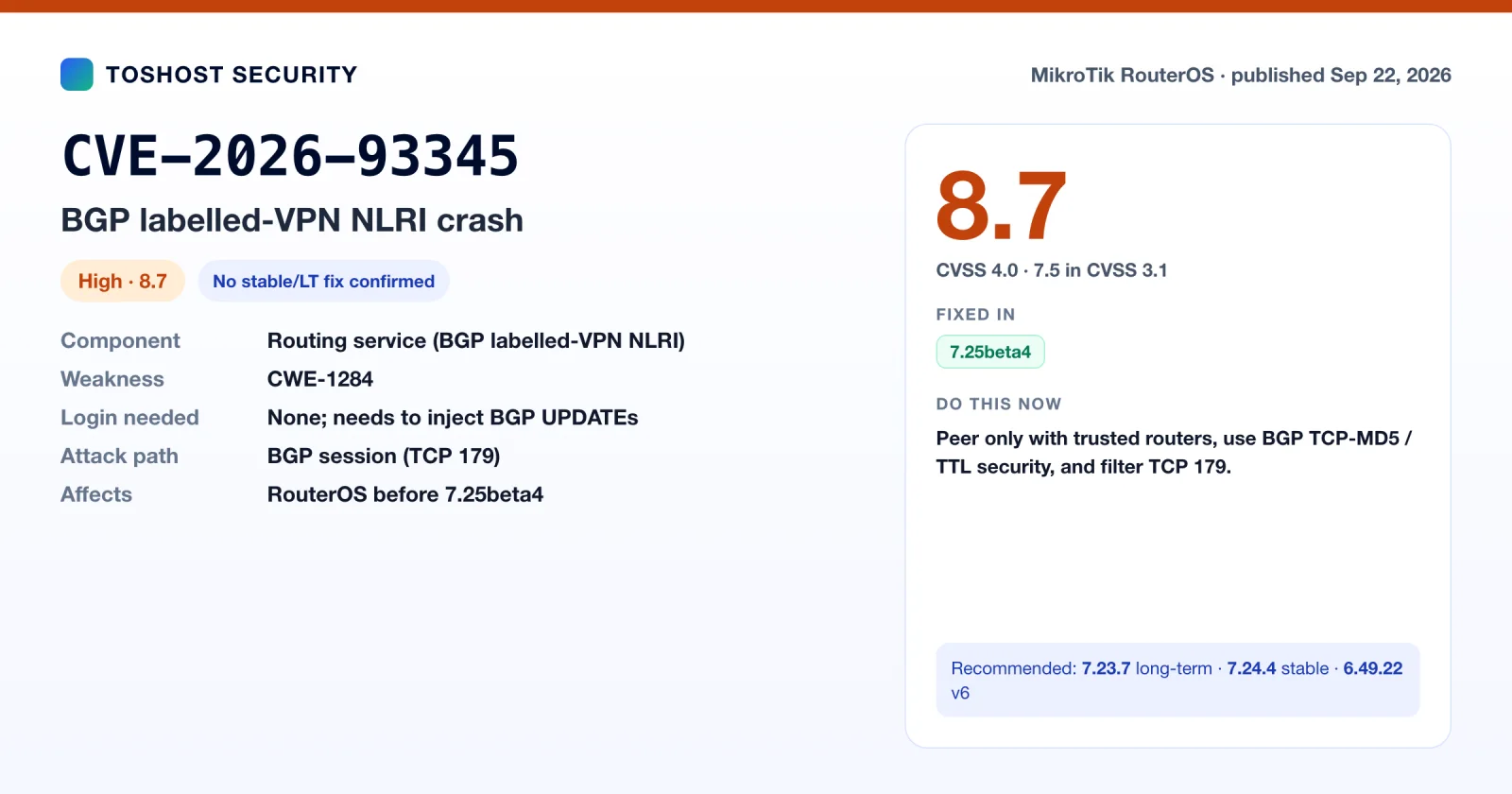
CVE-2026-93345: BGP labelled-VPN crash (the one to watch)
Researcher Kazuma Matsumoto (GMO Cybersecurity by IERAE) found that RouterOS's BGP code accepted an MP_REACH_NLRI UPDATE with a labelled-VPN prefix length below the valid minimum. That passed validation and then described a route with a negative length, crashing the BGP service. The CVE record (VulnCheck) scores it 8.7 in CVSS 4.0 and lists 7.25beta4 as the first fixed version. 7.23.6 and 7.24.3 were released the same week with a generic "bgp - improve stability" line, which may be the same fix, but neither MikroTik nor the CVE record confirms that. Until a stable or long-term fix is confirmed, protect BGP at the network level: peer only with routers you trust, set a TCP-MD5 key on every session, and drop TCP 179 from anyone who isn't a configured peer. This mostly concerns ISPs and hosting networks running MPLS/VPN BGP on MikroTik.
CVE-2026-89021: container image path traversal
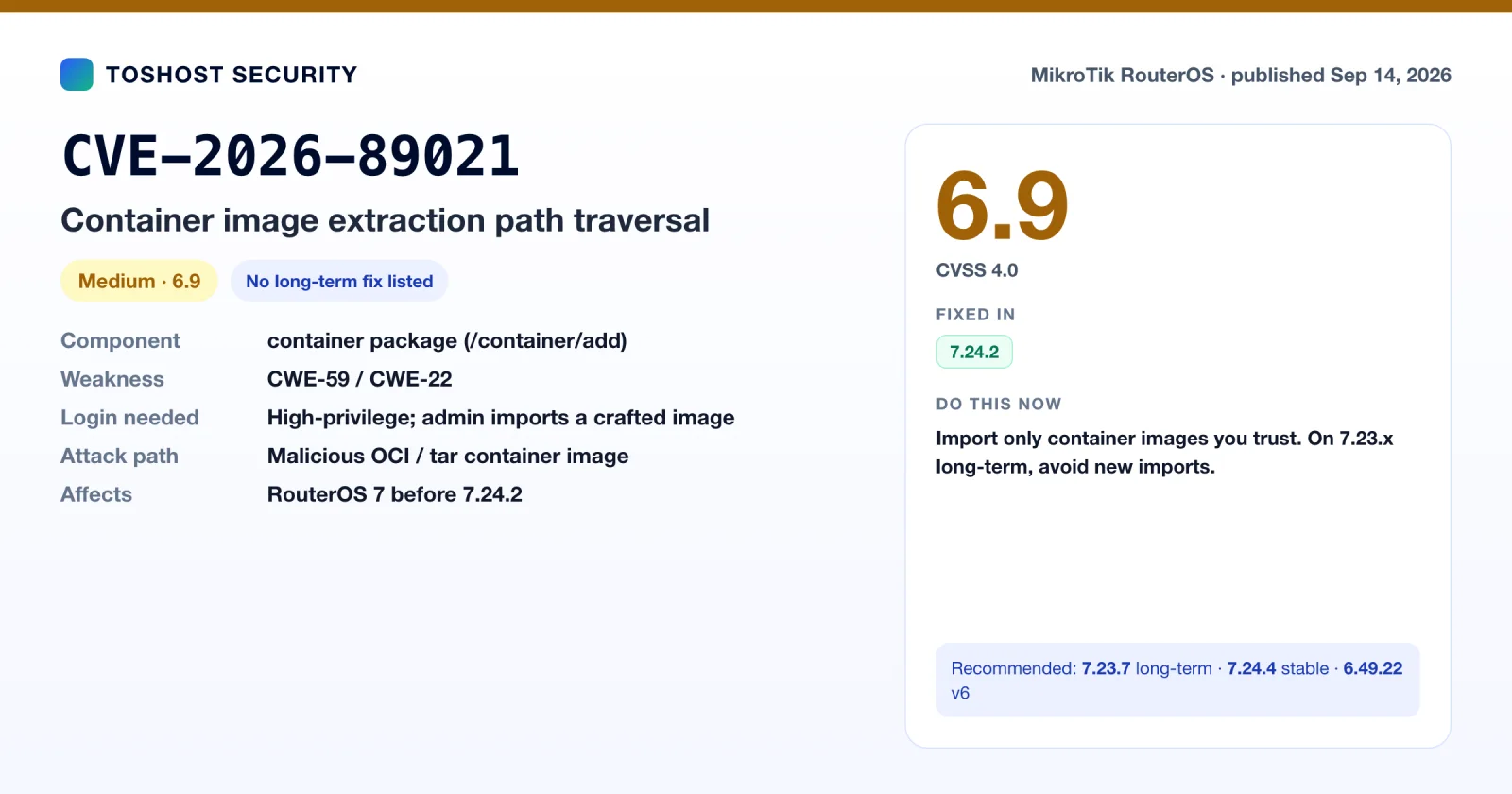
When importing a container image with /container/add, RouterOS extracted tar entries without cleaning their paths. A crafted image with symlinks could write files outside the container's root, with root privileges. An administrator has to import the malicious image, which is why the record scores it 6.9 and not higher. The record lists everything before 7.24.2 as affected. None of the 7.23.x long-term changelogs mention a container fix, so on 7.23.7, import only images you built or fully trust. Also by Kazuma Matsumoto.
CVE-2026-56719 and CVE-2026-89028: SMB1 bugs before login
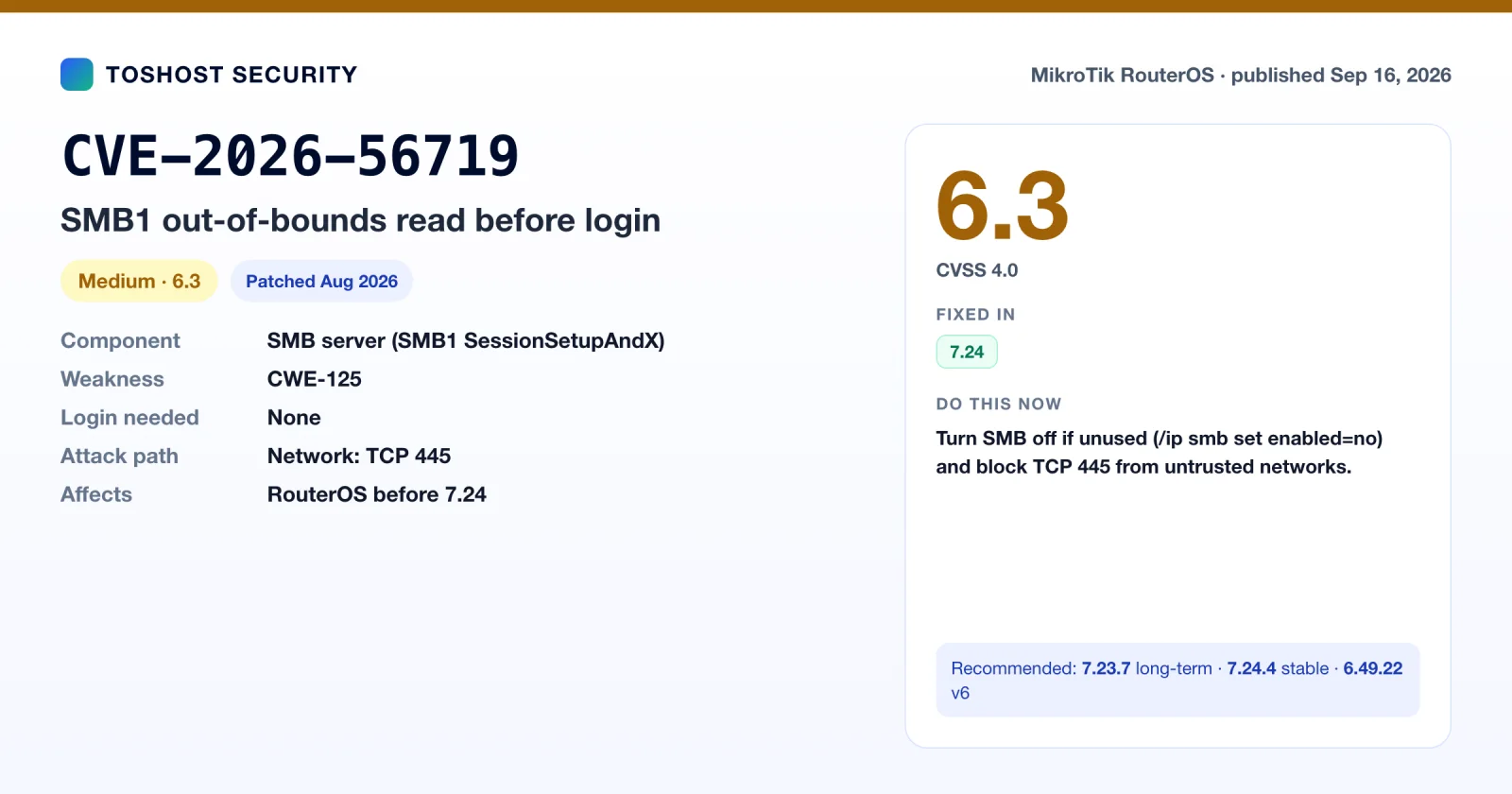
Both are in the SMB1 SessionSetupAndX handler of RouterOS's built-in SMB server and can be triggered before any password check. A crafted uniPwdLen value causes an out-of-bounds read (CVE-2026-56719, 6.3) or an integer underflow that corrupts heap memory (CVE-2026-89028, 8.2). The records list RouterOS before 7.24 as affected. 7.23.4's changelog includes "disk - improve stability of the SMB server", which may cover them on long-term, but that isn't confirmed. Few routers need to share files over SMB, so the simplest fix is to turn it off:
/ip smb print
/ip smb set enabled=no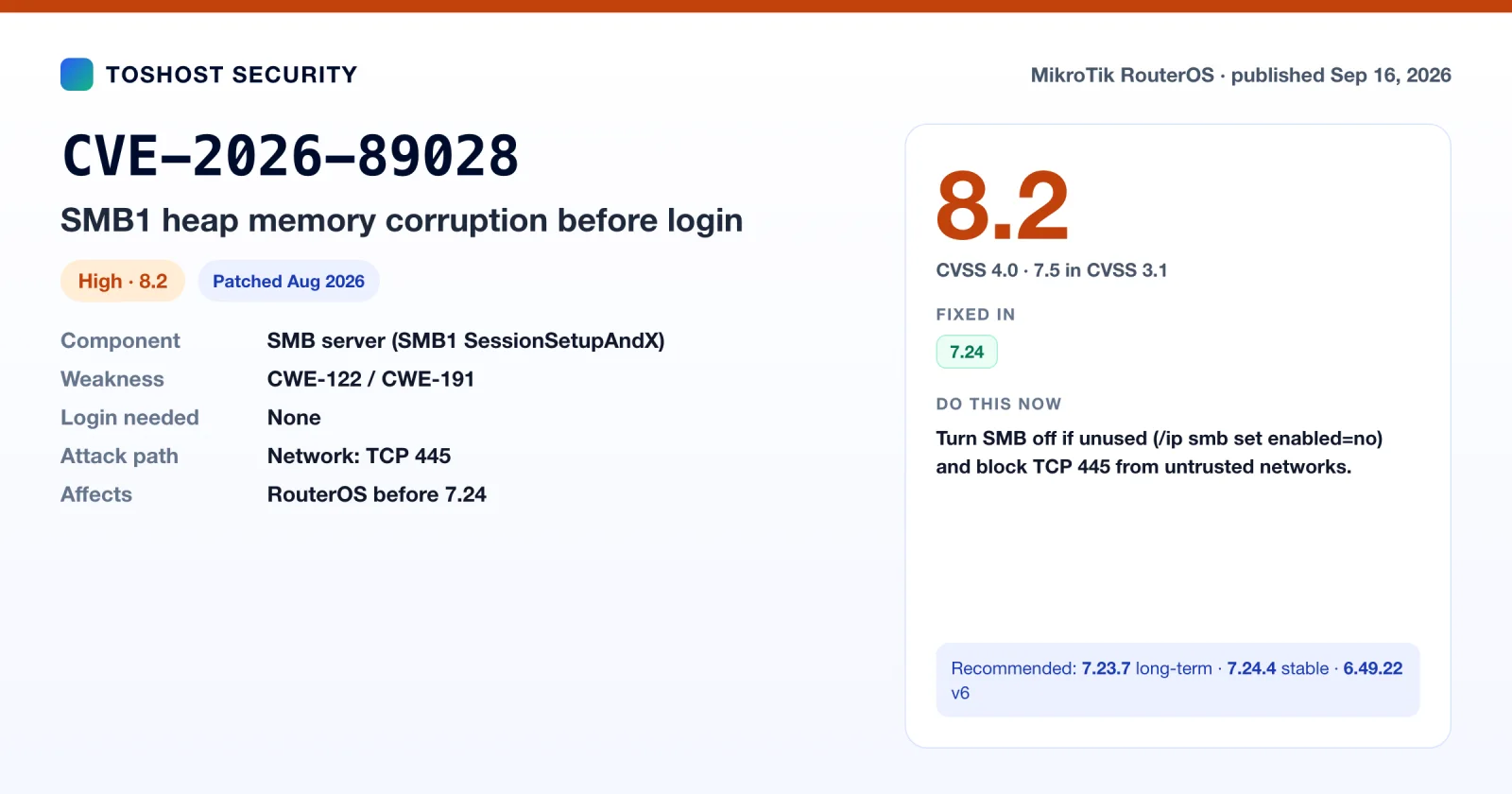
CVE-2026-89020: TFTP client overflow in mtget
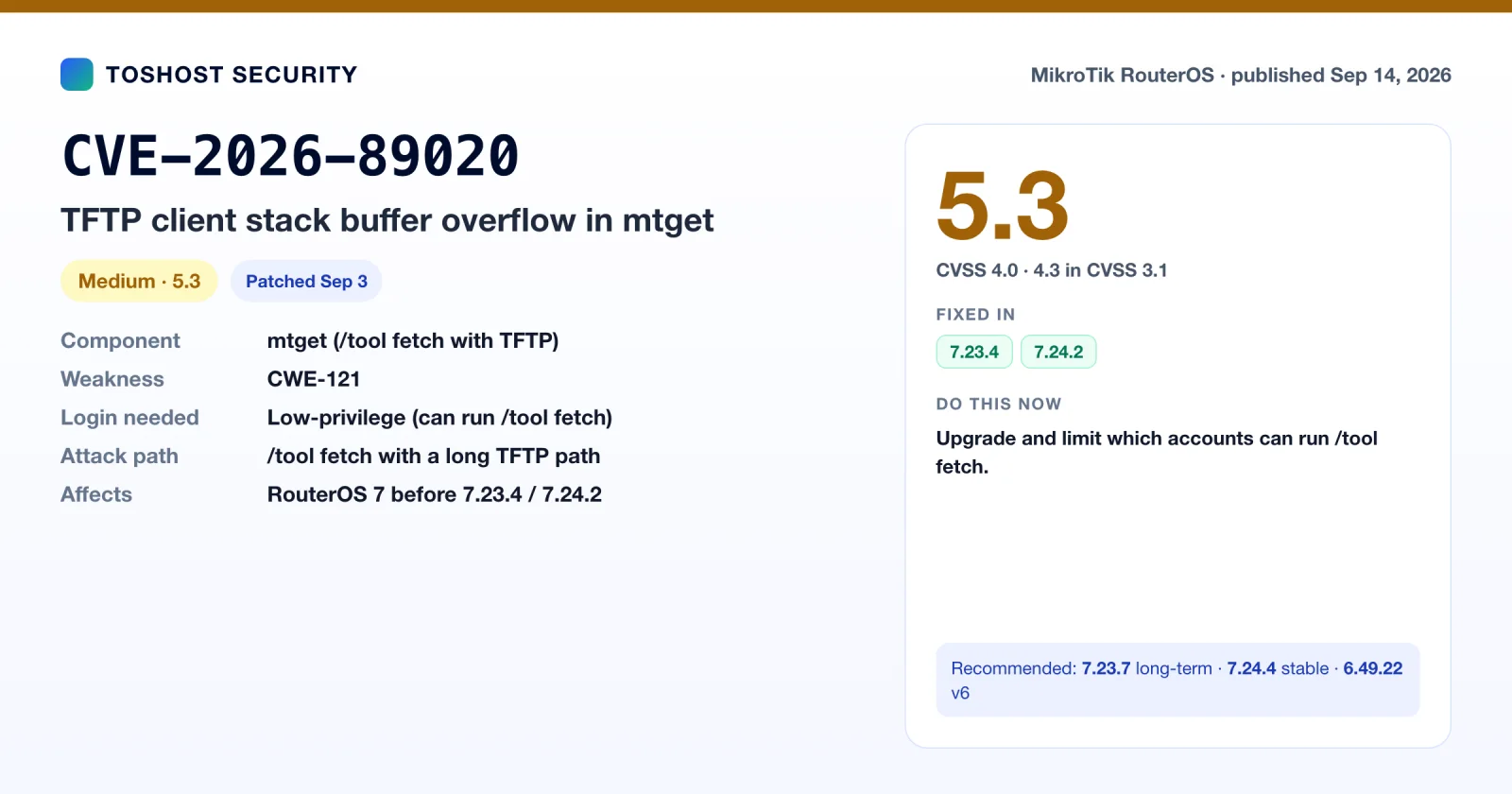
This is the mtget bug that surfaced in reverse-engineering write-ups of the September 3 patch. Its CVE record (VulnCheck, credit Kazuma Matsumoto) describes a stack buffer overflow in the TFTP read-request builder. An authenticated user who runs /tool fetch with a TFTP path of 507 bytes or more crashes the mtget worker. The record scores it 5.3 and treats it as a crash. One independent researcher reported turning it into code execution, but the CVE record doesn't claim that. Fixed in 7.23.4 and 7.24.2.
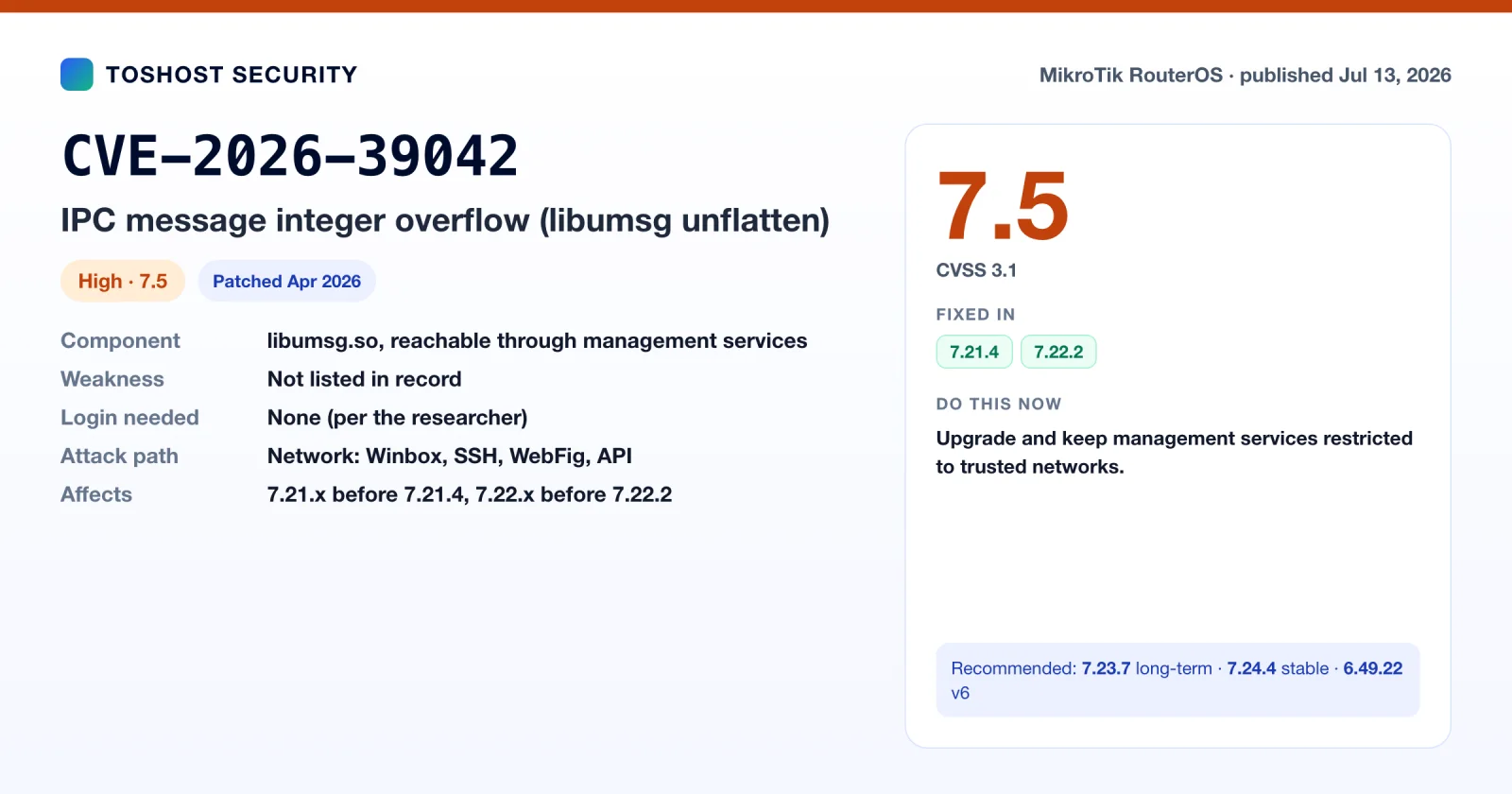
CVE-2026-39042: IPC integer overflow in libumsg
A 32-bit length calculation in nv::message::unflatten(), part of the internal message library every RouterOS service uses, could overflow. The researcher who found it reports that crafted messages sent to default management services (Winbox, SSH, WebFig, API) crash those services without a login. Only denial of service was demonstrated. The record scores it 7.5 (CVSS 3.1), and it is fixed in 7.21.4 and 7.22.2 (April 2026), so every build recommended in this guide includes the fix.
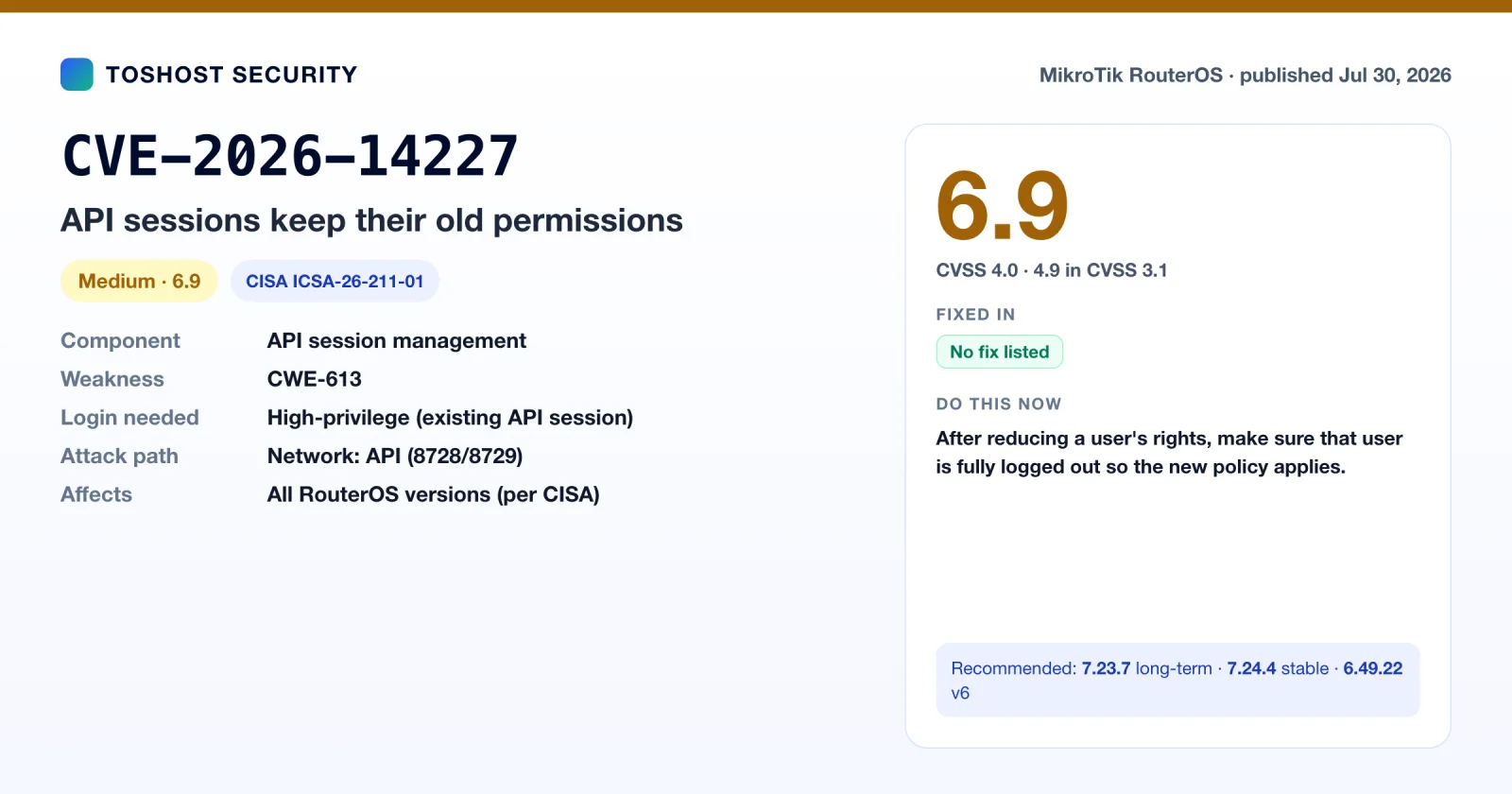
CVE-2026-14227: API sessions keep old permissions
CISA advisory ICSA-26-211-01 (July 30, 2026, credit Andre Santos) describes an API session that keeps its old permission set after an inactivity timeout or a change to the user's group. A user whose rights you reduce could keep using the old rights until they log out. It is rated 6.9 (CVSS 4.0) and needs an existing high-privilege session. No fixed version is listed. MikroTik's advice, via CISA, is to make sure the user is fully logged out after you downgrade them, so the new policy applies.
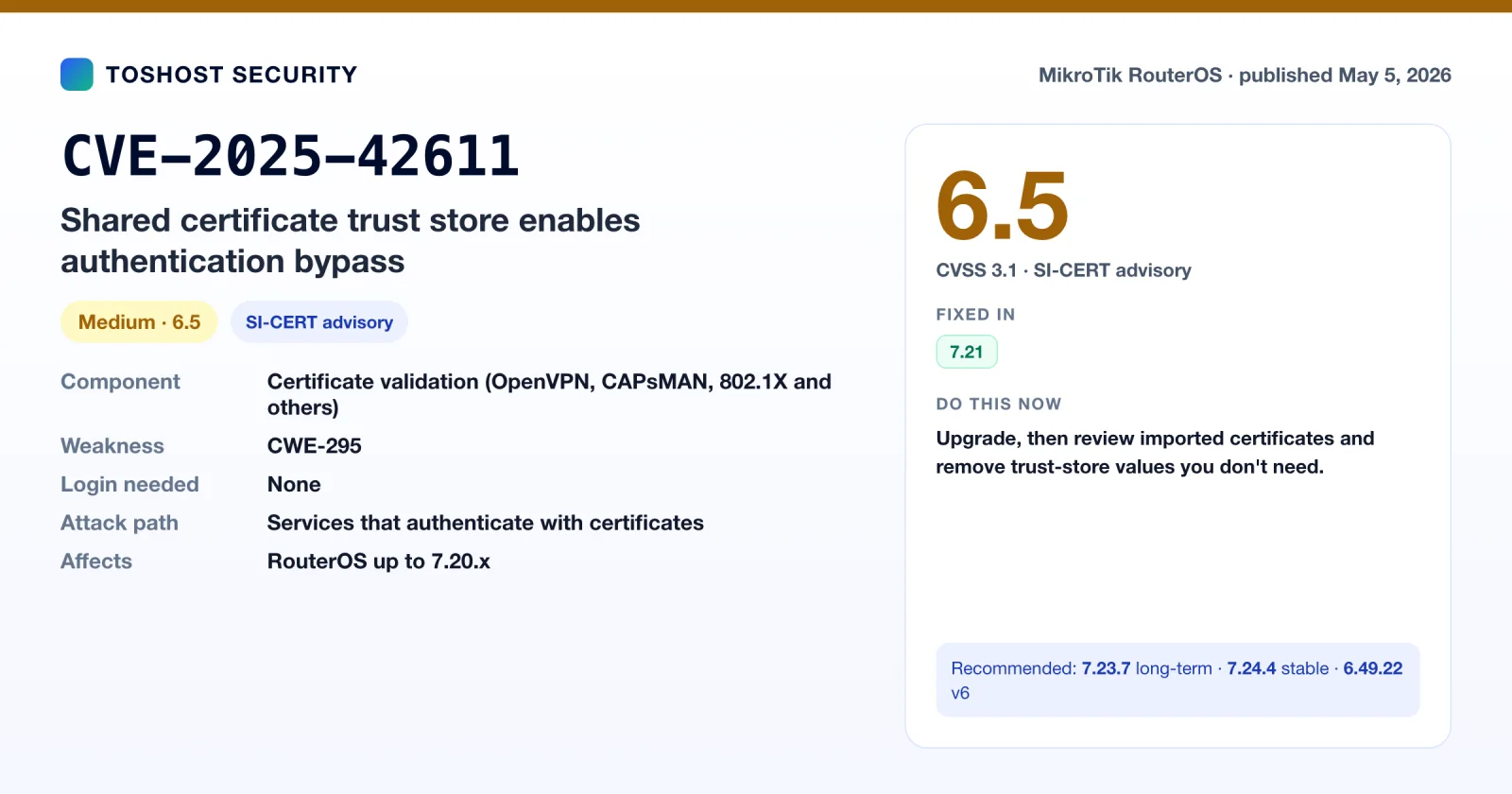
CVE-2025-42611: one certificate trust store for every service
SI-CERT (Slovenia) published this on April 10, 2026 (CVE record May 5). RouterOS services such as OpenVPN, CAPsMAN and 802.1X all validated client and server certificates against one shared system trust store. Any CA trusted for anything was trusted for everything, which allowed partial or full authentication bypass. It is rated 6.5 (CVSS 3.1) and fixed in 7.21. After upgrading, SI-CERT recommends reviewing every manually imported certificate and keeping only the trust-store values each one actually needs.
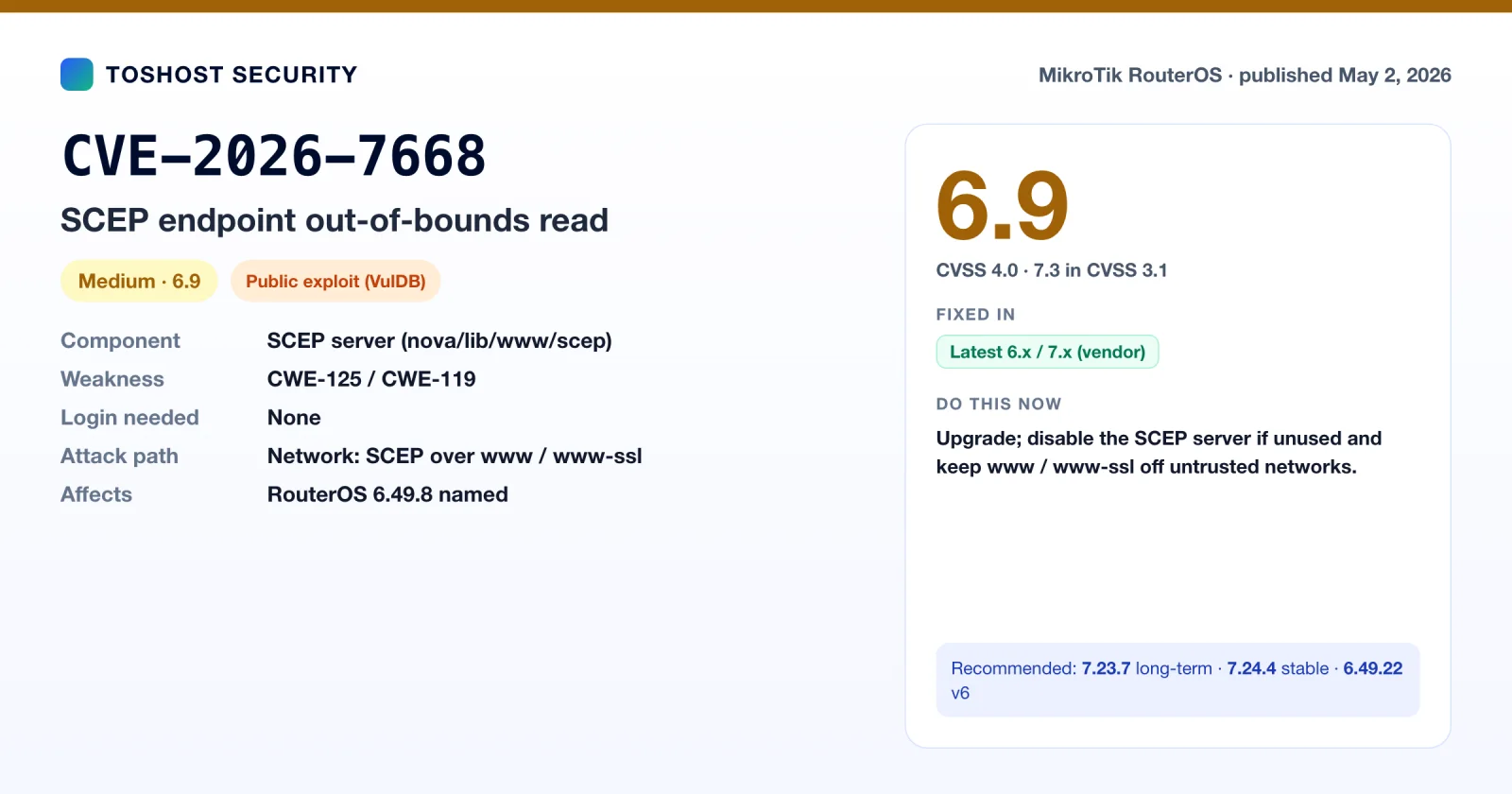
CVE-2026-7668: SCEP endpoint out-of-bounds read
This VulDB-assigned record describes an out-of-bounds read in RouterOS's SCEP server (nova/lib/www/scep), tested on 6.49.8, triggered remotely through the transactionID and messageType fields. VulDB says an exploit is public. The only vendor response quoted in the record is to "use the latest v6.x or 7.x" release, with no specific version, so the matrix shows it as "Vendor: fixed". It only matters if you run RouterOS as a SCEP server with www/www-ssl reachable.
CVE-2024-27686: SMB crash on RouterOS 6
A crafted packet to TCP 445 crashes RouterOS 6.40.5 through 6.49.10. MikroTik's own advisory from April 2024 says it is fixed in 6.49.14 and that RouterOS 7 is not affected, and a public PoC exists. The CVE record itself was published only on May 8, 2026, which is why it shows up in this period. If you're on 6.49.22, you're covered.
CVE-2025-61481: WebFig over plain HTTP
This record, assigned by MITRE, says RouterOS (7.14.2 named) and SwOS expose WebFig over cleartext HTTP by default. That lets someone in an on-path position inject JavaScript into an administrator's session or capture credentials. The record carries a CVSS 3.1 score of 10.0, but it describes a default configuration rather than a code bug, and there's no RouterOS patch. The fix is the same advice as for CVE-2025-10948 and CVE-2026-67281: disable www, use www-ssl with a proper certificate, and reach management over a VPN.
CVE-2025-56566: credentials in cleartext on flash
The record (RouterOS 7.19.4 named, CVSS 3.1 4.6) shows that credentials and network state can be read from a dump of the device's SPI flash chip. That needs physical access and a chip reader, not a network attack. No fix is listed. Treat it as a hardware-handling issue: physically secure your routers, and wipe or destroy them before resale or disposal.
Which RouterOS version fixes which CVE
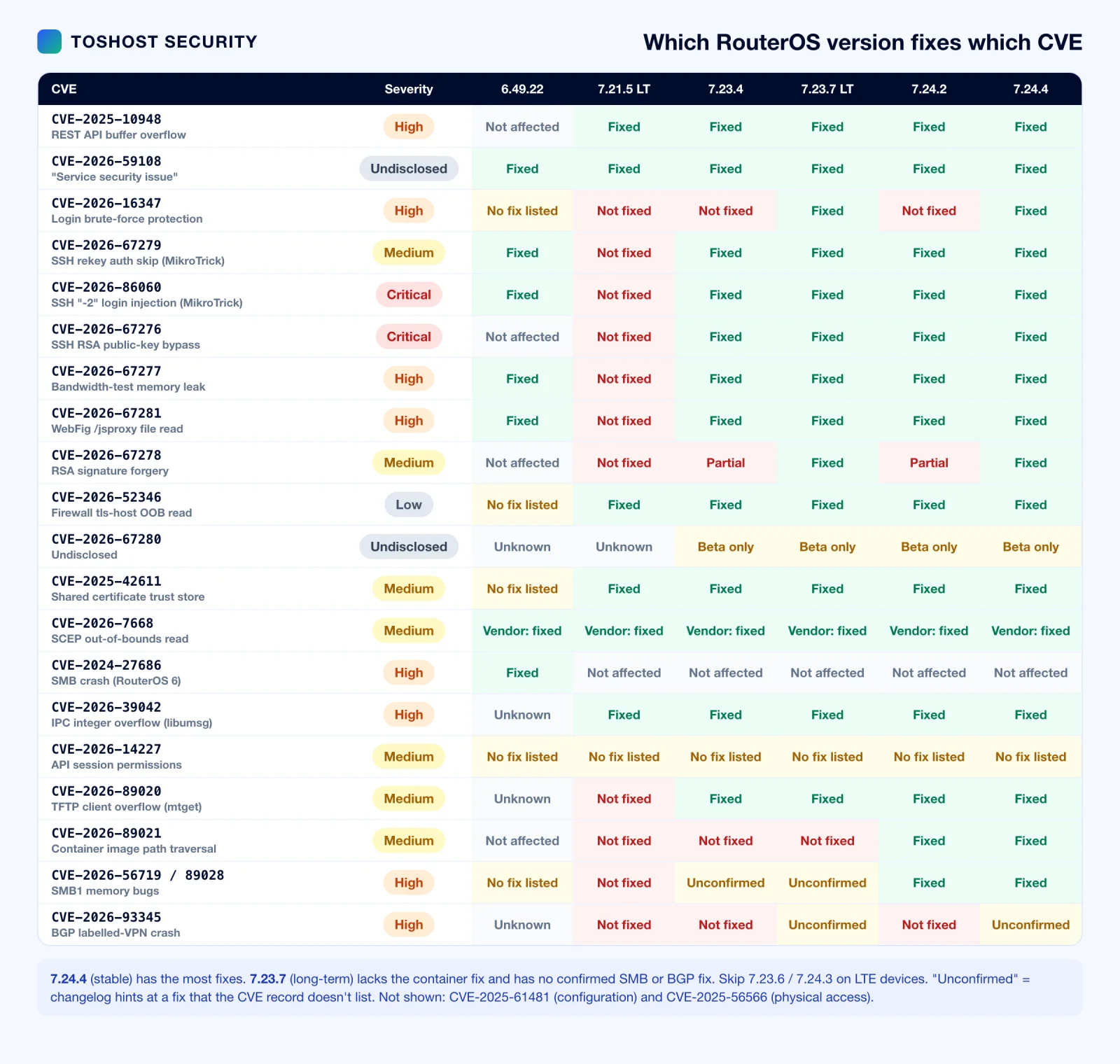
Some releases in this series are worth skipping:
- 7.23.4 / 7.24.2 (Sep 3): the MikroTrick emergency fix. Still missing the complete CVE-2026-67278 fix and CVE-2026-16347. 7.23.4 also broke DHCPv6, which 7.23.5 fixed a day later.
- 7.23.6 / 7.24.3 (Sep 14): security-complete, but they delete the LTE modem firmware on some models (RBSXTLTE3-7 and the EC25-EU/EG25-G SXT and KNe variants).
- 7.23.7 / 7.24.4 (Sep 16): fix the LTE regression. These are the builds to deploy, and 7.24.4 is the more complete one. On v6, use 6.49.22 (adds the CVE-2026-67281 fix on top of 6.49.21).
- What 7.23.7 long-term still lacks: the container fix (CVE-2026-89021, fixed from 7.24.2), a confirmed fix for the SMB1 bugs (CVE-2026-56719 / 89028, fixed from 7.24) and the BGP bug (CVE-2026-93345, fixed in 7.25beta4). If you stay on long-term, turn SMB off, import only trusted container images, and protect BGP sessions as described in Part 3.
- No build fixes CVE-2026-14227 (no fix listed) and, outside the 7.25 beta, CVE-2026-67280 and CVE-2026-93345. Those need the mitigations in their sections.
- 7.21.x long-term ended at 7.21.5 and doesn't have the September fixes. Move to 7.23.x.
If an LTE router lost its modem after upgrading to 7.23.6 or 7.24.3, install 7.23.7 or 7.24.4, run /interface/lte/firmware-upgrade [find] upgrade=yes, then reboot.
How to check, mitigate and patch your MikroTik routers
These steps work for CVE-2025-10948 and every 2026 advisory above. Work through them in order on each router, or use the fleet script further down to find the routers that need attention first.
Step 1: Check whether your router is vulnerable
Open a terminal (Winbox → New Terminal, or SSH) and check the version:
/system resource print
/system package update print
If version is 7.x and lower than 7.20.1 (for example 7.16.2, 7.19.6 or 7.20), the router is vulnerable to CVE-2025-10948. Note that plain 7.20 does not include the fix. It shipped on September 29, 2025, before the patch. Also, 7.20.1 is only the floor for this bug. Anything below 7.23.7 / 7.24.4 is still exposed to at least one of the 2026 advisories covered below, so that is the version to aim for.
Then check whether the web services are on and who can reach them:
/ip service print where name~"www"Look at two columns. If www or www-ssl is not disabled (no X flag) and the address column is empty, the service accepts connections from any IP that your firewall lets through. Next, check the firewall:
/ip firewall filter print where chain=inputIf there is no rule dropping input to TCP 80/443 from the WAN interface list, and no final drop rule on the input chain, the REST API is effectively public.
You can also confirm from the outside, from a machine that is not on your management network:
curl -sk -o /dev/null -w "%{http_code}\n" https://ROUTER_PUBLIC_IP/rest/system/resourceA 401 means the REST API is listening and exposed. A timeout or connection refused means it is filtered, which is what you want.
Step 2: Mitigate right now, before the upgrade window
If you can't upgrade today, close the door first. These changes take effect immediately and don't need a reboot.
Option A: Disable the web services if you only manage the router with Winbox or SSH:
/ip service disable www,www-sslOption B: Restrict them to your management subnet if you need WebFig or the REST API:
/ip service set www address=10.10.0.0/24
/ip service set www-ssl address=10.10.0.0/24
Replace 10.10.0.0/24 with your real management or VPN range. Do the same for winbox, ssh and api while you're there.
Option C: Add input-chain firewall rules as a second layer, so a single misconfigured service can't reopen the hole:
/ip firewall address-list add list=mgmt address=10.10.0.0/24 comment="management"
/ip firewall filter add chain=input action=accept protocol=tcp dst-port=80,443,8291,22 \
    src-address-list=mgmt comment="mgmt access" place-before=0
/ip firewall filter add chain=input action=drop protocol=tcp dst-port=80,443 \
    in-interface-list=WAN comment="CVE-2025-10948: block web/REST from WAN"
place-before=0 puts the accept rule at the top of the input chain. If your input chain is still empty, leave that option out.
Warning: If you are connected remotely, add the accept rule for your own source address before any drop rule, or use Safe Mode (Ctrl+X in the terminal, or the Safe Mode button in Winbox). With Safe Mode on, RouterOS rolls back every change if your session drops.
For the 2026 CVEs, also close SSH, the API and bandwidth-test: MikroTrick needs only a reachable SSH port, and CVE-2026-67277 needs only a reachable btest server.
/ip service set ssh address=10.10.0.0/24
/ip service set winbox address=10.10.0.0/24
/ip service disable api,api-ssl,telnet,ftp
/tool bandwidth-server set enabled=no
/ip firewall filter add chain=input action=drop protocol=tcp dst-port=22,2000,8291,8728,8729 \
    in-interface-list=WAN comment="2026 RouterOS CVEs: block mgmt from WAN"
Also fix the accounts:
/user print
/user set admin password="a-long-unique-password"
Remove users you don't recognise. Give monitoring accounts their own group, and remove the rest-api and web policies if they don't need them. Unknown users on a MikroTik router are a sign of compromise, not an oversight. If you find any, treat the router as breached (see Step 5).
Step 3: Back up before you upgrade
Take both a binary backup and a readable export, then copy them off the router:
/system backup save name=pre-7.20.1 dont-encrypt=no password="backup-password"
/export show-sensitive file=pre-7.20.1
Download both files from Files in Winbox (or with scp). The .backup file restores cleanly only to the same hardware model. The .rsc export is plain text you can read, diff and re-apply anywhere.
Step 4: Patch RouterOS
Method 1: Online upgrade (recommended)
For routers with internet access, use the built-in updater. The stable channel (currently 7.24.4) has the most security fixes. The long-term channel (currently 7.23.7) fixes every actively exploited bug but lacks the container and SMB fixes listed in the patch matrix. For core routers that must stay on long-term, apply those mitigations too.
LTE devices: don't stop at 7.23.6 or 7.24.3. Those two releases delete the LTE modem firmware on some models (RBSXTLTE3-7 and the EC25-EU/EG25-G SXT and KNe variants). Go straight to 7.23.7 or 7.24.4. If a router already lost its LTE link after upgrading, install 7.23.7 or 7.24.4, run /interface/lte/firmware-upgrade [find] upgrade=yes, then reboot.
/system package update set channel=long-term
/system package update check-for-updates
/system package update print
/system package update install
The router downloads the new packages and reboots by itself. Plan for 2 to 5 minutes of downtime, longer on older ARM and MIPS boards.
Method 2: Offline upgrade
For routers without internet access, or when you need to pin an exact version:
- Download the correct
routeros-<version>-<arch>.npkfor your architecture (arm, arm64, mipsbe, mmips, tile, x86 and so on) from mikrotik.com/download. Include any extra packages you use, such aswifi-qcomorcontainer, at the same version. - Check your architecture first with
/system resource print, which showsarchitecture-name. - Upload the
.npkfiles to the router's root directory with Winbox (drag into Files) orscp. - Reboot with
/system reboot. RouterOS installs the packages during boot.
Method 3: Cloud Hosted Router (CHR) and VPS routers
CHR instances upgrade the same way, with the online updater or the x86 .npk. Take a hypervisor snapshot before upgrading. It is the fastest way back if something goes wrong. If your CHR runs on a Toshost KVM cloud VPS or DDoS-protected VPS, you can take the snapshot from the client area before you start.
Upgrade the RouterBOOT firmware
On RouterBOARD hardware, bring the bootloader up to match after the RouterOS upgrade:
/system routerboard print
/system routerboard upgrade
/system reboot
This is not what fixes CVE-2025-10948. The fix is in RouterOS. But keeping current-firmware in line with upgrade-firmware avoids strange hardware bugs later.
Step 5: Verify, and check for signs of compromise
After the reboot, confirm the version:
/system resource print
/system package print
version should read 7.23.7 / 7.24.4 or later (7.20.1 is the bare minimum for CVE-2025-10948 alone), and every package should show the same version. Run the outside curl check from Step 1 again to confirm the REST API is filtered from the internet.
Then check the Flagged marker. RouterOS (device-mode, 7.17 and later, and recent 6.49.x) scans its configuration at boot for known signs of unauthorized changes. If it finds any, it disables them, writes a critical log entry, and sets a flag. According to CERT Polska, the September 2026 fixed releases use this mechanism to catch traces of the MikroTrick attacks:
/system device-mode print
/log print where topics~"critical"
If flagged: yes appears, assume the router was taken over. Do not clear the flag until you have saved the logs and configuration for analysis (see the indicators of compromise below). The reverse is not true: a router that isn't flagged is not proven clean. The check only catches the traces MikroTik knows about.
If the router was exposed and unpatched for any length of time, don't assume it's clean just because it now runs a fixed version. Look for the usual MikroTik persistence tricks:
- Users:
/user printand/user ssh-keys print. Look for unknown accounts or keys. - Scheduler and scripts:
/system scheduler printand/system script print. Look for fetch-and-run jobs or anything obfuscated. - Proxies and tunnels:
/ip proxy print,/ip socks printand/interface print. Look for SOCKS or web proxies you didn't enable, and unexpected GRE, EoIP or L2TP interfaces. - DNS and NAT:
/ip dns print,/ip dns static printand/ip firewall nat print. Look for rogue upstream resolvers or redirect rules. - Files:
/file print. Look for unfamiliar.rscor.npkfiles and oddly named directories. - Logs:
/log print where topics~"critical|error|account". Look for login failures from strange IPs, and repeated service crashes or unexpected reboots around the time the router was exposed.
If you find anything you can't explain, the safe path is a Netinstall reset: wipe the router, install a fixed RouterOS version, and re-apply the configuration by hand from your reviewed .rsc export. Rotate every credential the router held, including PPPoE secrets, VPN keys and RADIUS shared secrets. A binary .backup from a compromised router restores the attacker's changes along with yours, so don't use it.
Checking a whole fleet
If you run dozens or hundreds of MikroTik devices, check them from a management host instead of logging into each one:
#!/usr/bin/env bash
# RouterOS fleet audit: version vs. the September 2026 baseline
# Minimum safe build per branch (September 2026)
MIN6=6.49.22
older() { [ "$1" != "$2" ] && printf '%s\n%s\n' "$1" "$2" | sort -V -C; }
while read -r host; do
  v=$(ssh -o ConnectTimeout=5 -o BatchMode=yes "monitor@$host" \
      ':put [/system resource get version]' 2>/dev/null </dev/null | awk '{print $1}')
  if [ -z "$v" ]; then echo "$host  UNREACHABLE"; continue; fi
  case "$v" in
    6.*)    min=$MIN6 ;;
    7.24.*) min=7.24.4 ;;      # stable branch
    7.25beta*) min=7.25beta5 ;; # testing branch
    *)      min=7.23.7 ;;      # long-term and everything older
  esac
  if   [ "${v%%.*}" = 7 ] && older "$v" 7.20.1; then s="VULNERABLE (CVE-2025-10948 + 2026 CVEs)"
  elif older "$v" "$min"; then s="VULNERABLE (2026 CVEs) - upgrade to $min+"
  else s=OK; fi
  case "$v" in 6.*) [ "$s" = OK ] && s="OK (v6 - plan move to v7)";; esac
  echo "$host  $v  $s"
done < routers.txt
Put one IP or hostname per line in routers.txt, and use a read-only account with an SSH key. The same check works from Ansible with the community.routeros.command module if you already manage the fleet that way.
Long-term hardening for MikroTik routers
CVE-2025-10948 is the latest of many RouterOS web and management bugs, and it won't be the last. The routers that were never at risk had one thing in common: nobody outside the management network could reach their management plane. Make that the default:
- Never expose management services to the internet. Limit
www,www-ssl,api,api-ssl,winboxandsshwith/ip service set ... address=and an input-chain firewall. Reach them over WireGuard or a dedicated management VRF. - Disable what you don't use.
telnet,ftpand plainwwware rarely needed on a modern deployment. - Use a default-drop input chain. Accept established/related traffic, your management list, and the specific protocols the router has to answer (BGP, OSPF, DHCP, VPN), then drop everything else.
- Stay on a supported release. Keep core routers on long-term, subscribe to MikroTik's security announcements, and set a monthly patch window. The fix for this CVE was available within two weeks of disclosure. Every router that stayed exposed after that was a process gap, not a vendor gap.
- Enforce per-person accounts and strong passwords. No shared
admin, no blank passwords, and least-privilege groups for automation and monitoring. - Export configs off the box on a schedule and diff them, so unauthorised changes show up quickly.
Frequently asked questions
Is my MikroTik router vulnerable to MikroTrick?
It is if it runs RouterOS 6.x below 6.49.21, or 7.x below 7.23.4 (long-term) or 7.24.2 (stable), and an attacker can reach its SSH port. Check the version with /system resource print and SSH exposure with /ip service print where name=ssh plus your input-chain firewall rules. The default home configuration blocks SSH from the internet, but many ISP, hosting and business setups open it.
Which RouterOS version should I install?
7.24.4 on the stable channel has the most fixes. 7.23.7 on the long-term channel fixes all the actively exploited bugs but not the container (CVE-2026-89021) or confirmed SMB1 fixes. On v6, use 6.49.22. No production build yet has a confirmed fix for CVE-2026-93345 (BGP), CVE-2026-67280 or CVE-2026-14227, so use the mitigations for those. Avoid 7.23.6 and 7.24.3 on LTE devices.
Is RouterOS 6 still affected?
Yes, by several of these. RouterOS 6 has no REST API, so CVE-2025-10948 doesn't apply, and CVE-2026-67276 and CVE-2026-67278 are 7.x only. But the MikroTrick pair (CVE-2026-67279, CVE-2026-86060), the bandwidth-test bug (CVE-2026-67277), the WebFig file read (fixed in 6.49.22), CVE-2026-59108, the older SMB crash CVE-2024-27686 and the SCEP bug CVE-2026-7668 (tested on 6.49.8) all affect v6. Upgrade v6 routers to 6.49.22 and plan the move to v7.
Is 7.24.2 or 7.23.4 enough?
They stop the actively exploited MikroTrick chain, which is what matters most, but they only partly fix CVE-2026-67278 and don't include CVE-2026-16347. Move on to 7.24.4 (or 7.23.7 on long-term).
Are Cloud Hosted Router (CHR) instances affected?
Yes. CHR runs the same RouterOS code, so the software bugs here apply to it too (the physical flash issue CVE-2025-56566 doesn't), and CISA's CVE-2026-16347 advisory names CHR explicitly. CHR instances on VPS or cloud providers often have SSH and WebFig exposed on a public IP, so treat them as high priority. Take a hypervisor snapshot, then upgrade as usual.
What does the "Flagged" status mean?
It's part of RouterOS device-mode. At boot, RouterOS checks its configuration for known signs of unauthorized changes. If it finds any, it disables the suspicious entries, writes a critical log message and sets flagged: yes in /system device-mode print. The September 2026 fixed releases use it to catch MikroTrick traces. Treat a flagged router as compromised: save the evidence, then Netinstall. Clearing the flag (/system device-mode update flagged=no) needs physical confirmation at the device, so don't clear it until the evidence is saved. An unflagged router isn't proven clean.
Can I restore my backup after a compromise?
Not a binary .backup from the compromised router, because it brings back the attacker's users, scripts and settings along with yours. Netinstall, then rebuild from a .rsc export you have reviewed line by line, or from a known-good export taken before the compromise. Then change every password, key and shared secret.
Do I need to reboot?
Yes. RouterOS upgrades install at boot, so plan 2 to 5 minutes of downtime per router. The mitigations (restricting SSH, WebFig, the API and the bandwidth-test server) take effect immediately with no reboot, so do those first if you need to schedule the upgrade window.
Key takeaways
- MikroTrick (CVE-2026-67279 + CVE-2026-86060) gives attackers full admin on RouterOS 6.x and 7.x with SSH reachable. No credentials are needed, it was exploited from September 2, 2026, and it is in CISA KEV. The bandwidth-test bug CVE-2026-67277 is in KEV as well.
- CVE-2025-10948 (REST API buffer overflow, public PoC) is fixed in 7.20.1, but 7.20.1 is nowhere near enough any more. Today's best builds are 7.24.4 (stable, most complete), 7.23.7 (long-term) and 6.49.22 (v6).
- A further 12 lower-profile RouterOS CVEs were published in the same period. Watch CVE-2026-93345 (BGP crash, only fixed in 7.25beta4) and turn off SMB if you don't use it.
- Until you upgrade, restrict or disable
ssh,www/www-ssl,api/api-ssland the bandwidth-test server, and drop them from WAN on the input chain. - After upgrading, check the Flagged marker, look for an
opsuser andssh:-2log entries, and search for traffic to 82.192.72.4 and 103.102.31.18. If you find any, save the evidence, Netinstall and rotate every secret. - Keep an eye on CVE-2026-67280 (7.25beta5 only) and CVE-2026-14227 (no fix listed).
Running a fleet of MikroTik routers or CHR instances and don't have the hands to patch and audit them all this week? Toshost's managed network and server team handles RouterOS upgrades, firewall hardening, compromise checks and Netinstall rebuilds for ISPs and businesses. Get in touch and we'll review your exposure. If a router or server behind it was already compromised, our malware removal and cleanup service covers credential rotation and rebuilds.
Related reading: Cisco patches 12 SD-WAN and IOS XE security flaws · Website hacked? Real cleanup case studies · Managed VPS hosting: what's included and how to choose
How we compiled this list
We started with every entry on MikroTik's security announcements page and RSS feed since September 2025, then read the RouterOS changelogs for every release from 6.49.20, 7.20.1 and 7.21.4 onward for CVE mentions and security notes. We added CERT Polska's and CISA's advisories and the CISA KEV catalog, then searched NVD for every CVE record published between September 1, 2025 and September 26, 2026 that mentions "MikroTik" or "RouterOS". We then pulled each record from CVE.org for its score, CWE, affected versions and credits. Records that mention MikroTik but aren't RouterOS bugs (for example a FastNetMon plugin issue) were left out. Fixed versions come from the CVE record or MikroTik's changelog. Where they differ or are silent, the matrix says "Unconfirmed", "Unknown" or "No fix listed" rather than guessing. If you know of a RouterOS CVE from this period that we missed, tell us and we'll add it.
Sources and references
- MikroTik security announcements: mikrotik.com/supportsec (CVE-2025-10948, September 2026 vulnerability, CVE-2026-52346)
- CERT Polska: Critical vulnerabilities in MikroTik RouterOS are being actively exploited and Vulnerabilities in MikroTik RouterOS software
- CISA: ICSA-26-209-05 MikroTik RouterOS and Cloud Hosted Router and the Known Exploited Vulnerabilities catalog
- MikroTik "Flagged" status documentation: Device mode, Flagged status
- RouterOS changelogs for 6.49.20 to 6.49.22, 7.20.1, 7.21.4, 7.21.5, 7.22.2, 7.23.2 to 7.23.7, 7.24.2 to 7.24.4 and 7.25beta3 to beta5 (download.mikrotik.com)
- CVE.org records for CVE-2025-10948, CVE-2026-16347, CVE-2026-67276 to CVE-2026-67279, CVE-2026-67281, CVE-2026-86060, and the 12 records in Part 3 (CVE-2025-61481, CVE-2025-42611, CVE-2026-7668, CVE-2024-27686, CVE-2026-39042, CVE-2026-14227, CVE-2026-89020, CVE-2026-89021, CVE-2026-56719, CVE-2026-89028, CVE-2025-56566, CVE-2026-93345), plus the NVD search described above
- CISA: ICSA-26-211-01 MikroTik RouterOS (CVE-2026-14227)
- SI-CERT: CVE-2025-42611
- VulnCheck advisories for CVE-2026-89020, CVE-2026-89021, CVE-2026-56719, CVE-2026-89028 and CVE-2026-93345 (linked from each CVE record)
- CVE-2026-39042 research: Finding an integer overflow in MikroTik RouterOS core IPC library
- MikroTrick chain composition (CVE-2026-67279 + CVE-2026-86060): security press reporting, consistent with CISA adding both CVEs to KEV
- Public PoC for CVE-2025-10948: a2ure123/libjson-unicode-buffer-overflow-poc
- Patch analysis: Nick Pratley, Reversing MikroTik's silent patch: the RouterOS 7.23.4 fix
Last updated September 26, 2026 (revised to add 12 more CVE records, correct the CVE-2025-10948 PoC date and the Flagged command syntax, and refine the patch guidance). We'll update this page when MikroTik publishes details for CVE-2026-59108 and CVE-2026-67280, or fixes CVE-2026-93345 outside the beta.