In the previous part, we have seen how to change the account password. In today's part of Reseller Hosting Tutorial, we will learn, how to suspend and unsuspend the client account.
Sometimes the site has to suspend due to the problem of the client's payment or using additional CPU.
If you missed the previous part!
What are the requirements for hosting business? (Reseller Part-1)
How to make packages and cPanel? (Reseller Part-2)
Package Upgrade/Downgrade and edit Package (Reseller Part-3)
Changing the cPanel account’s password and account terminate (Reseller Part-4)
How to suspend the site!
You will first need to log in to the WHM panel.
After logging in, you will need to go to the Account Functions from the WHM panel.
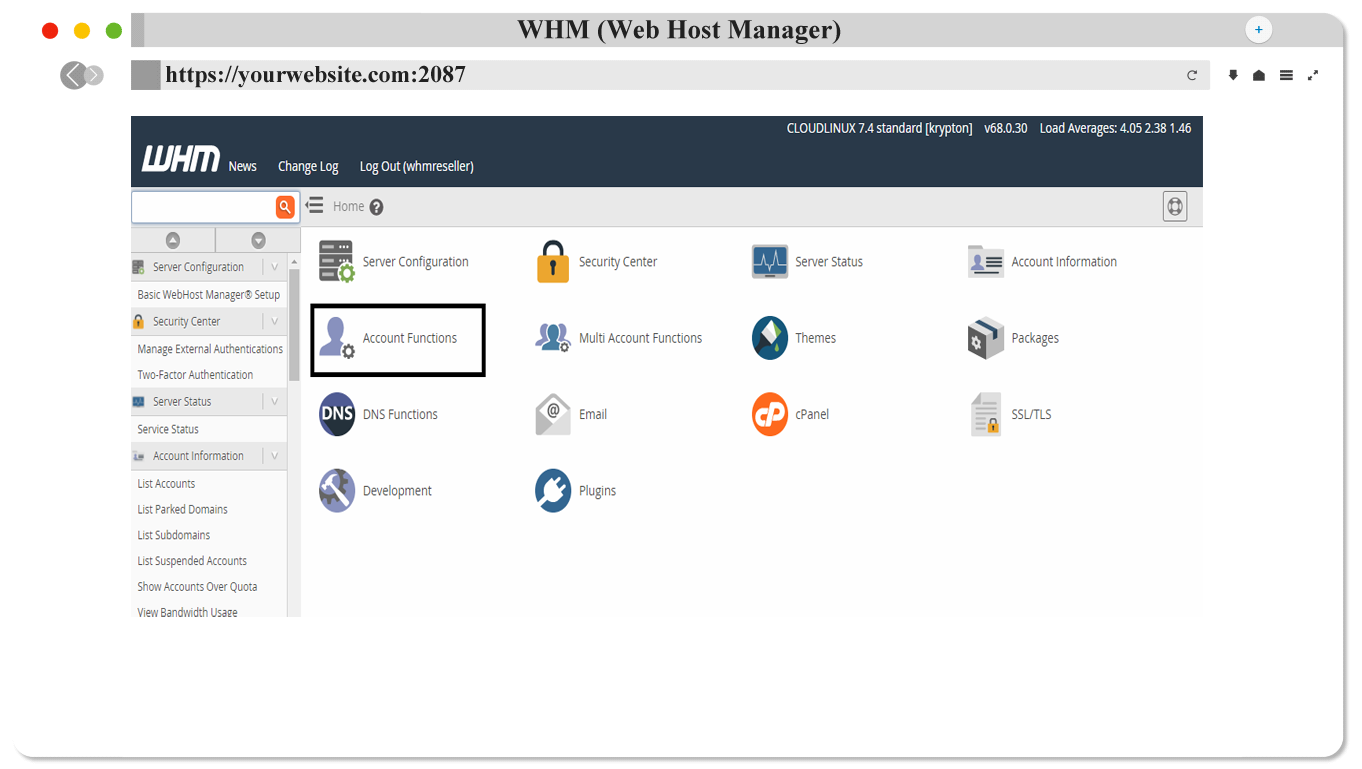
Go to Account Function, click Manage Account Suspension, or go to the Search Options and search for Account by Suspension.
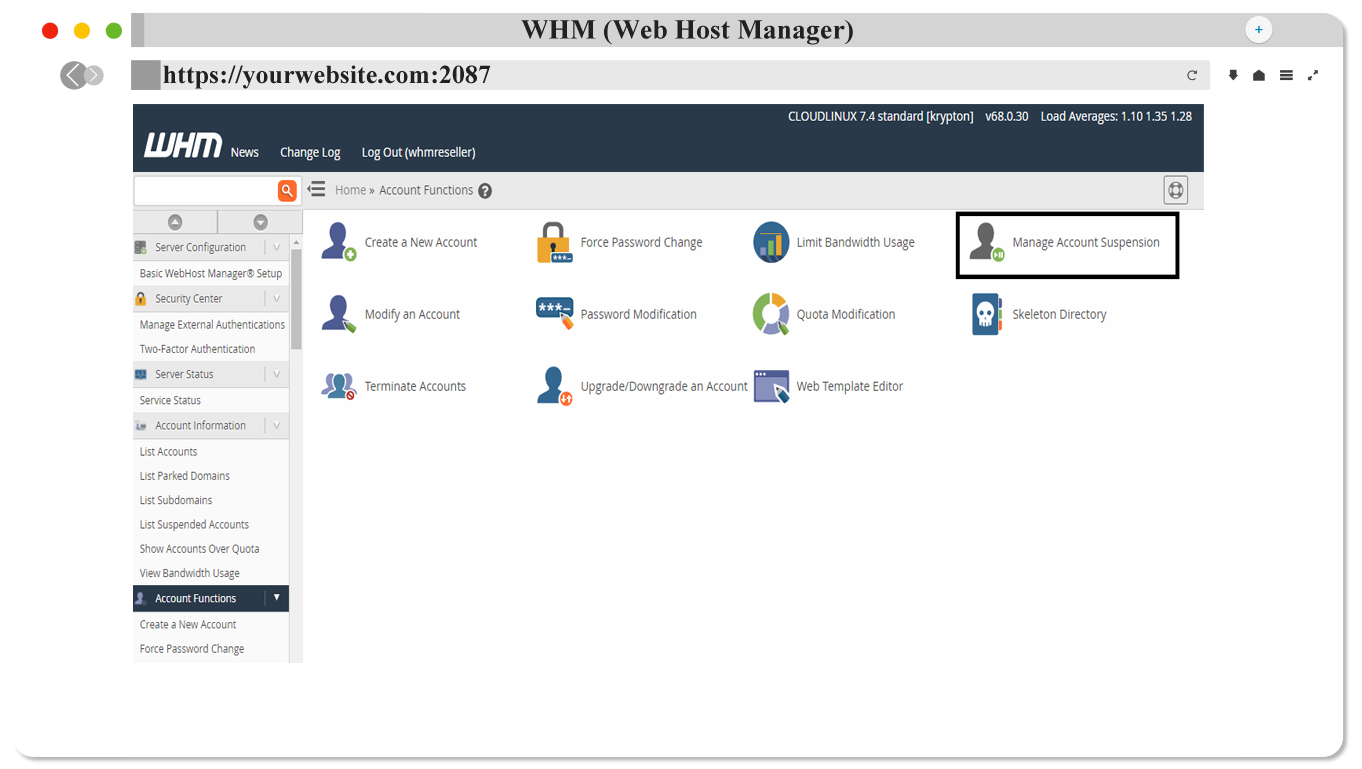
After clicking Manage Account Suspension you will find a page like the image below.
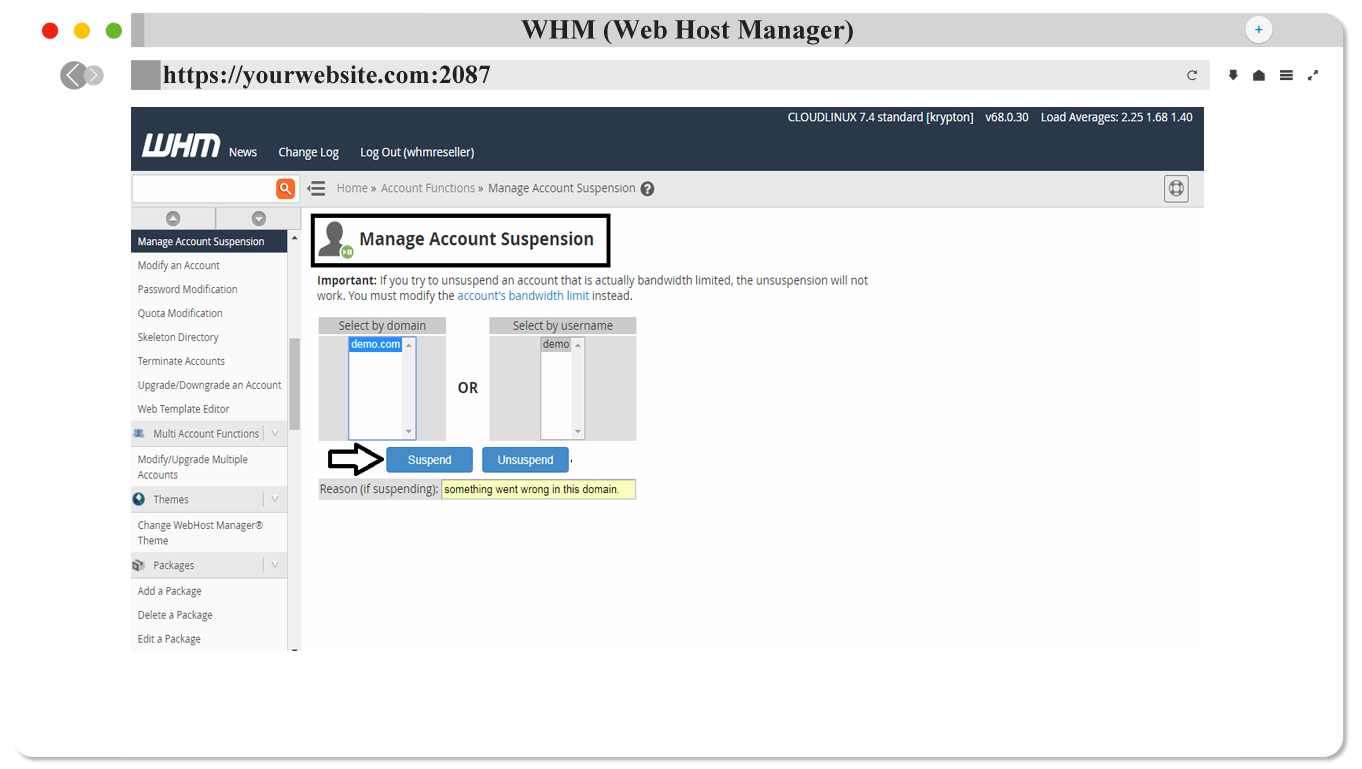
There are two systems in the case of Account Suspension.
- Select by domain
- Select by username
Select by domain is your client's domain name. And select by username is the domain name that your client has registered with.
To suspend an account or site, select the user name or domain of that account and click on the suspend button.
In the Reason (if suspending) box, you can specify why the client's account has been suspended.

After clicking Suspend, you will see a confirmation message that your defined domain is suspended.
How to Unsuspend the Site?

From the Manage Account Suspension page, select the domain or username you want to unsuspend and click Unsuspend Button. And see that suspended account has been activated.