PHP 8.1 End of Life: What Has Happened and What It Means
PHP 8.1 reached end of life on 31 December 2025, and 8.1.34 was the final release. The PHP project, which publishes the schedule on php.net, will not issue any further bug fixes or security patches for the branch. The policy gives each branch two years of active support and two more of security-only fixes. If you remember a November date, that is why: 8.1 shipped on 25 November 2021, so the original four-year clock pointed to November 2025, and older trackers still show it. The project later aligned end dates to 31 December, and php.net is the source to trust.
In practice, any vulnerability found in PHP's engine or bundled extensions from now on is fixed in supported branches only. To see what 8.1 is missing, read the changelogs of the latest 8.2, 8.3 and 8.4 releases on php.net and look for security entries dated after your 8.1 build.
| Branch | Active support ends | Security fixes end |
|---|---|---|
| PHP 8.2 | 31 December 2024 | 31 December 2026 |
| PHP 8.3 | 31 December 2025 | 31 December 2027 |
| PHP 8.4 | 31 December 2026 | 31 December 2028 |
8.2 gives you only about a year of security cover, so it is a poor destination. 8.3 is the safer stepping stone, and 8.4 buys the most time if your plugins support it.
Staying on 8.1 for a few weeks is defensible in two cases: your distribution backports fixes (Ubuntu 22.04 ships 8.1 and has standard security maintenance until April 2027), or a legacy plugin breaks on 8.2+ deprecations and you have a replacement scheduled. It is reckless on a public WooCommerce checkout that handles card-adjacent customer data. Ask your host in writing: "Do you backport PHP 8.1 security fixes, and until what date?" A vague answer means no.
The most common mistake is jumping production straight to 8.4. PHP 8.2 deprecated dynamic properties, and older plugins that assign undeclared properties will flood logs with warnings or fail outright.
- Run
php -von every server and list each application and its PHP version. - Clone production to a staging copy on PHP 8.3.
- Scan the code with PHPCompatibility via phpcs, using
--runtime-set testVersion 8.3-. - Update Composer constraints and run
composer updateon staging. - Test checkout, login and your caching layer, and read the error log for deprecation notices.
- Switch the PHP version in the control panel during a low-traffic window, keeping the 8.1 option for rollback.
Pick a target version and a cutover date within 30 days, and write both down today.
Is PHP 8.1 Still Safe to Run?
Not for the long term. PHP 8.1 reached end of life on 31 December 2025, and 8.1.34 was the final release. Your sites did not stop working on that date. The risk grows every time a new PHP vulnerability is published and the 8.1 branch gets no fix for it.
Compliance makes the clock shorter. Under PCI DSS v4.0, requirement 6.3.3 expects critical and high-severity security patches to be installed within one month of release, which is hard to meet on a branch that receives none. A checkout server running 8.1 can also be flagged in a quarterly ASV scan for running unsupported software, and that can fail the scan. For healthcare data, the HIPAA Security Rule requires a documented risk analysis (45 CFR 164.308(a)(1)(ii)(A)), and an unsupported runtime has to appear in it as an open risk.
Some vendors do keep patching 8.1 for a while. That is a stopgap, and its scope depends on the vendor.
| Where 8.1 comes from | What it means | What to check |
|---|---|---|
| Ubuntu 22.04 LTS package | Ships PHP 8.1 and backports fixes under its own security maintenance, which runs into 2027 (Ubuntu Pro extends it further) | Run apt changelog php8.1 and look for recent Ubuntu security entries. Confirm the exact end month on Canonical's release page. |
| Ubuntu 24.04 LTS or Debian 12 | Ship PHP 8.3 and 8.2 respectively, so no 8.1 exposure from the distribution package | Run php -v to confirm what the server actually executes. |
| Managed platform advertising LTS coverage for 8.1 | Fixes are applied by the platform, not by the PHP project | Get the end date and the list of covered components in writing. |
Staying also costs compatibility. Laravel 11 requires PHP 8.2 or later, and Drupal 11 requires 8.3, so a site pinned to 8.1 is stuck on older framework releases that will eventually lose their own fixes.
The usual mistake is deferring the move because a legacy plugin might break. Take a 2016-era custom WooCommerce plugin that calls create_function() or each(), both removed in PHP 8.0. Fixing a plugin of a few thousand lines typically takes 2-6 developer days, which is far cheaper than a long-term pin.
- List every site and server still on 8.1.
- Clone each to staging and switch it to PHP 8.3.
- Scan plugins and themes with the PHP Compatibility Checker, then read the error log for deprecation notices while you click through checkout and login.
- Fix or replace what fails, then change the PHP version per site in the control panel, starting with the lowest-traffic one.
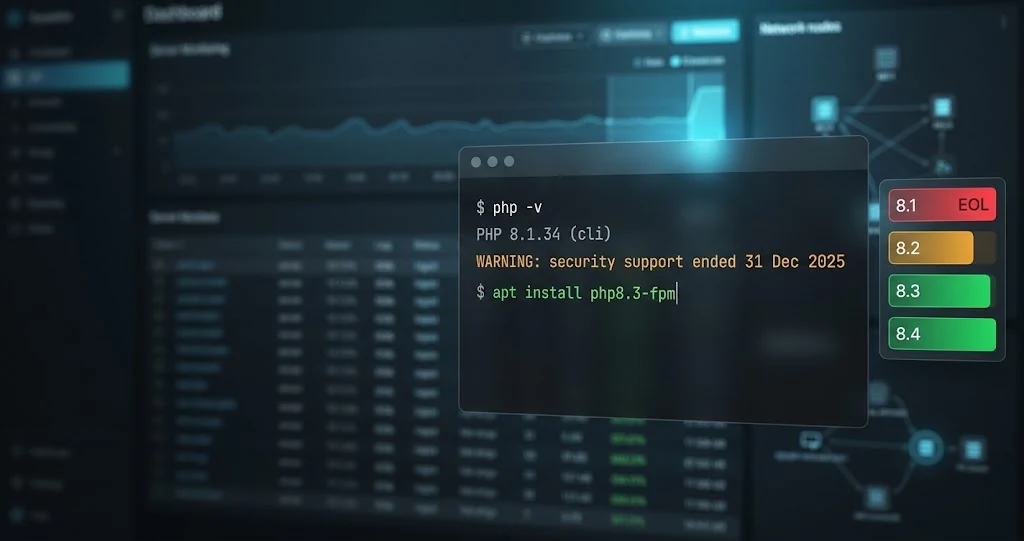
Security support ends on 31 December 2026 for PHP 8.2, 31 December 2027 for 8.3 and 31 December 2028 for 8.4. Target 8.3 or 8.4, because moving to 8.2 only gives you twelve months before the same migration comes round again.
Step One: Build a PHP Inventory and Assess Your Risk
Start with a spreadsheet, not a server. List every application and environment that runs PHP. PHP 8.1 reached end of life on 31 December 2025, and 8.1.34 was the final release, so anything you miss stays on an interpreter that gets no further fixes.
For each entry, record:
- The PHP version, read from the running system rather than from old documentation.
- The framework or CMS and its version, for example Laravel 9 or a specific WordPress release.
- Loaded extensions such as imagick, redis or a commercial loader, because a missing build for a newer PHP is a common blocker.
- The environment: production, staging, development or CI.
- A named owner, a person or team, not "IT".
- Business criticality on a 1-5 scale.
Hidden PHP is where inventories fail. Look for forgotten staging servers, cron jobs and CLI scripts (a nightly invoice export can use a different php binary from the web server), Docker base images such as php:8.1-fpm, CI runners, legacy microsites and old client sites.
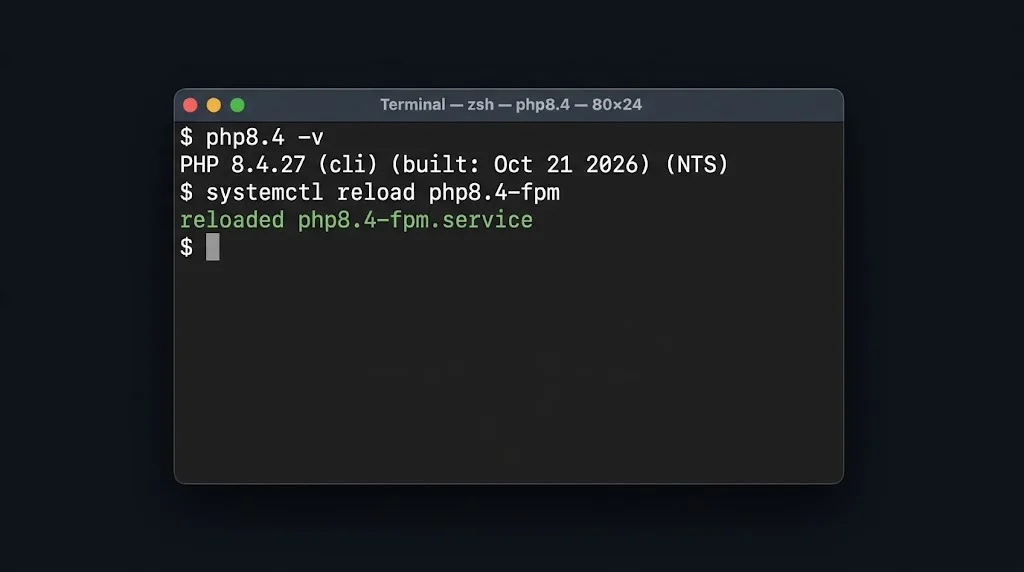
Run php -v on each host, and check phpinfo() for the web SAPI, because CLI and FPM versions often differ on the same machine. Then read the "require" and "platform" settings in composer.json and the FROM lines in every Dockerfile.
Rank by exposure. Public-facing and data-handling applications come first. Internal tools come second, with one exception: an internal admin panel that holds customer records is not low priority just because nobody outside can reach it.
Find blockers now. Abandoned plugins, outdated Composer dependencies and deprecated functions are what turn a one-day upgrade into a six-week project. composer why-not php 8.2 lists the packages that refuse the newer version.
Choosing Your Target Version: PHP 8.2, 8.3, 8.4 or 8.5
Anything on 8.1 or older should move to 8.2 or later. 8.1 reached end of life on 31 December 2025, and 8.1.34 was its last release. Here are the supported branches as listed on php.net at the time of writing.
| Version | Released | Active support ends | Security fixes end |
|---|---|---|---|
| PHP 8.2 | December 2022 | 31 December 2024 | 31 December 2026 |
| PHP 8.3 | November 2023 | 31 December 2025 | 31 December 2027 |
| PHP 8.4 | November 2024 | 31 December 2026 | 31 December 2028 |
| PHP 8.5 | November 2025 | 31 December 2027 | 31 December 2029 |
Check php.net before you commit, because the table above is a snapshot. 8.2 is already security-only and ends within the year, so moving there only postpones the next migration. For most teams the answer is the newest version that every framework, extension and plugin in your stack lists as supported. That is 8.4 for many WordPress and Laravel sites, and 8.5 once your dependencies catch up.
Each hop breaks different things. 8.2 deprecates dynamic properties, so older plugins write "Creation of dynamic property" lines into the error log. 8.3 adds typed class constants, which can clash with code that redeclares constants in child classes. 8.4 deprecates implicit nullable parameters such as function save(string $id = null). A direct 8.1 to 8.4 jump is reasonable for a small, well-maintained site. On a large legacy codebase, step through each version and budget roughly a day or two of staging per hop for a typical site, a week or more for big custom code, so you fix each batch of deprecations while the log is still readable.
- Clone the site to staging on the same stack as production, with the same extensions and the same php-fpm settings.
- Check the
phpconstraint in composer.json and the "Tested up to" or "Requires PHP" field on each plugin. An abandoned plugin with no update in two years is the usual blocker. - Switch the staging version. On cPanel that is MultiPHP Manager, on Plesk the PHP settings of the subscription, and on a VPS a separate php-fpm pool and socket per site, with the nginx
fastcgi_passline pointing at the new one. - Click through checkout, login, search and admin, then read the error log. A fatal error gives a white screen or HTTP 500. Deprecations appear only as log lines, so they are easy to miss.
- Keep the old pool config and handler line in place so rollback is one selector change and a php-fpm reload, not a restore.
A new release lands every November, so put 31 December 2026 in the calendar as the date 8.2 loses security fixes, and plan to be off it well before then.
How to Upgrade Safely: Testing, Rollout and Rollback
Take a full server snapshot and a separate database dump (mysqldump --single-transaction for InnoDB) before changing anything. Store both off the machine, and restore the dump onto a scratch server once. An untested backup is a guess.
- Build a staging copy with the same OS, web server and extensions as production, running the target PHP version. PHP 8.1.34 was the last 8.1 release, so aim for 8.2 at minimum, or 8.3 if your plugins support it.
- Run phpcs -p. --standard=PHPCompatibility --runtime-set testVersion 8.2- over your code, and set error_reporting to E_ALL with display_errors off and logging on. Dynamic property creation, deprecated in 8.2, is the notice that most often floods legacy logs.
- Update Composer packages, CMS core, themes and plugins to releases that declare support for the target version. Then run the automated test suite and walk through login, checkout, contact forms and API endpoints by hand.
- Diff php.ini between old and new, review opcache.memory_consumption, and rebuild PECL extensions such as redis or imagick. Compiled extensions do not carry across minor versions.
Roll out to one low-traffic site first, inside a maintenance window. Keep the old PHP-FPM pool or server running so rollback means switching a socket or a DNS record, not restoring from backup. Do not upgrade PHP and a major CMS release on the same night. If something breaks, you cannot tell which change caused it.
After go-live, watch error logs, 5xx rates and p95 response times for 3-7 days. Slow-burn problems such as a cron job hitting a removed function only show up when the job next runs.
If your team cannot spare the time, or the codebase has hundreds of files written for PHP 5-era behaviour, a managed provider such as TOSHOST Managed VPS Hosting can handle PHP version management and migration. Treat any LTS security coverage on 8.1 as a bridge only, and put a hard cut-over date on it, for example 90 days out.
Where Toshost fits
If the workload above matches your own site, Toshost's Managed VPS Hosting gives you fully managed VPS hosting, with OS updates, backups, and monitoring handled by our team instead of yours. See current Managed VPS Hosting plans and pricing.