In the previous part, we have seen how to upgrade/downgrade the package. Today we will see how to change the account password and how to terminate the account?
If you missed the previous part!
What are the requirements for hosting business? (Reseller Part-1)
How to make packages and cPanel? (Reseller Part-2)
Package Upgrade/Downgrade and edit Package (Reseller Part-3)
How to change the password?
Those who start with the new reseller hosting are just a little confused about changing the password. Often the customer forgets the password and repeatedly disturb you. Let’s not know.
How to change an account password from WHM?
First, you need to login to the WHM panel.
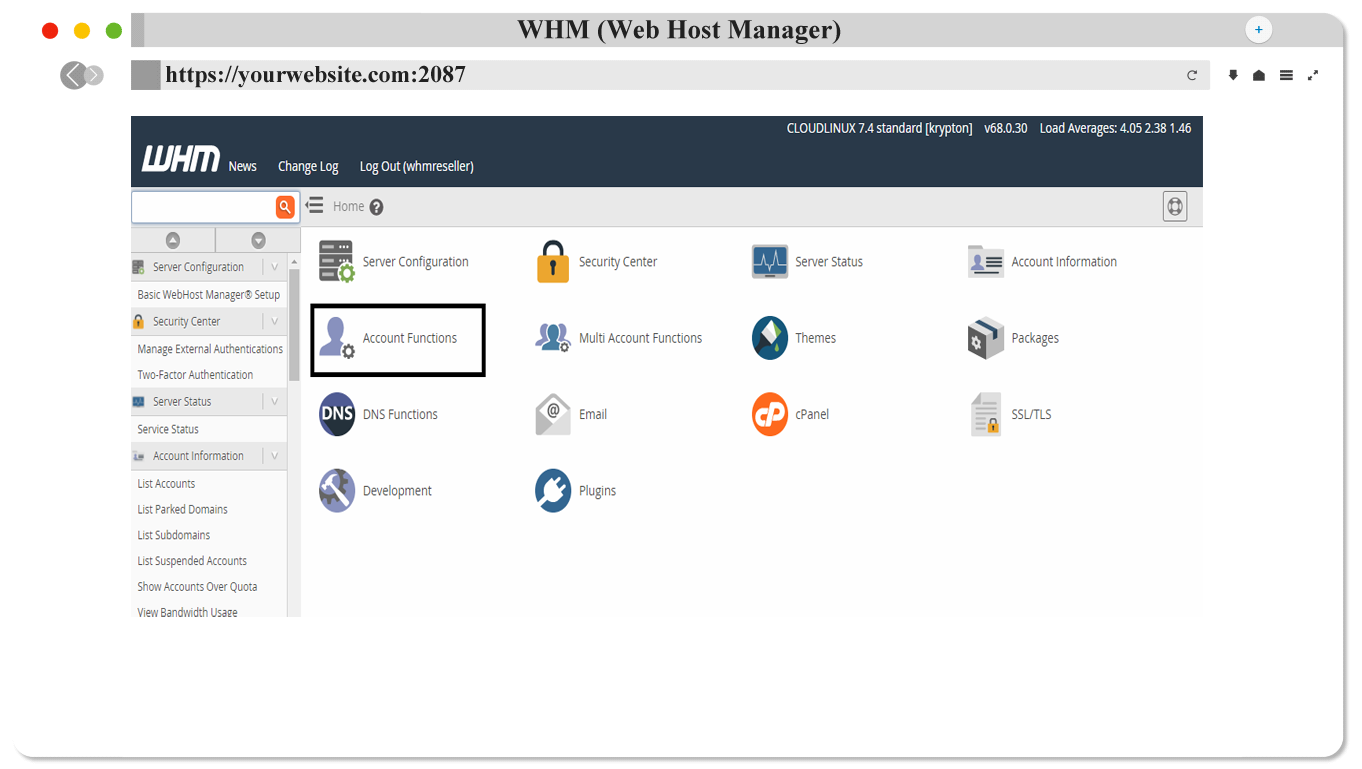
From here, go to the account function or search option and search for "Password Modification".

From here, click on the Password Modification Button.

Select the domain name or username you want to change, or the domain or username you want to change. Enter the password you want to enter in the New Password & Confirm Password box and click "Change Password" Button.
How to terminate the account?
As the account terminator, if you want to delete an account or user, then you must do this through Terminate Accounts.
You need to click on the “Account Functions” Button after logging into WHM.
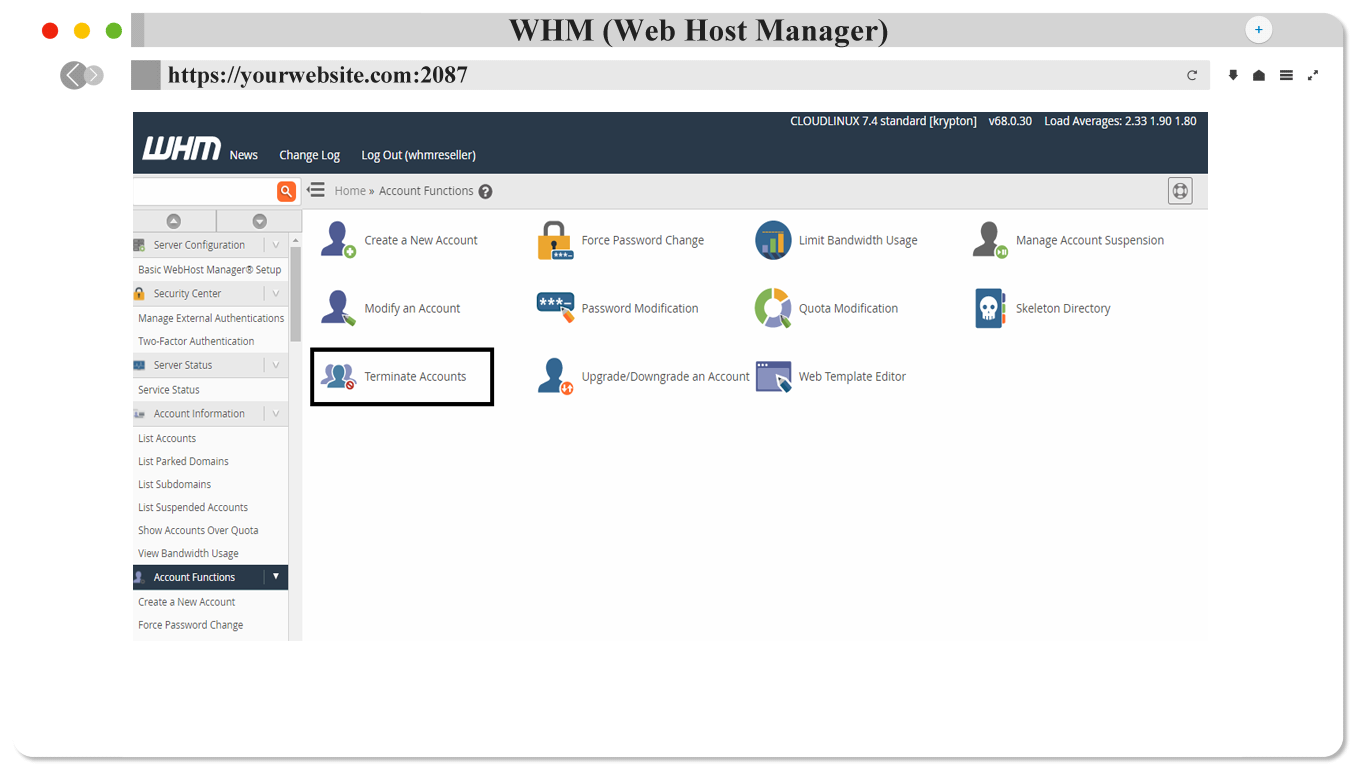
From here, click the Terminate Accounts button.
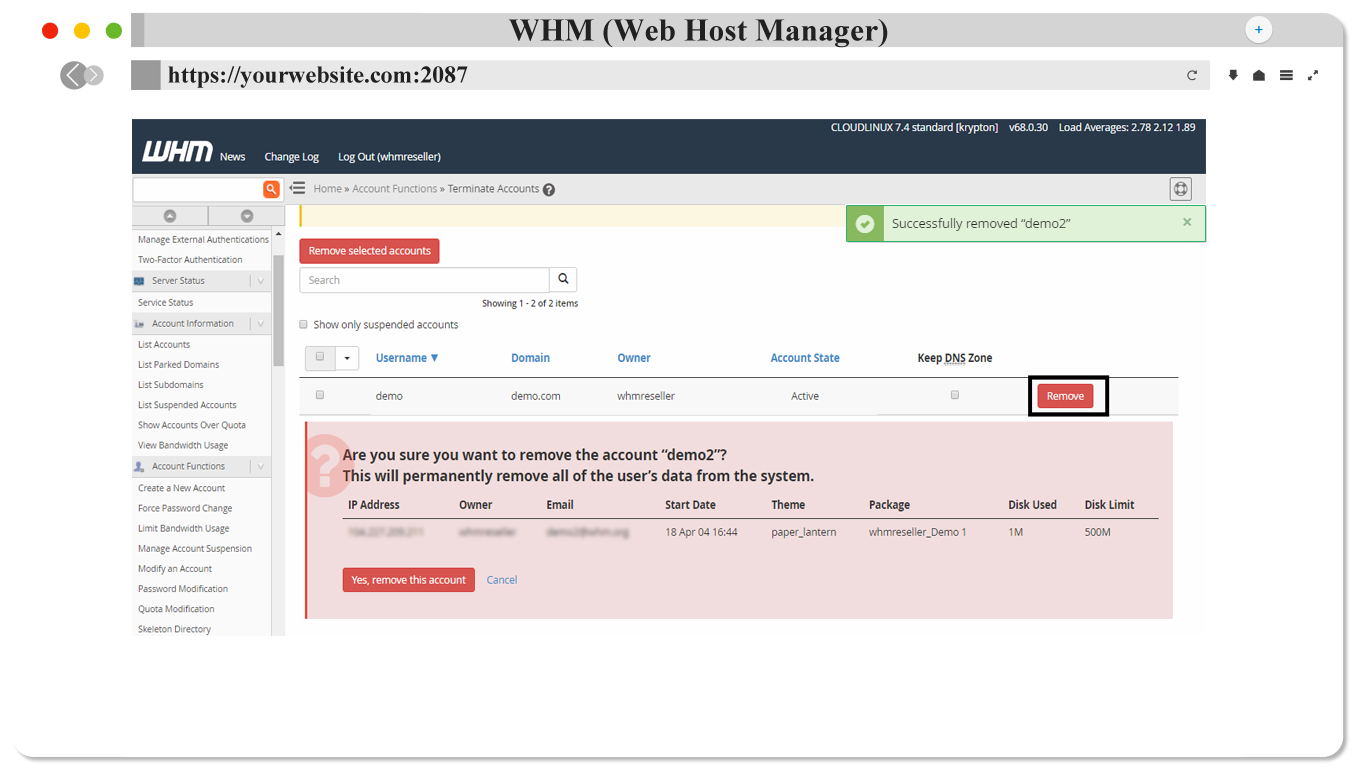
Select the account you want to delete and click on Remove button. After clicking on Remove button, you will be asked to confirm. You just click Yes, remove this continue button, and the account will be deleted. And give you a notification "Successfully Removed" at the top.