Server memory has become much more expensive since 2025, and many hosting providers have raised their prices as a result. When every plan costs more, the question "should I run this server myself, or pay for it to be run for me?" matters more than it used to. The cheapest invoice is not always the cheapest option once your own time is counted.
This guide explains what you actually take on when you choose an unmanaged VPS, what a managed VPS includes, and how to work out which is cheaper for you. It uses real numbers: our own month-to-month prices for two plans with the same CPU and RAM, and a break-even calculation you can repeat with your own hourly rate.
Short version:
- An unmanaged VPS gives you a server and root access. Everything after that, from patching and security to backups and monitoring, is your job.
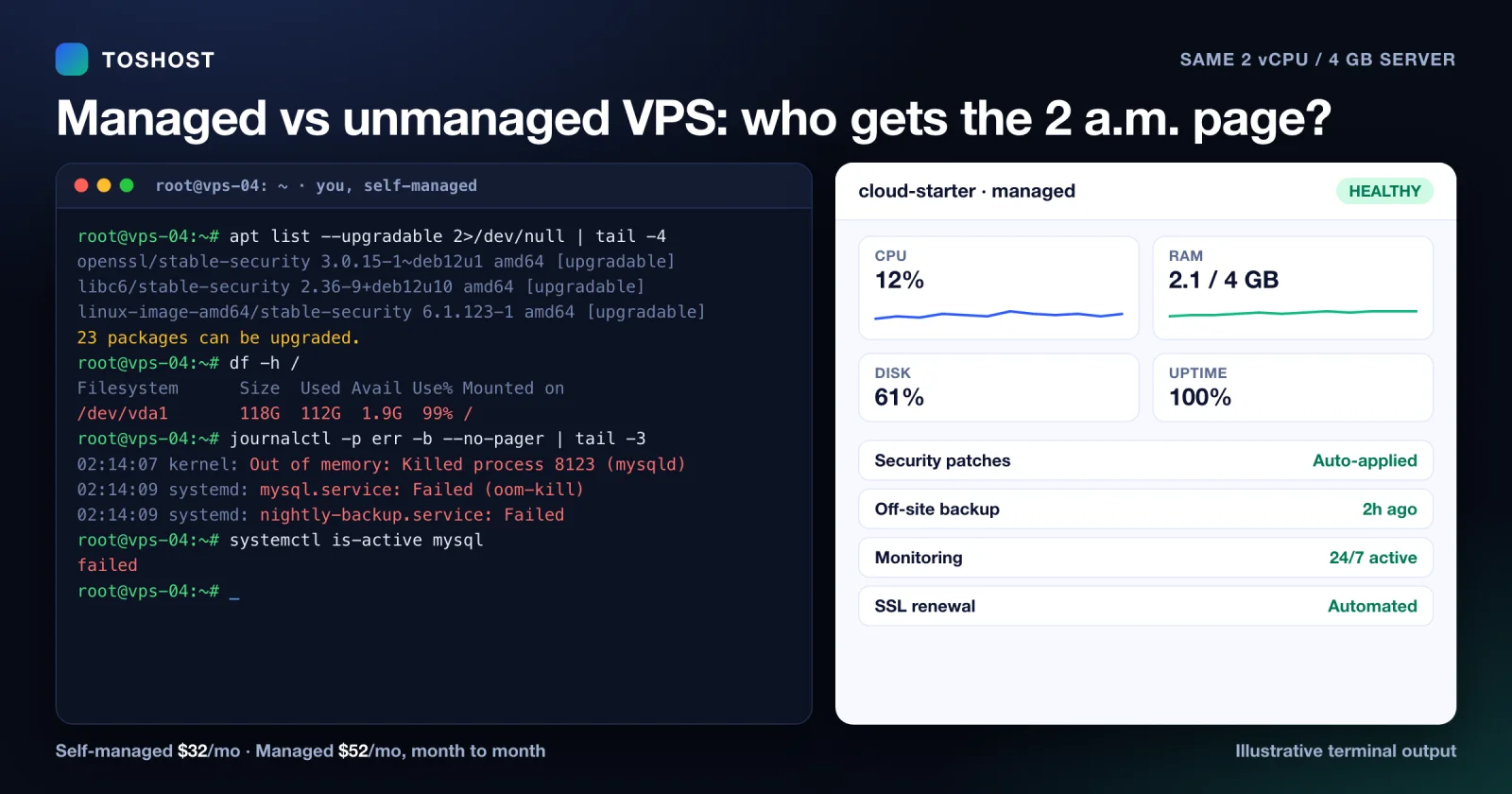
- A managed VPS includes that work. In our line-up, a managed plan with 2 vCPU and 4 GB of RAM costs US$20 more per month than the self-managed plan with the same CPU and RAM (US$52 against US$32, month to month).
- At a US$50 hourly rate, that US$20 pays for itself if the managed plan saves you about 24 minutes of server work a month.
- Unmanaged is the right choice when you have the skills, the time and a server that is not business-critical. Managed is the right choice when the server earns money and you would rather not be the one who gets paged.
Why this decision matters more in 2026
A global shortage of server memory began in 2025, driven by manufacturers moving production capacity toward the memory used in AI data centers. Wikipedia's summary of the shortage reports DRAM and flash prices rising sharply and quotes memory-maker executives who expect it to last through 2027 and 2028, with some saying longer. Hosting is made of memory and disks, so plan prices across the industry are under pressure.
You cannot control that. You can control how much of your own time and risk the server costs you, which is what the rest of this guide is about.
What you take on with an unmanaged VPS
With an unmanaged VPS the provider keeps the hardware and the network running. You get a blank server and root access. From that moment you are the system administrator. In practice that means:
- Installing and configuring the operating system, web server, database and any control panel.
- Applying security updates, on a schedule, without breaking the application. Flaws that already have a fix are a common way in.
- Hardening SSH, the firewall and brute-force protection, and reviewing them as things change.
- Monitoring disk space, memory, CPU and uptime, and being awake when an alert fires.
- Backups: setting them up, storing them off the server, and testing a restore. A backup you have never restored is a hope, not a backup.
- Certificates, mail and DNS housekeeping, plus performance tuning when the site slows down.
- Incident response when something fails at night or the server is compromised.
None of this is hard if you do it every day. It is costly if you do it rarely, because the rare tasks are the ones that go wrong.
What a managed VPS includes
A managed VPS is the same kind of virtual server with the above work handled by the provider's engineers. On our Managed Cloud VPS page the included work is listed as:
- Setup and provisioning of the operating system, control panel and stack.
- Security hardening: firewalls, brute-force protection, malware scanning and continuous patching.
- 24/7 proactive monitoring, with engineers who respond day or night.
- Operating system, panel and security updates, applied and tested for you.
- Automated, encrypted off-site backups, with restore of a single file or the whole server.
- Performance tuning for your workload.
- Free migration from your current host, and a 30-day money-back guarantee.
Each managed plan carries a management level (Level-1, Level-2 or Pro), and the scope differs between them, so read the plan page for exactly what your level covers before you order.
The cost, side by side
Here are two Toshost plans with the same CPU, RAM and bandwidth, at our month-to-month prices from our order system (checked October 3, 2026):
| Cloud VPS 4 GB (self-managed) | Managed Cloud Starter | |
|---|---|---|
| CPU / RAM / bandwidth | 2 vCPU / 4 GB / 4 TB | 2 vCPU / 4 GB / 4 TB |
| Disk | 120 GB NVMe | 70 GB NVMe |
| Price, month to month | US$32 | US$52 |
| Price, annual term | US$384 (US$32 a month) | US$520 (about US$43 a month) |
| Who maintains it | You | Our engineers (Level-1 management) |
| Dedicated IPv4 | Not listed on the plan page | Included |
| Free migration | Not listed on the plan page | Included |
Month to month, the managed plan costs US$20 more. On the annual term the gap shrinks to US$136 a year, about US$11 a month. The self-managed plan has more disk; the managed plan has the work done.
The break-even calculation
The question is whether the managed plan saves you more than it costs. Divide the monthly gap by what an hour of your time is worth:
| Your hourly rate | Break-even, month to month (US$20 gap) | Break-even, annual terms (about US$11 a month) |
|---|---|---|
| US$25 | 48 minutes a month | 27 minutes a month |
| US$50 | 24 minutes a month | 14 minutes a month |
| US$100 | 12 minutes a month | 7 minutes a month |
If keeping a server patched, backed up and watched takes you longer than the break-even time in your row, the managed plan is cheaper. Be honest when you estimate. A practical way to find your own number is to keep a simple time log for one month: every login, update, backup check and fix. The total is often more than people expect.
The calculation does not include the expensive nights. One incident, whether a full disk, a failed upgrade or a compromised account, can cost more in lost sales and lost sleep than a year of the price difference. That cost is real even though it does not appear on a monthly bill.
Which one should you choose?
Choose unmanaged when:
- You are comfortable on the command line and enjoy the work.
- The server runs a hobby project, a development box or something that can be down for a day.
- You already have your own monitoring, backups and a way to be alerted.
Choose managed when:
- The server runs a business site, a shop, client sites or an application that earns money.
- Nobody on your team is an experienced system administrator, or the one who is should be doing something else.
- You are moving from shared hosting and want more power without taking on the operations work.
You do not have to decide forever. Our self-managed plans can be upgraded to managed later, and both plan types come with a 30-day money-back guarantee, so you can test the claim that someone else doing the work is worth it.
To be clear about where we stand: a bare self-managed VPS from a budget provider can cost less than ours on price alone, and this post does not claim otherwise. What we offer is the managed part: patching, monitoring, backups and an engineer to answer.
A checklist for choosing any VPS
- Is the IPv4 address included? Some plans bill it separately. A small monthly fee is a large share of a small plan.
- Disk size and type. Compare at the same capacity, and prefer NVMe for databases.
- Bandwidth. Check the included transfer and the cost of going over.
- Backups. Is there one, where is it stored, and have you seen a restore work?
- The renewal price. Compare what you will pay in month 13, not only month 1.
- Who answers at 3 a.m. Find out what support covers and how fast it responds.
- How you leave. Look for a money-back period and an easy way to move away.
Order straight from this page (US dollars, month-to-month prices; Managed Cloud Starter is US$520 on the annual term):
| Plan | Best for | Price | |
|---|---|---|---|
| Managed Cloud Starter 2 vCPU, 4 GB RAM, 70 GB NVMe | A site or app you do not want to babysit | US$52/mo | Order now |
| Cloud VPS 4 GB (self-managed) 2 vCPU, 4 GB RAM, 120 GB NVMe | People who run their own stack | US$32/mo | Order now |
See every plan: Managed Cloud VPS and self-managed Cloud VPS. If you already run a server and want help choosing, talk to an engineer before you order.
Frequently asked questions
What is the difference between a managed and an unmanaged VPS?
Both are virtual servers. With an unmanaged VPS you get the server and root access and do all the maintenance yourself: updates, security, monitoring and backups. With a managed VPS the provider's engineers do that work for you.
How much more does a managed VPS cost?
In our line-up, a managed plan with 2 vCPU and 4 GB of RAM costs US$52 a month, month to month, against US$32 for the self-managed plan with the same CPU and RAM. That is US$20 more. On annual terms the managed plan is US$520 against US$384.
Is a managed VPS worth it?
If the server runs something that earns money and the work would otherwise be yours, usually yes. At a US$50 hourly rate, the US$20 monthly gap is repaid if the managed plan saves you about 24 minutes of work a month.
Can I move from an unmanaged to a managed VPS later?
Yes. Our self-managed Cloud VPS plans can be upgraded to a managed plan at any time. Both plan types have a 30-day money-back guarantee.
What does managed VPS hosting include?
On our managed plans: setup, security hardening and patching, 24/7 monitoring, operating system and panel updates, encrypted off-site backups, performance tuning and free migration. The scope depends on the management level of the plan, so check the plan page.
Why are VPS prices rising in 2026?
A global shortage of server memory that began in 2025, driven by manufacturers moving capacity toward the memory used in AI data centers, has pushed up the cost of the components hosting providers buy.
Sources
- 2025–present global memory supply shortage, Wikipedia (summary of the shortage and industry expectations).
- Toshost plan pages and our order system, month-to-month and annual prices checked October 3, 2026. Prices change; confirm at checkout.
Last updated October 3, 2026.