In the previous part, I saw how to install SSL on a domain via WHM? Today we will see how to modify the account and know about the list of accounts.
If you missed the previous part!
What are the requirements for hosting business? (Reseller Part-1)
How to make packages and cPanel? (Reseller Part-2)
Package Upgrade/Downgrade and edit Package (Reseller Part-3)
Changing the cPanel account’s password and account terminate (Reseller Part-4)
How to suspend and unsuspend client account? (Reseller Part- 5)
How to install SSL in the domain through WHM? (Reseller Part-6)
Sometimes the client wants to increase its accounts disk space, bandwidth for various reasons. In that case, all the client accounts have to be changed using Modify Account.
How to Modify Accounts?
You will first need to login to the WHM panel.
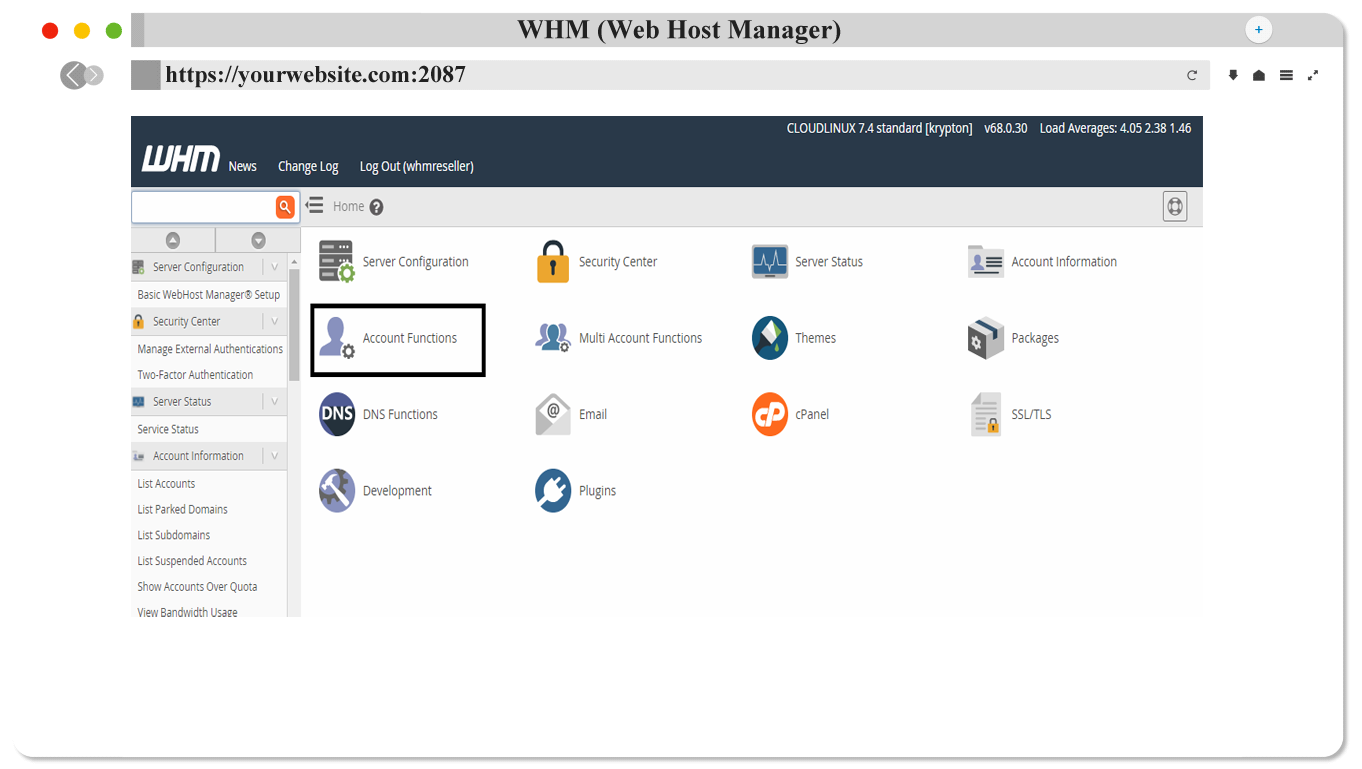
From here click on "Account Functions" button.

Click on “Modify Account” button here.


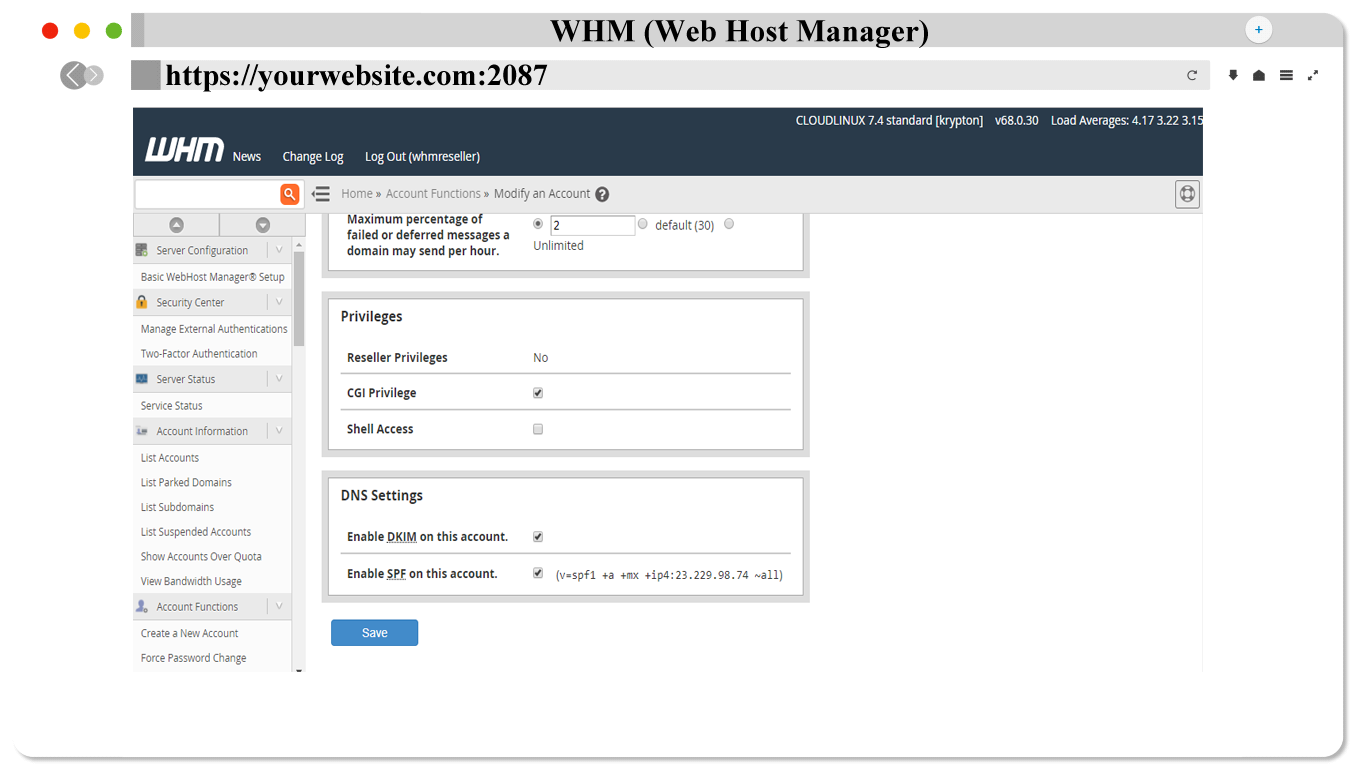
From here you can change everything that you need to change and right click on the "Save" button, then the Account will be Modify.
What is the list account? What can be done with the list of accounts?
In one word, the list account is a part of the WHM panel's Account Information Part. From here you get all the information in your account.
You need to log in to WHM first to go to the list.
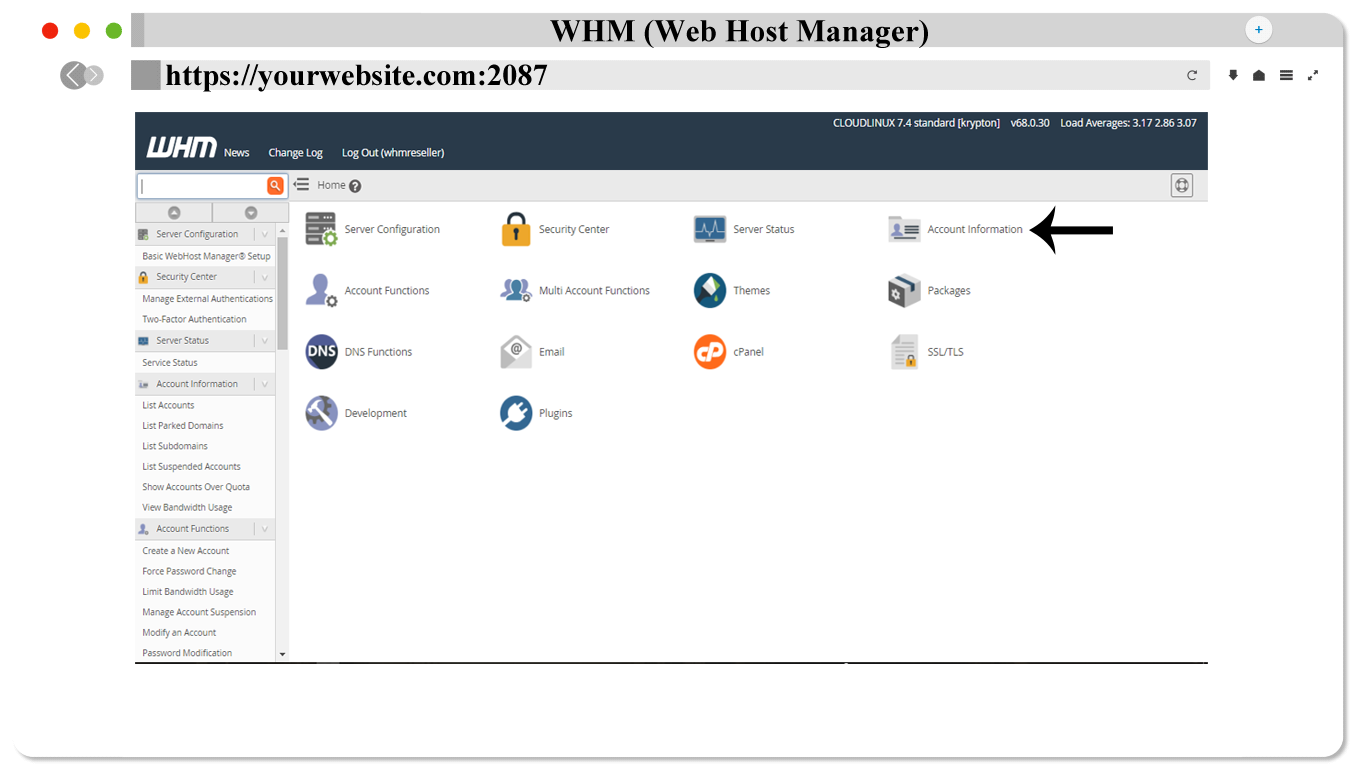
From here click Account Information.
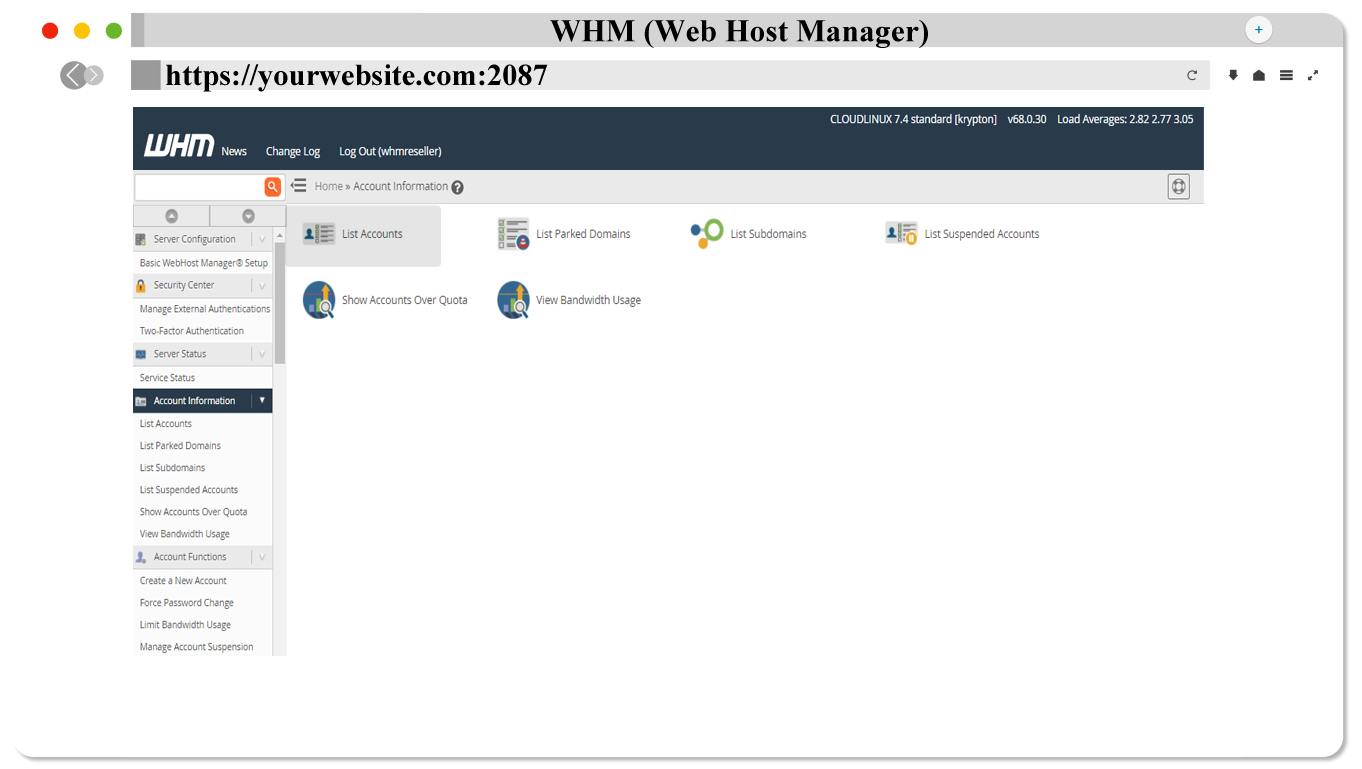
Click on “List Account” here.

Here you can see all the information about your account. You can also change the password from here, you can see how much space the account is using.