Short answer: PHP2Shell (CVE-2026-109618 and CVE-2026-109619) lets an unauthenticated attacker run code on servers using unpatched PHP. Update PHP to 8.5.12, 8.4.27, 8.3.36 or 8.2.35, then restart PHP-FPM or your web server so running workers load the fix. This applies to any PHP application: Laravel, Symfony, custom code, or a framework you did not write. PHP 8.1 and older get no fix.
Last updated: October 23, 2026.
This guide is for people running PHP applications, not just WordPress: Laravel, Symfony, custom apps, Docker containers and plain PHP-FPM servers. It shows how to find what you actually run, patch it for your environment, verify the fix, and troubleshoot problems afterwards.
What PHP2Shell is and which versions are fixed
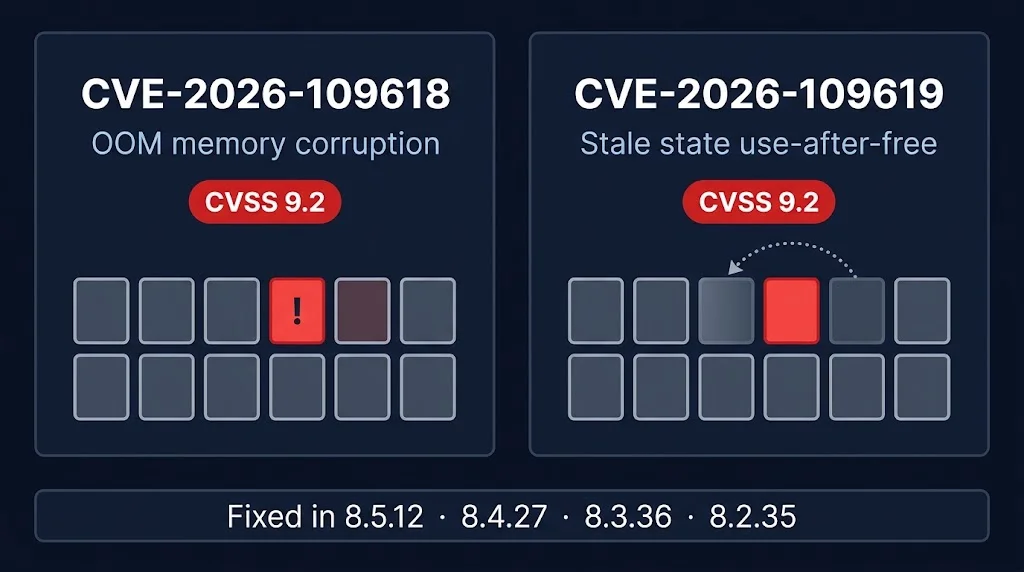
Two critical flaws, rated CVSS 9.2, were fixed on October 21, 2026. CVE-2026-109618 is an out-of-memory handling bug that can corrupt memory; on Apache with mod_php it can be triggered before any application code runs. CVE-2026-109619 is a use-after-free caused by state left over from a previous request. Fixed versions are 8.5.12, 8.4.27, 8.3.36 and 8.2.35. Versions before those on each branch are affected, and PHP 8.1 and older receive no fix from the PHP project. See the GHSA-w8hw-w9fx-j79w and GHSA-6wmf-4rv5-p3rp advisories.
Step 1: find which PHP your application really runs
The php in your shell is often not the PHP that serves requests. Check every PHP on the server. On a cPanel or CloudLinux server:
for p in $(command -v php) /opt/cpanel/ea-php*/root/usr/bin/php /opt/alt/php*/usr/bin/php; do
  [ -x "$p" ] && echo "$p: $($p -v | head -1)"
done
On Debian or Ubuntu, dpkg -l | grep php and systemctl list-units 'php*fpm*' show installed versions and running pools. For a web request, print PHP_VERSION from a protected admin route rather than exposing phpinfo(). In containers, run php -v inside each container, because the host often has no PHP at all.
A version number can mislead you
Several vendors fix the problem by backporting the patch without changing the version, so a "lower" number can already be patched. Check the package changelog for the CVE:
apt changelog php8.3-cli | grep -i 109618
rpm -q --changelog ea-php83-php-cli | grep -i 109618
Step 2: patch for your environment
| Environment | What to do |
|---|---|
| Debian or Ubuntu with the Sury repository | apt-get update, then apt-get install --only-upgrade the php packages, then reload PHP-FPM. |
| cPanel EasyApache 4 | yum update 'ea-php*', then restart the PHP-FPM pools and your web server. |
| CloudLinux | The vendor mirror can lag cPanel's. Check the repository for the fixed build before updating, and apply interim mitigation if it is missing. |
| Docker | Rebuild the image with the fixed PHP tag using --pull and redeploy every container. Patching the host does not patch images. |
| Managed platforms | Check the vendor's advisory. For example, Laravel Forge says its automatic security updates do not patch PHP, so run the update yourself. |
On Debian and Ubuntu, this keeps your existing configuration files while upgrading only PHP:
apt-get install -y --only-upgrade \
  -o Dpkg::Options::=--force-confold \
  $(dpkg -l | awk '/^ii +php[0-9.]*-/{print $2}')
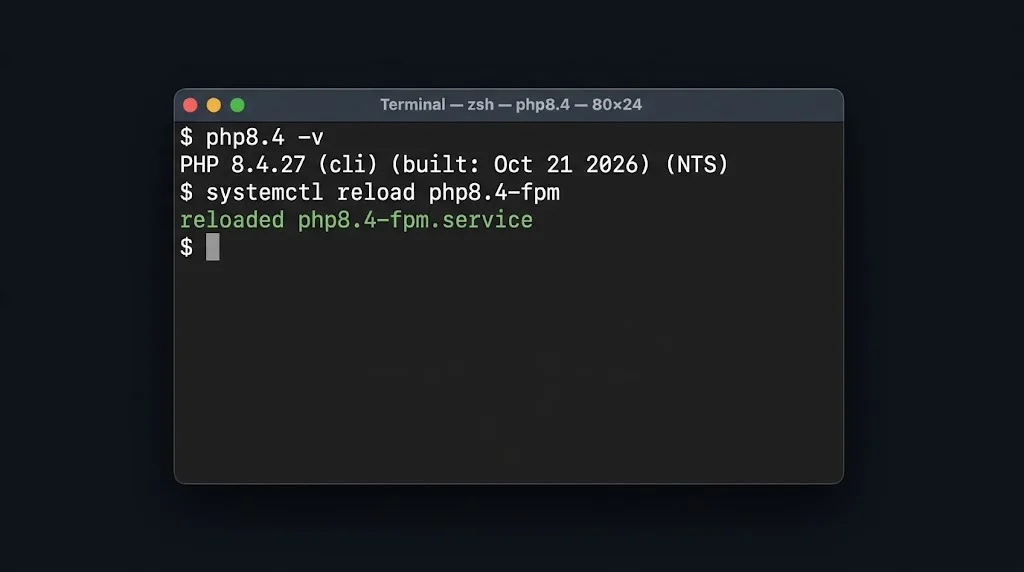
systemctl reload php8.4-fpm   # repeat for every installed version
Refresh package lists first. If apt refuses a repository because its label changed, apt-get update --allow-releaseinfo-change accepts it for that run.
Step 3: restart, then verify
Running workers keep the old code until they restart. Reload PHP-FPM, restart Apache if you use mod_php, or restart the LiteSpeed PHP processes. If you run OPcache with validate_timestamps=0, a reload is also what makes new PHP code visible. For Laravel after a PHP change, run php artisan optimize:clear and rebuild caches. Then confirm the running binary: php-fpm8.4 -v, and check that no process is running a deleted executable.
Also check your Composer constraints. composer check-platform-reqs reports mismatches, and a config.platform.php setting can pin Composer to an older PHP than the one you now run.
If you cannot update yet: interim mitigation
PHP's advisory for CVE-2026-109619 lists session.upload_progress.enabled=0 as a partial mitigation for the session code path, and for PHP 8.5 installations that cannot update it also suggests fatal_error_backtraces=0. It says these do not cover the other paths and that updating is the only reliable fix. The setting has to go in php.ini, a conf.d file or .user.ini, followed by a restart. It cannot be set with ini_set() at runtime. Disabling it only removes live upload progress bars.
A third issue, CVE-2026-115560, was disclosed on October 23. It is not fixed by the October 21 releases, affects only applications that switch session.serialize_handler to php at runtime, and PHP recommends the same session.upload_progress.enabled=0 setting until the next routine release. Source: The Hacker News.
Troubleshooting: the application broke after the update
Workers crash with "zend_mm_heap corrupted" (8.4.27 and 8.5.12 only)
This is a regression tracked as php-src#24488. When a SimpleXML object whose properties were materialised (for example by json_encode(), get_object_vars() or an array cast) is part of a reference cycle that the garbage collector collects, its properties table is freed twice. The upstream fix was committed on October 22 but was not in a release when we wrote this. PHP 8.3.36 and 8.2.35 are not affected, and neither was 8.4.26. Your options are to run the application on 8.3.36, or wait for the next patch release. Do not roll back to an unpatched version. A reported stopgap is zend.enable_gc=0, which stops the crash by turning off the garbage collector, so memory use can grow on long-running workers. Official Docker images for 8.4.27 and 8.5.12 are reported to carry the same bug (docker-library/php#1706).
Class not found, or missing extensions
If you changed PHP branch, not just the patch level, the new PHP may lack extensions your application needs. Compare php -m before and after, and install the missing packages.
Old code still running
Clear OPcache by reloading the PHP-FPM pool, and confirm that every web server and container was restarted, not only one.
Watch for crashes after patching
Search your PHP-FPM and web server logs for crash signatures: zend_mm_heap corrupted, double free, and workers "exited on signal 11" or "signal 6". A reload logs "exited on signal 15 (SIGTERM)", which is normal. Alert on the others so you hear about a crash before your users do.
Frequently asked questions
Which PHP versions fix CVE-2026-109618 and CVE-2026-109619?
PHP 8.5.12, 8.4.27, 8.3.36 and 8.2.35. PHP 8.1 and older receive no fix from the PHP project.
Do I need to restart PHP-FPM after updating?
Yes. Running workers keep using the old binary until they restart. Reload the pool or restart the web server.
Does patching the host patch my Docker containers?
No. Containers carry their own PHP. Rebuild images with the fixed PHP tag and redeploy.
My PHP version looks old but my vendor says it is patched. Is that possible?
Yes. Some vendors backport the fix without bumping the version. Confirm in the package changelog.
Should I downgrade if the new PHP crashes?
No. Downgrading to an unpatched version re-opens critical remote code execution flaws. If you hit the 8.4.27 or 8.5.12 SimpleXML regression, use 8.3.36 or wait for the next patch release.
Related guides: our PHP2Shell patching report, PHP2Shell for WordPress sites, and nginx security updates 2026.