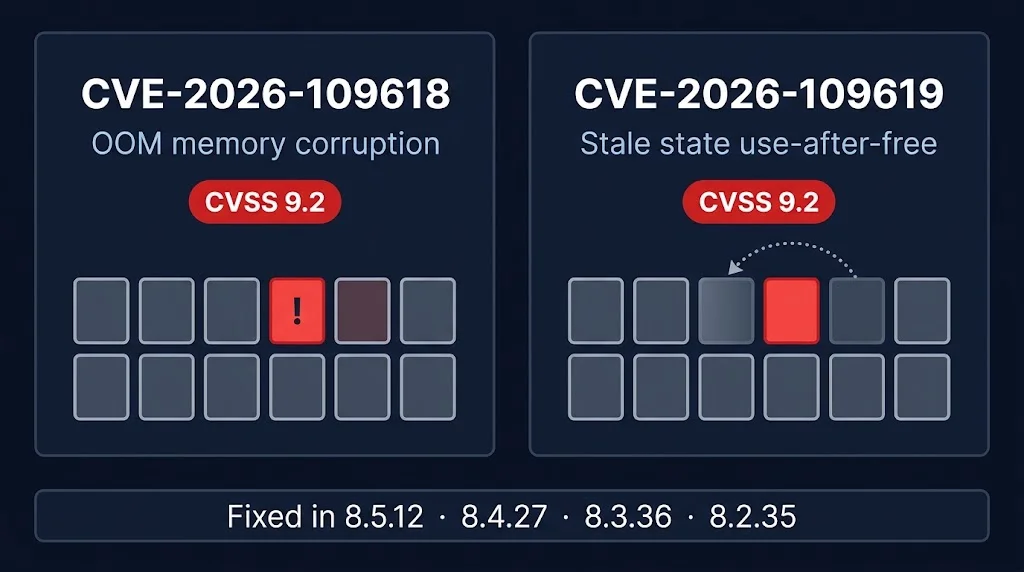
Short answer: PHP2Shell (CVE-2026-109618 and CVE-2026-109619) is a flaw in PHP itself, not in WordPress. WordPress has said no WordPress core update is required. Your site is protected only when the PHP version running it is 8.2.35, 8.3.36, 8.4.27 or 8.5.12 (or newer), and PHP has been restarted. Check your PHP version in Tools → Site Health → Info → Server.
Last updated: October 23, 2026.
If you run a WordPress site, the October 2026 PHP security release probably landed in your inbox from your host, a plugin, or a worried client. This guide explains what it means for WordPress specifically, how to check your site in a few minutes, how to update PHP safely, and what to do if the site breaks afterwards.
Is my WordPress site affected by PHP2Shell?
The two flaws are in the PHP engine that runs WordPress. They are rated critical (CVSS 9.2) and can allow unauthenticated remote code execution. They were fixed on October 21, 2026 in PHP 8.5.12, 8.4.27, 8.3.36 and 8.2.35. PHP 8.1 and older receive no fix from the PHP project. Because WordPress runs on PHP, every WordPress site on an unpatched PHP version is exposed, regardless of which theme or plugins it uses. Sources: the PHP Foundation release post and the php-src advisory GHSA-w8hw-w9fx-j79w.
Do I need to update WordPress, plugins or themes?
No WordPress core update is required for these flaws, and none is planned for them. Updating WordPress alone does not protect you. The fix has to come from updating PHP on the server. Keep WordPress and plugins updated as usual, but do not treat that as the PHP2Shell fix.
How to check your WordPress PHP version
- Site Health: in the dashboard open Tools → Site Health → Info → Server. The PHP version shown there is the one your site really uses.
- WP-CLI: run
wp eval 'echo PHP_VERSION;'over SSH. Note that command-line PHP can differ from the PHP your website uses, so treat Site Health as the source of truth. - Hosting panel: in cPanel, MultiPHP Manager shows the PHP version for each domain.
Some distributions fix the problem by backporting the patch without changing the version number, so a version that looks old is not automatically vulnerable. If your host says it is patched, ask them to confirm in writing which package carries the fix.
How to update PHP for a WordPress site
On shared hosting or cPanel
Open MultiPHP Manager, select your domain, and choose PHP 8.3 or 8.4. Then make sure your host has installed the October 21 build, because the version number in the dropdown does not show which build is installed. If you are unsure, open a ticket and ask whether the PHP2Shell fix is installed.
On a VPS or your own server
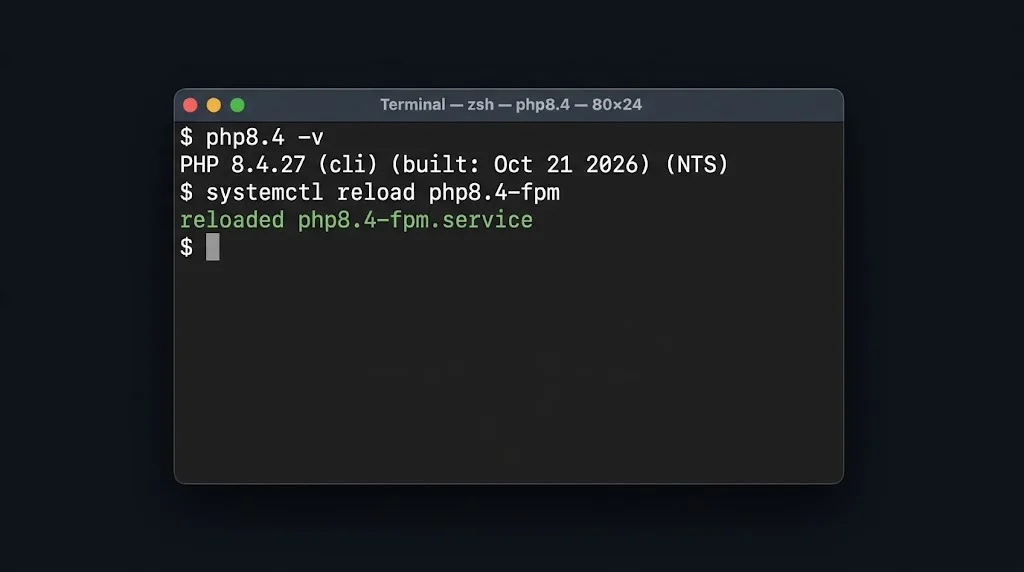
Update the PHP packages, then restart PHP-FPM or your web server. On Debian and Ubuntu with the Sury repository:
apt-get update
apt-get install --only-upgrade php8.3-fpm php8.3-cli php8.3-common
systemctl reload php8.3-fpm
Replace 8.3 with your version. Running PHP processes keep using the old code until they restart, so the reload step matters.
Always back up first
Take a full backup of files and the database before changing PHP versions.
After updating: restart, clear caches, test
- Restart PHP-FPM (or ask your host to).
- Clear your caching plugin and any server or CDN cache.
- Open the homepage, a post, the login page, and the checkout if you run a shop.
- Upload a test image in the media library.
My WordPress site broke after the PHP update
White screen or a "critical error" message
Turn on logging by adding define('WP_DEBUG_LOG', true); to wp-config.php, reproduce the problem, then read wp-content/debug.log. Turn it off afterwards. If the log names a plugin or theme, update or disable it. With WP-CLI on a copy of the site, wp plugin deactivate --all followed by re-enabling plugins one at a time will find the culprit.
Random 500 errors, or workers restarting, on PHP 8.4.27 or 8.5.12
There is a known regression, php-src#24488, that affects only PHP 8.4.27 and 8.5.12. A SimpleXML object caught in a reference cycle can be freed twice, and the PHP worker crashes with zend_mm_heap corrupted. WordPress importers, feed parsers and many plugins use SimpleXML. PHP 8.3.36 and 8.2.35 are not affected. The practical fix for a WordPress site is to switch it to PHP 8.3.36, which has the security fix and not this bug, or to wait for the next patch release. Do not go back to an unpatched PHP version. The WordPress hosting handbook has a note about it.
Upload progress bars stopped working
If your host disabled session.upload_progress.enabled as a mitigation, only live upload progress bars are affected. Normal media uploads still work, and WordPress core does not depend on the setting. Test any plugin that shows a custom upload progress bar.
Plugins fail after changing PHP branch
If you moved from PHP 8.1 or older to 8.3 or 8.4 in the same step, old plugins and themes may not support the newer PHP. Update them, replace them, or ask their developer.
A third PHP issue: CVE-2026-115560
On October 23, PHP disclosed CVE-2026-115560, a separate session issue that is not fixed by the October 21 releases. Per The Hacker News, it only affects applications that change session.serialize_handler to php at runtime, and PHP rates the risk as unlikely. PHP recommends session.upload_progress.enabled=0 until the fix ships in a routine release. PHP describes that setup as unusual, but the one-line setting is cheap to apply. Ask your host to apply it, or set it in php.ini or .user.ini. It cannot be changed with ini_set() at runtime.
Check that your site was not already compromised
These checks are sensible after any critical PHP vulnerability. They do not prove a compromise on their own:
wp core verify-checksums
wp plugin verify-checksums --all
wp user list --role=administrator
Look for modified core files, plugin files that do not match their official copies, and administrator accounts you do not recognise. Also review recently modified files in wp-content, especially PHP files inside uploads folders.
Frequently asked questions
Does WordPress need an update for PHP2Shell?
No. WordPress has said no core update is required. The fix is a PHP update on your server.
Which PHP version should my WordPress site use?
Use a fixed, supported build: 8.2.35, 8.3.36, 8.4.27 or 8.5.12 or newer. If you see crashes on 8.4.27 or 8.5.12, PHP 8.3.36 avoids a known SimpleXML regression.
Can a security plugin protect me from PHP2Shell?
Plugins run inside PHP, so they cannot patch the engine itself. A firewall rule may reduce some attack paths, but PHP says updating is the only reliable fix.
How do I know if my host has patched PHP?
Check Site Health for the version, and ask your host which package build is installed. Some builds carry the fix without a new version number.
Is my PHP 8.1 or 7.4 WordPress site safe?
No official fix exists for those branches. Move the site to PHP 8.2 or newer, or ask your host whether they ship a vendor backport.
Related guides: our full PHP2Shell patching report, how to patch any PHP site (Laravel, Docker, PHP-FPM), and cPanel/WHM critical patch guide. If you want help checking a WordPress site, talk to us.