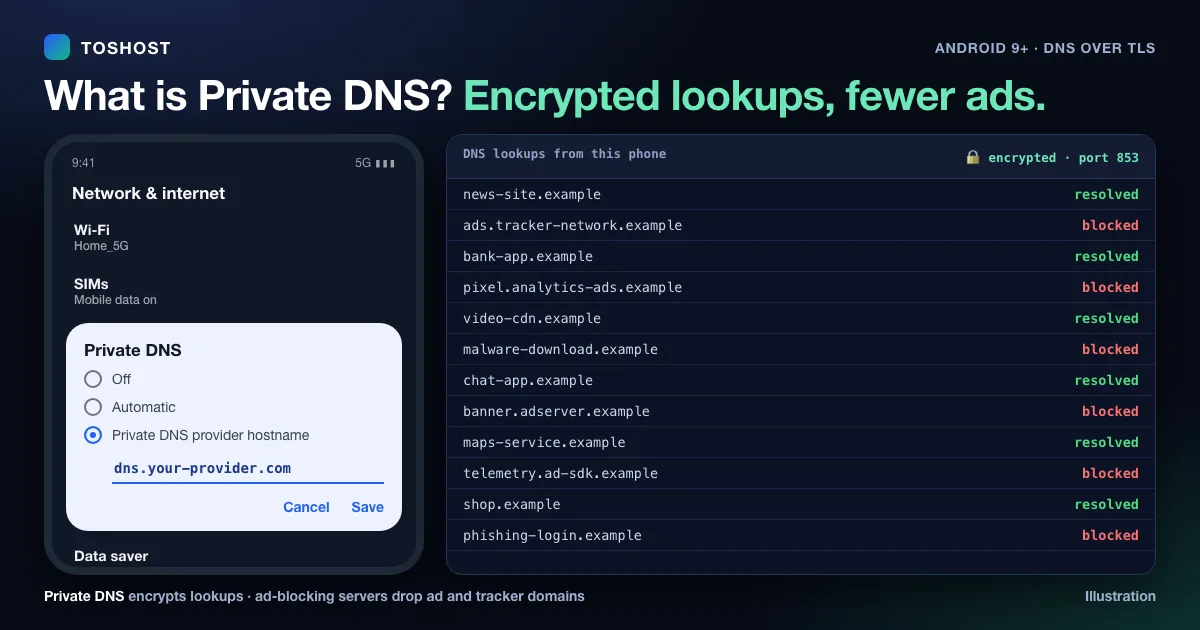
Private DNS is an Android setting that sends your phone's DNS lookups to a DNS server you choose, over an encrypted connection (DNS over TLS). Without it, every website and app name your phone looks up travels in plain text, so your mobile operator or the Wi-Fi network can see and even change it. With Private DNS on, those lookups are hidden from the network. Depending on the server you pick, ads, trackers or harmful sites can also be blocked for every app on the phone.
Short version:
- Where: Settings > Network & internet (or Connections) > Private DNS. It is on Android 9 and newer.
- What to type: a provider hostname, such as
dns.adguard-dns.comto block ads, orone.one.one.onefor plain, fast DNS. The full list is below. - What it does: encrypts DNS lookups and, with a filtering provider, blocks ads, trackers or malware sites across apps and browsers.
- What it does not do: it does not hide your IP address, it is not a VPN, and it will not raise your internet speed.
In Bangla: Private DNS হলো Android এর একটি সেটিং, যা আপনার ফোনের DNS অনুরোধগুলো এনক্রিপ্ট করে আপনার পছন্দের DNS সার্ভারে পাঠায়। সঠিক সার্ভার বেছে নিলে বিজ্ঞাপন ও ক্ষতিকর ওয়েবসাইটও ব্লক করা যায়।
First, what DNS does
Every time you open a website or an app connects to its server, your phone first asks a DNS server to turn a name such as toshost.com into an IP address. It is the internet's phone book. Normally your phone uses whichever DNS server the mobile operator or Wi-Fi router hands it, and the question and answer travel unencrypted. You can read more in how a DNS server works.
Private DNS changes two things. You pick the DNS server, and the conversation with it is encrypted with TLS on port 853. Anyone on the same Wi-Fi, and your operator, can still see which IP addresses you connect to, but no longer the list of names you look up.
How to turn on Private DNS on Android
- Open Settings.
- Go to the network menu. The name depends on the phone:
- Pixel and most Android 10+ phones: Network & internet > Private DNS.
- Samsung: Connections > More connection settings > Private DNS.
- Xiaomi, Redmi and POCO: Connection & sharing > Private DNS.
- If you can't find it, type private dns into the search bar at the top of Settings.
- Choose Private DNS provider hostname.
- Type a hostname from the table below exactly as written, with no
https://and no spaces. - Tap Save. If the hostname is wrong or blocked, Android warns you that it can't connect.
The three options mean:
- Off: use the network's own DNS, unencrypted.
- Automatic: encrypt only if the network's DNS server supports it. This is the default and usually means no encryption.
- Private DNS provider hostname: always use the server you chose, on every Wi-Fi and mobile network.
Private DNS hostnames that work (the "Private DNS code")
These are public DNS services, free to use. We checked that each hostname answers encrypted DNS on port 853 in November 2026. Pick one according to what you want.
| Hostname to type | Blocks | Good for |
|---|---|---|
dns.adguard-dns.com | Ads, trackers, phishing | Ad blocking in apps and browsers |
family.adguard-dns.com | The above plus adult sites; forces safe search | Children's phones |
unfiltered.adguard-dns.com | Nothing | Encryption only |
one.one.one.one | Nothing | Fast, plain DNS |
security.cloudflare-dns.com | Malware sites | Extra protection without blocking ads |
family.cloudflare-dns.com | Malware and adult sites | Family devices |
dns.quad9.net | Malware and phishing sites | Security-focused browsing |
dns.google | Nothing | Reliable plain DNS |
The provider you choose can see the names you look up, so pick one whose privacy policy you are comfortable with. For more on using one of these services on a computer or router, see how to use Cloudflare DNS.
Private DNS for ad blocking
An ad-blocking DNS server keeps a list of advertising and tracking domains. When an app or website asks for one of them, the server answers "not found", so the ad never loads. Because this happens at the DNS level, it works in every app and browser on the phone, with nothing to install.
It has limits:
- Ads served from the same domain as the content can't be blocked. Video platforms are the usual example: their ads come from the same servers as the videos, so DNS blocking doesn't remove them.
- Some apps or links may break. Shopping, cashback and ad-click links sometimes go through tracking domains. If something stops working, switch to an unfiltered hostname or turn Private DNS off for a moment.
- Logins and payments normally keep working, because only domains on the block list are affected.
Does Private DNS make the internet faster?
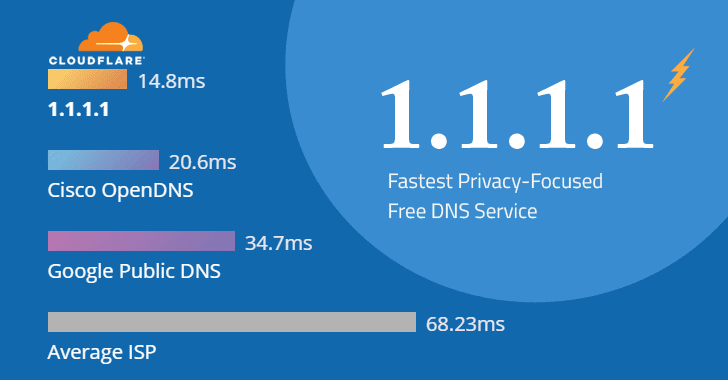
Not in the way most people hope. DNS only affects the moment a name is looked up, usually a few to a few dozen milliseconds. It does not change your download speed, video quality or gaming ping once a connection is open.
It can make pages feel quicker in two cases:
- your operator's DNS server is slow or overloaded;
- an ad-blocking DNS stops pages loading dozens of ad and tracker scripts.
The encryption adds a very small cost to each new connection to the DNS server. That cost is usually smaller than the time saved by a fast, nearby DNS server. The only way to know on your connection is to try two or three hostnames for a day each.
"Private DNS server cannot be accessed": how to fix it
Android shows this when it can't open an encrypted connection to the hostname you entered. Work through these in order:
- Check the spelling. Type the hostname exactly as shown above, with no
https://, no slash at the end and no spaces. An IP address such as1.1.1.1does not work in this field; it needs a hostname. - Sign in to the Wi-Fi first. Hotel, airport and café networks with a login page block encrypted DNS until you sign in. Set Private DNS to Automatic, sign in, then switch back.
- Try mobile data instead of Wi-Fi, or the other way round. Some networks, including some office and school networks, block port 853 on purpose. On those networks, use Automatic.
- Try a different hostname from the table. If one provider is having a problem, another usually works.
- Restart the phone after changing the setting.
What about iPhone and Windows?
iPhone and iPad have no Private DNS switch. Instead, encrypted DNS is added with a configuration profile or an app from the DNS provider. After installing the profile, open Settings > General > VPN & Device Management to see or remove it.
Windows 11 supports encrypted DNS (DNS over HTTPS) for well-known providers:
- Open Settings > Network & internet > Wi-Fi (or Ethernet) > Hardware properties.
- Next to DNS server assignment, choose Edit, then switch to Manual.
- Turn on IPv4 and enter the provider's DNS address, for example
1.1.1.1. - Set DNS over HTTPS to On (automatic template).
After changing DNS on any device, clear the DNS cache so old answers aren't reused.
Is Private DNS the same as a VPN?
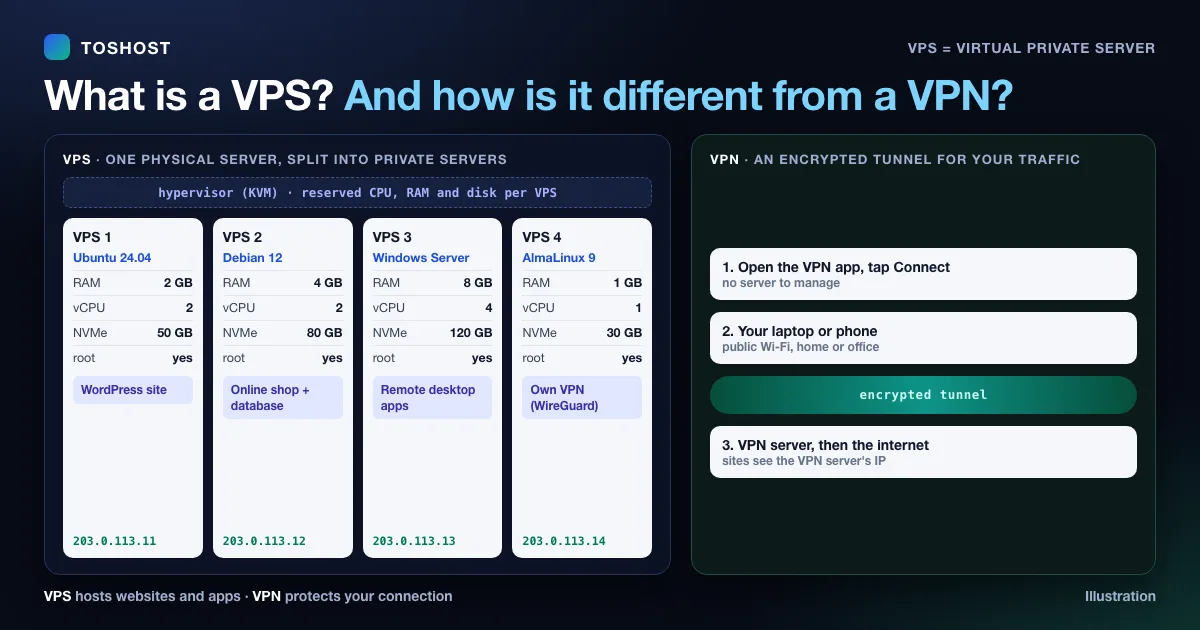
No. Private DNS encrypts only the name lookups. A VPN encrypts all your traffic and makes it appear to come from the VPN server's IP address. With Private DNS alone, websites still see your real IP, and your operator can still see which IP addresses you connect to. If you use a VPN, its own DNS settings normally take over; see what a DNS leak is and how to fix it. For the difference between a VPN and a VPS, see VPS vs VPN.
Run your own Private DNS server
Businesses, schools and families who want their own block lists, logs they control, or one setting for every device can run their own DNS server. Open-source software such as AdGuard Home can run on a small VPS. With a domain name and a free TLS certificate, it can serve encrypted DNS, so your own hostname works in the Android Private DNS field. A 1 GB cloud VPS is plenty for a household or a small office. For users in Bangladesh, a BDIX VPS in Dhaka keeps lookups inside the country. Keep the server updated and allow only the ports you use.
You can check any domain's DNS records with our free DNS lookup tool.
Frequently asked questions
What is Private DNS on Android?
A setting, available since Android 9, that sends your phone's DNS lookups to a DNS server you choose over an encrypted connection (DNS over TLS), so the network can't see or change them.
Which Private DNS is best for blocking ads?
An ad-blocking resolver such as dns.adguard-dns.com blocks ads and trackers in every app and browser. It can't remove ads served from the same domain as the content, such as most video ads.
Does Private DNS increase internet speed?
No. It doesn't change your bandwidth or ping. It can make browsing feel quicker if your operator's DNS is slow, or when it blocks ads and trackers so pages load less.
Why does it say "Private DNS server cannot be accessed"?
The hostname is misspelled, the Wi-Fi needs you to sign in first, or the network blocks encrypted DNS on port 853. Check the spelling, sign in to the Wi-Fi, or set Private DNS to Automatic on that network.
Can I enter an IP address like 1.1.1.1 in Private DNS?
No. The Android Private DNS field needs a hostname, such as one.one.one.one, because the phone checks the server's TLS certificate against that name.
Is Private DNS safe to use?
Yes. It is a built-in Android feature and only changes which server answers your DNS lookups. Choose a well-known provider, because that provider can see the names you look up.