
Unmanaged KVM VPS with full root
Your server, your rules. From $8/mo, no setup fee.
A real KVM virtual machine with dedicated vCPU and RAM, SSD storage, IPv6 and free DDoS protection, online in about 60 seconds. Run Ubuntu, Debian, AlmaLinux, Alpine, Fedora, openSUSE or Windows Server, and upgrade to fully managed whenever you like.
cloud-vps-01 Running
Ubuntu 24.04 LTS · KVM · Full root
vCPU
2
Memory
4 GB
SSD
120 GB
KVM VPS plans and prices
Every plan is a full KVM virtual machine. Prices in USD per month with no setup fee. Pay monthly, quarterly, semi-annually or yearly at the same rate.
KVM VPS 1GB
Dev boxes, VPN, proxy, small sites
$8/month
- 1 vCPU core
- 1 GB RAM
- 35 GB SSD
- 1 TB transfer
KVM VPS 2GB
Small production apps
$16/month
- 1 vCPU core
- 2 GB RAM
- 70 GB SSD
- 2 TB transfer
KVM VPS 2GB · 2 vCPU
Production sites, APIs, Docker
$24/month
- 2 vCPU cores
- 2 GB RAM
- 90 GB SSD
- 3 TB transfer
KVM VPS 4GB
Growing apps and databases
$32/month
- 2 vCPU cores
- 4 GB RAM
- 120 GB SSD
- 4 TB transfer
KVM VPS 8GB
Heavier stacks, CI runners
$48/month
- 2 vCPU cores
- 8 GB RAM
- 160 GB SSD
- 5 TB transfer
KVM VPS 32GB
Big databases and container fleets
$100/month
- 16 vCPU cores
- 32 GB RAM
- 700 GB SSD
- Unmetered transfer
Included on every plan
Want a panel, Alpine or a UK location? See aaPanel hosting, Alpine Linux VPS and UK KVM VPS.

TOSHOST KVM VPS at a glance
TOSHOST unmanaged KVM VPS is a self-managed virtual server with full root access, dedicated vCPU and RAM, SSD storage and free always-on DDoS protection, from $8 per month.
| What it is | A self-managed (unmanaged) KVM virtual private server with full root access. |
|---|---|
| Price | $8 to $100 per month. Pay monthly, quarterly, semi-annually or annually at the same rate; no setup fee. |
| Resources | 1 to 16 dedicated vCPU, 1 to 32 GB RAM, 35 to 700 GB SSD, 1 TB to unmetered transfer. |
| Operating systems | Ubuntu, Debian, AlmaLinux, Alpine, Fedora, openSUSE and Windows Server 2025, reinstallable from the panel. |
| Deployment | Usually online in about 60 seconds after payment. |
| Security | Free always-on DDoS protection, panel firewall, SSH brute-force protection, SSH keys, snapshots and off-server backups. |
| Hardware | Enterprise Supermicro and Quanta (QCT) rack servers with Intel processors and SSD storage. |
| Network | Dedicated IPv4 plus IPv6 on every plan. |
| Uptime | 99.9% uptime SLA. |
| Control panel | TOSHOST VPS panel: power controls, browser console, rescue mode, live usage graphs, OS reinstall. |
Facts checked against the live store and control panel on 16 November 2026.
Real KVM virtualisation, real control
Manage your KVM VPS from one control panel
Every plan comes with our own VPS panel in the client portal. This is the real screen you get, not a mock-up.

-
Power controls & console
Start, restart or shut down, and open a browser console when SSH is not an option.
-
Live usage and graphs
CPU, memory, disk and monthly bandwidth at a glance, with traffic, CPU and memory graphs from 1 hour to 7 days.
-
Firewall & SSH protection
Add firewall rules and switch on SSH brute-force protection, which blocks an address for an hour after 30 new SSH connections in a minute.
-
Snapshots & backups
Take a snapshot before a risky change, or a full backup kept on separate storage.
-
SSH keys, apps & reinstall
Manage SSH keys, install one-click apps, reset the root password, or reinstall any of 10 OS images.
Built on Supermicro and Quanta servers
Every TOSHOST KVM VPS runs on enterprise rack servers from Supermicro and Quanta (QCT), two of the server makers behind many of the world's large cloud platforms. No desktop parts, no consumer drives.
KVM then divides each server into isolated virtual machines, so the vCPU, RAM and SSD space on your plan are reserved for you.
- Supermicro & Quanta (QCT) rack servers
- Intel server processors
- SSD storage on every plan
- KVM hardware virtualisation
- Network-level DDoS filtering
- Dedicated IPv4 + IPv6

A secure VPS from the network up
Unmanaged does not mean unprotected. Every KVM VPS ships with layered security you control from the panel.
Always-on DDoS protection
Network-level DDoS filtering is on for every plan at no extra cost, so volumetric floods are dropped before they reach your VPS.
Hardware-level KVM isolation
Each VPS is a separate KVM virtual machine with its own kernel, vCPU and RAM. A compromised neighbour cannot see into your server.
Firewall rules from the panel
Allow only the ports you use, from the VPS control panel, on top of any firewall you run inside the OS.
SSH brute-force protection
One click blocks any address for 1 hour after 30 new SSH connections in 1 minute, stopping password-guessing bots.
SSH key login
Add your public keys in the panel and switch off password logins for root.
Snapshots & off-server backups
Snapshot before a risky change and roll back in minutes. Full backups are kept on separate storage.
Rescue mode & browser console
Locked out by a bad firewall rule or broken config? Open the console or boot rescue mode from the panel.
Support PIN verification
Our team verifies you with a short-lived support PIN from your client area. We never ask for your password.
Who secures what on an unmanaged VPS?
Security on a self-managed VPS is shared. Here is exactly where our job ends and yours begins. Want us to cover your side too? Choose a managed VPS.
Facing large or application-layer (L7) attacks? Add L7 DDoS protection or choose a DDoS-protected VPS.
| Layer | TOSHOST | You |
|---|---|---|
| Physical servers & data center | Yes | |
| Network & DDoS filtering | Yes | |
| KVM hypervisor isolation | Yes | |
| Panel firewall & SSH protection | Provides the tools | Switch on & set rules |
| Snapshots & backups | Provides storage | Take & test them |
| OS updates & patches | Yes | |
| Users, passwords & SSH keys | Yes | |
| Apps, databases & web server | Yes |
Why choose an unmanaged KVM VPS
For developers and teams who know their stack and want raw performance without the management premium.
Full Root Access
Complete control to install any software, tune the kernel and configure the server exactly how you want it.
Deploy in 60 Seconds
Spin up a VPS with your chosen OS in about a minute, no waiting, no tickets, just SSH in and build.
Guaranteed Resources
Dedicated vCPU and RAM with true KVM isolation, your performance never depends on a noisy neighbour.
SSD Storage
Fast SSD storage on every plan for databases, builds and busy apps, from 35 GB up to 700 GB.
Snapshots & Easy Resize
Snapshot before risky changes and roll back instantly. Scale CPU, RAM and disk up as you grow.
Linux or Windows
Ubuntu, Debian, AlmaLinux, Alpine, Fedora, openSUSE or Windows Server 2025. Reinstall another OS in one click.
Free DDoS Protection
Always-on network-level mitigation keeps your VPS reachable through attacks at no extra cost.
Private Networking & IPv6
Build multi-server architectures with private networking and native IPv6 on every instance.
Upgrade to Managed Any Time
Outgrow self-managed? Switch to a fully Managed VPS and let our engineers run updates, security and monitoring.
What is a KVM VPS?
KVM (Kernel-based Virtual Machine) is the virtualisation layer built into the Linux kernel. Each KVM VPS is a complete virtual machine: it boots its own kernel, gets its own share of vCPU and RAM, and is isolated from every other customer at the hardware level.
That is different from container-based VPS types such as OpenVZ or LXC, where every customer shares one host kernel. Containers are cheaper to oversell, and you cannot load your own kernel modules, run Docker freely, or install Windows. With KVM you can.
An unmanaged (self-managed) KVM VPS gives you root and leaves the software to you. It costs less than a managed VPS because you do the server work yourself. New to Linux servers? Read our guide to managed vs unmanaged VPS costs and choosing a cloud VPS for a small business site.
KVM VPS vs container VPS vs shared hosting
| Feature | KVM VPS | Container VPS | Shared hosting |
|---|---|---|---|
| Own kernel | Yes | No, shared | No |
| Dedicated vCPU & RAM | Yes | Often oversold | No |
| Root access | Full root | Limited root | No |
| Docker / custom modules | Yes | Restricted | No |
| Windows Server | Yes | No | No |
| Isolation from neighbours | Hardware level | Process level | Account level |
| Who manages it | You (or upgrade) | You | Host |
KVM VPS specifications
All plans include full root, free DDoS protection, IPv4 + IPv6 and a 99.9% uptime SLA.
Linux VPS or Windows VPS: your choice of OS
Pick an OS at checkout and reinstall a different one from the panel whenever you like. Because it is KVM, you are not limited to Linux.


Ubuntu VPS
22.04, 24.04 and 26.04 LTS. The most popular server Linux, with long-term support.

Debian VPS
Debian 13. Rock-solid and lightweight, a favourite for long-running servers.

AlmaLinux VPS
AlmaLinux 9 and 10. Free RHEL-compatible OS for enterprise stacks and panels.

Alpine Linux VPS
Alpine 3.24. Tiny, security-focused musl + OpenRC system, ideal for Docker hosts.
Alpine Linux VPS guide →
Fedora VPS
Fedora 44. The newest kernels and packages for developers.

openSUSE VPS
openSUSE Leap 15.1. Stable enterprise-grade Linux with YaST tooling.

Windows Server VPS
Windows Server 2025 Standard (evaluation). Activate it with your own licence.
Rescue mode VPS
Boot a rescue system from the panel to fix a server that will not start.
What you can run on a KVM VPS
Full root and your own kernel mean almost anything that runs on Linux or Windows runs here.
Web apps & APIs
Node.js, Laravel, Django, Go or Rails behind nginx or Caddy, with full control of the runtime.
Databases
PostgreSQL, MySQL, MariaDB or Redis on SSD with dedicated RAM that no neighbour can take.
Docker & CI runners
Run containers, GitLab or GitHub runners and private registries. KVM has no container restrictions.
VPN & proxy
Self-host WireGuard or OpenVPN on your own IPv4 + IPv6. The 1GB plan is plenty.
Hosting control panel
Install aaPanel, CyberPanel or another panel to host many sites.
aaPanel hosting →Attack-prone services
Game servers and public APIs that need stronger filtering.
DDoS-protected VPS →Unmanaged or fully managed VPS?
Start self-managed for control and value, upgrade to managed whenever you want the work off your plate.
Unmanaged KVM VPS
You hold root and run the stack. Best value, total flexibility.
- You manage the OS, updates & security
- Full root access & any OS image
- Lowest price for the resources
- Ideal for developers & DevOps teams
- Free DDoS + snapshots included
Fully Managed VPS
We run the server for you, updates, hardening, monitoring & backups.
- We handle OS updates & security patching
- 24/7 proactive monitoring & alerts
- Managed backups & restores
- Performance tuning & support
- Ideal if you would rather not touch servers
How to set up your KVM VPS in 10 minutes
An unmanaged VPS is yours to run. These five steps take a fresh Ubuntu or Debian server to a secured, working box.

Before you start
- An SSH client: Terminal on macOS and Linux, or PuTTY / Windows Terminal on Windows
- Your server IP and root password from the welcome email (also shown in the control panel)
- About 10 minutes
- Optional: an SSH key pair, so you can switch off password logins
Prefer not to do this yourself? Our managed VPS includes setup, updates and monitoring.
-
1
Pick a plan and operating system
Choose a KVM VPS plan above and select Ubuntu, Debian, AlmaLinux, Alpine, Fedora, openSUSE or Windows Server at checkout. Your server is usually online in about 60 seconds and the IP and root password arrive by email.
-
2
Connect over SSH
Open a terminal (or PuTTY on Windows) and log in as root with the IP address from your welcome email.
ssh root@YOUR_SERVER_IP
-
3
Update the system and add a sudo user
Install the latest security updates first, then create a normal user for day-to-day work so you are not running everything as root.
apt update && apt upgrade -y
adduser deploy
usermod -aG sudo deploy
-
4
Turn on the firewall and lock down SSH
Allow SSH through the firewall, enable it, and stop password logins for root once your SSH key is in place.
ufw allow OpenSSH
ufw enable
sed -i 's/^#\?PermitRootLogin.*/PermitRootLogin prohibit-password/' /etc/ssh/sshd_config
systemctl restart ssh
-
5
Deploy your app
Install what you need: a web server, a database, or Docker to run containers. Take a snapshot first so you can roll back in one click.
curl -fsSL https://get.docker.com | sh
docker run -d -p 80:80 nginx
8-step VPS security checklist
Do these on day one and your unmanaged VPS is safer than most servers on the internet. Commands are for Ubuntu and Debian.
Turn these on in the control panel
- Firewall & SSH tab: turn on the firewall and add rules
- Firewall & SSH tab: turn on SSH protection
- SSH keys tab: add your public key
- Snapshots & backups tab: take a first snapshot and backup
-
1
Log in with SSH keys and disable root password login
sed -i "s/^#\?PasswordAuthentication.*/PasswordAuthentication no/" /etc/ssh/sshd_config && systemctl restart ssh
-
2
Turn on automatic security updates
apt install -y unattended-upgrades && dpkg-reconfigure -plow unattended-upgrades
-
3
Allow only the ports you need
ufw default deny incoming && ufw allow OpenSSH && ufw allow 80,443/tcp && ufw enable
-
4
Ban repeat offenders on every service
apt install -y fail2ban && systemctl enable --now fail2ban
-
5
Switch on SSH protection and the firewall in the panel
-
6
Take a snapshot before every big change
-
7
Keep off-server backups and test a restore
-
8
Run services as non-root users and keep secrets out of web roots
Who should choose an unmanaged KVM VPS
A great fit if you
- Are comfortable with Linux and SSH, or want to learn
- Need root access, Docker or your own kernel modules
- Want the lowest price for dedicated vCPU and RAM
- Run apps, APIs, databases, VPNs or CI runners
- Want monthly billing with no long contract
Choose something else if you
- Just need a website or WordPress: web hosting or WordPress hosting is simpler.
- Do not want to patch and secure a server: pick a managed VPS.
- Need a server inside Bangladesh: see BDIX VPS.
- Need a whole physical machine: see dedicated servers.
Client satisfaction.
Rated 5.0/5 on HostAdvice (44 reviews) and 9.8/10 on WHTop (77 reviews), here is what a few of them say.
"I have personally used the services since around 2017 and I have not found a better option at hosting and web development. I highly recommend TOSHOST to anyone, the price may be higher than others, but I think it's worth the investment."
"Fast. Available. Friendly. Most of all-- they solve your problems. I'm VERY happy with my TosHost experience and would recommend them to everyone looking to build a website!"
 Bangladesh
"As a non tech-savvy person like me who needed to put three websites on TosHost, I was lost. But luckily various good folks from the customer support team were always beside me with quick replies and fixes, to make everything smooth."
 Netherlands
"I am extremely happy with Toshost support and services. I had a domain issue, I almost lost it. The Toshost team helped and I am very thankful and highly recommend Toshost. A professional company with incredible support skills."
 United States
Enterprise-grade infrastructure, developer-grade control
Real KVM virtualisation on modern hardware, the performance, security and reach of a managed platform, with full root in your hands.

Real KVM power that is yours alone
Every plan is a true KVM virtual machine with dedicated, guaranteed vCPU and RAM, never an oversold container. Fast SSD storage handles databases, builds and busy apps.
- Dedicated vCPU & RAM
- SSD storage
- Full hardware isolation
- Linux or Windows Server

Protected, backed up and recoverable
Always-on, network-level DDoS mitigation keeps your VPS reachable through attacks at no extra cost. Snapshot before any risky change and roll back instantly, with automated backups available as an affordable add-on.
- Free always-on DDoS protection
- One-click snapshots & rollback
- Optional automated backups
- Private networking & native IPv6

Deploy close to your users, stay online
Every VPS runs on our own network with always-on DDoS filtering and a 99.9% uptime SLA. See our data center locations to pick the region that suits your audience.
- Always-on DDoS filtering
- Dedicated IPv4 + native IPv6
- 99.9% uptime SLA
- Deploy online in ~60 seconds
Build applications with one click on your VPS
Skip the setup. Launch your Cloud VPS from a ready-made app image, boot it in about 60 seconds and go live, no complex configuration required.
Website Building
Quickly build a personal or business website without complex configuration, your own cloud-hosted site, online instantly.
- 01 Select the WordPress app image to create your instance.
- 02 Boot the VPS, then bind your domain and free SSL certificate.
- 03 Pick a theme, publish your pages and go live in minutes.
WordPress
App image selected from the library
Manage your VPS with a built-in control panel
A visual management experience makes day-to-day operations simpler, safer and more efficient, no command line required.
- 01 Select the cPanel or aaPanel app image to create your instance.
- 02 Boot the VPS and open the control panel in your browser.
- 03 Install software, sites and databases with a few clicks.
cPanel / aaPanel
App image selected from the library
Deploy AI applications & agents
Use one-click deployment and a lightweight environment to stand up AI apps and agents fast, low effort, high efficiency.
- 01 Select an AI app image such as n8n or Ollama from the image library.
- 02 Boot the instance, open the console and connect your APIs, services and databases.
- 03 Build and run AI workflows for automation, chat and model monitoring.
n8n / Ollama
App image selected from the library
Development & test environment
Spin up a development or testing environment quickly, with high consistency from local to cloud and low-cost iteration.
- 01 Select a dev image such as Node.js or Docker to create your instance.
- 02 Configure the dependency environment and pull your code repository.
- 03 Build and verify in an isolated environment for a worry-free launch.
Node.js / Docker
App image selected from the library
Spin up your VPS closer to your users
Pick the data center that suits your audience. Need a server inside Bangladesh? See our BDIX VPS.
Get the most from your VPS
Setup, hardening, web servers and command-line tips for running your own cloud server.
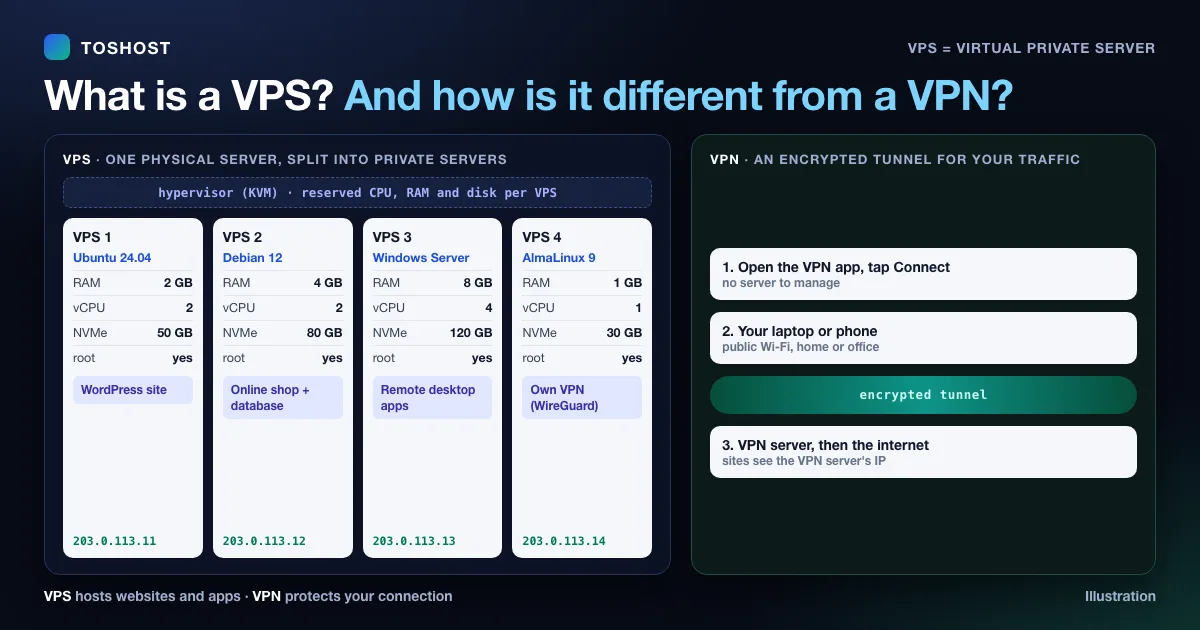
What Is a VPS? Full Form, How It Works and VPS vs VPN
A plain-language guide to VPS hosting: the full form of VPS, how a virtual private server works with KVM, the...
Nov 14, 2026 Read →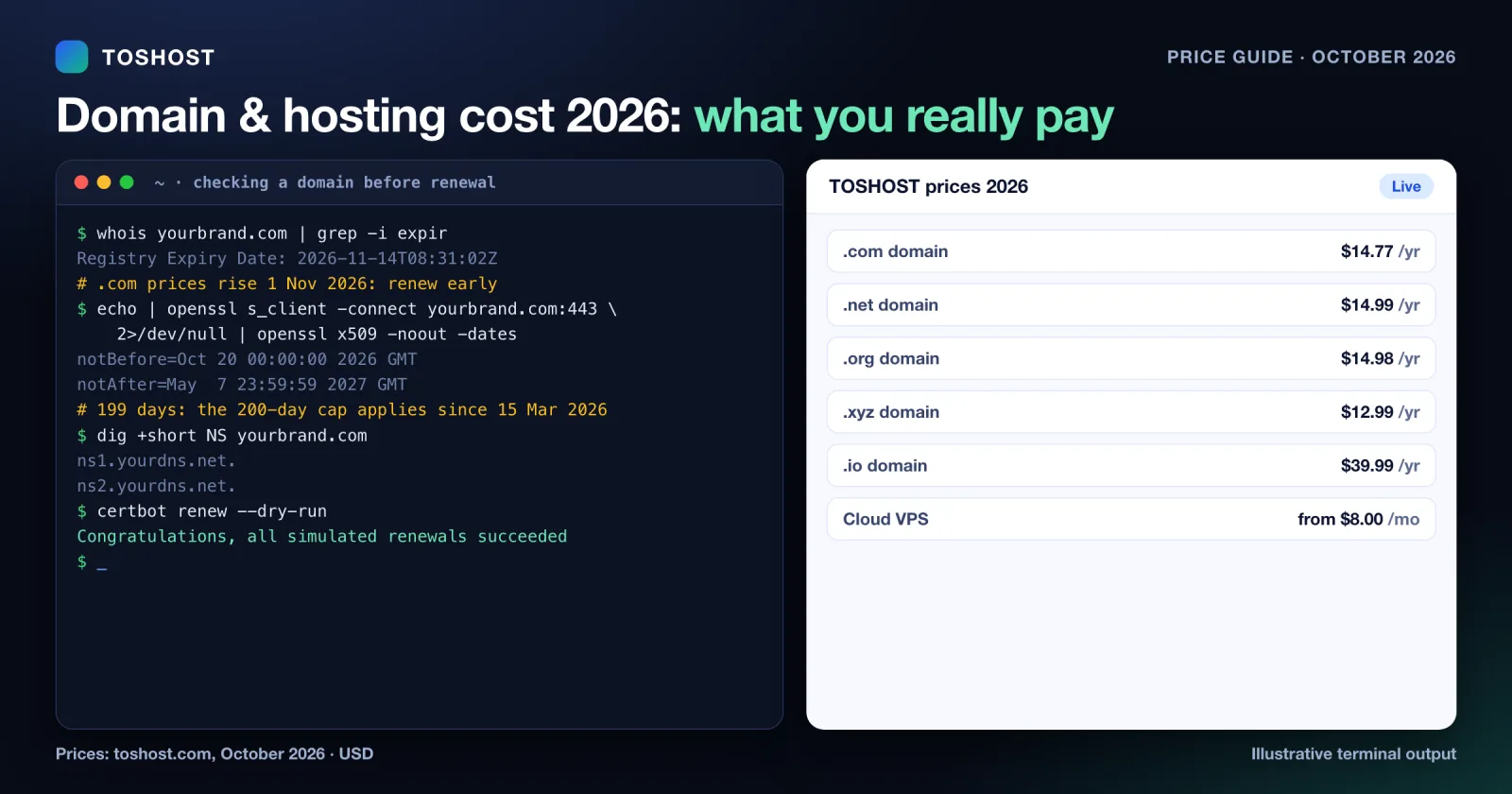
Domain and Hosting Cost 2026: Real Prices and Renewals
Domain and hosting prices in 2026: current yearly prices for .com, .net, .org, .co.uk, .xyz, .dev, .shop, .io...
Oct 28, 2026 Read →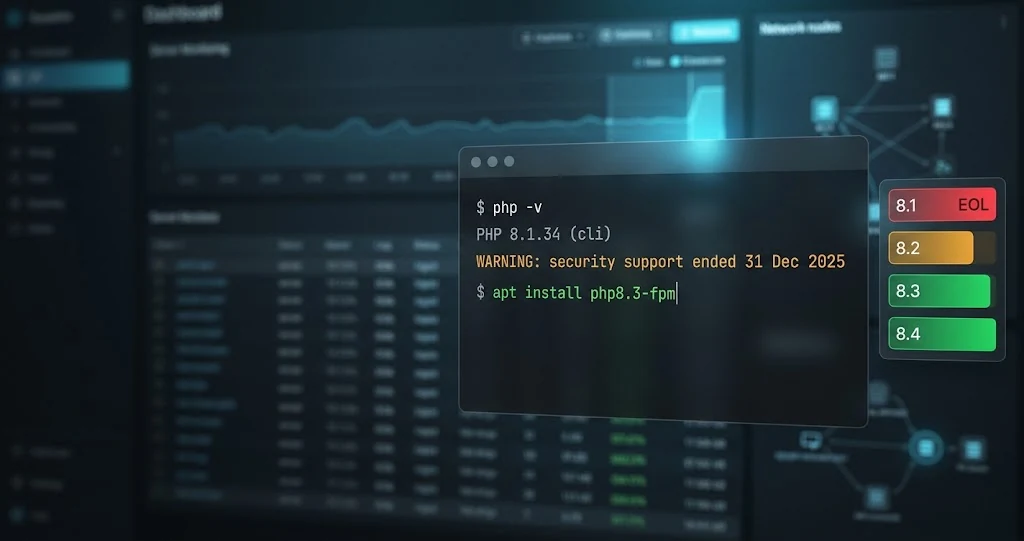
PHP 8.1 End of Life: What to Do Now (Upgrade Guide for Server Admins)
PHP 8.1 end of life was 31 December 2025. See what it means for your servers and how to inventory, test and up...
Oct 24, 2026 Read →KVM VPS questions, answered
Prices and plan details last updated 16 November 2026.
Deploy your KVM VPS in 60 seconds
Full root, SSD storage and free DDoS protection, from $8/mo with no setup fee.